
In Metro, setting up a Cash Journal allows you to record and manage cash transactions such as payments, receipts, and petty cash.
Here’s how you can set it up step by step:
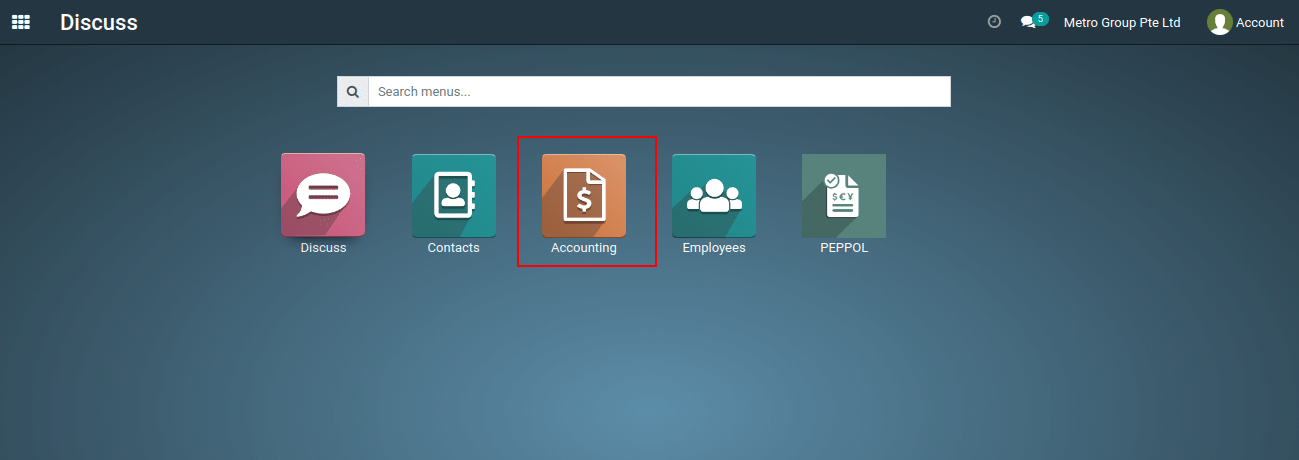
1) Go to the ‘Accounting’ App by clicking on the Accouting application.
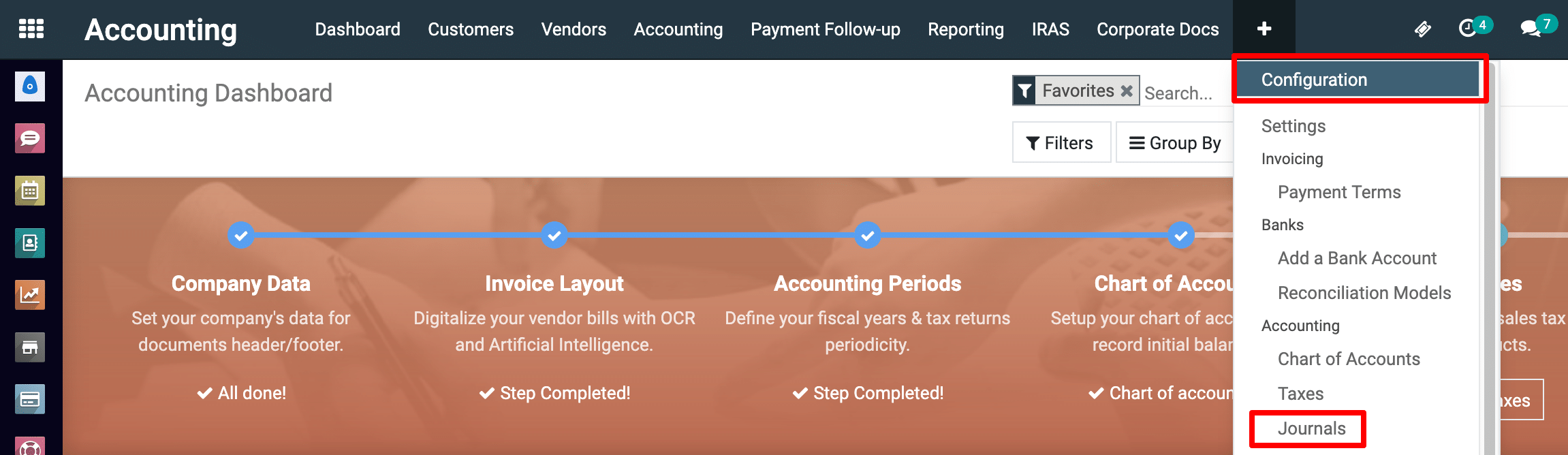
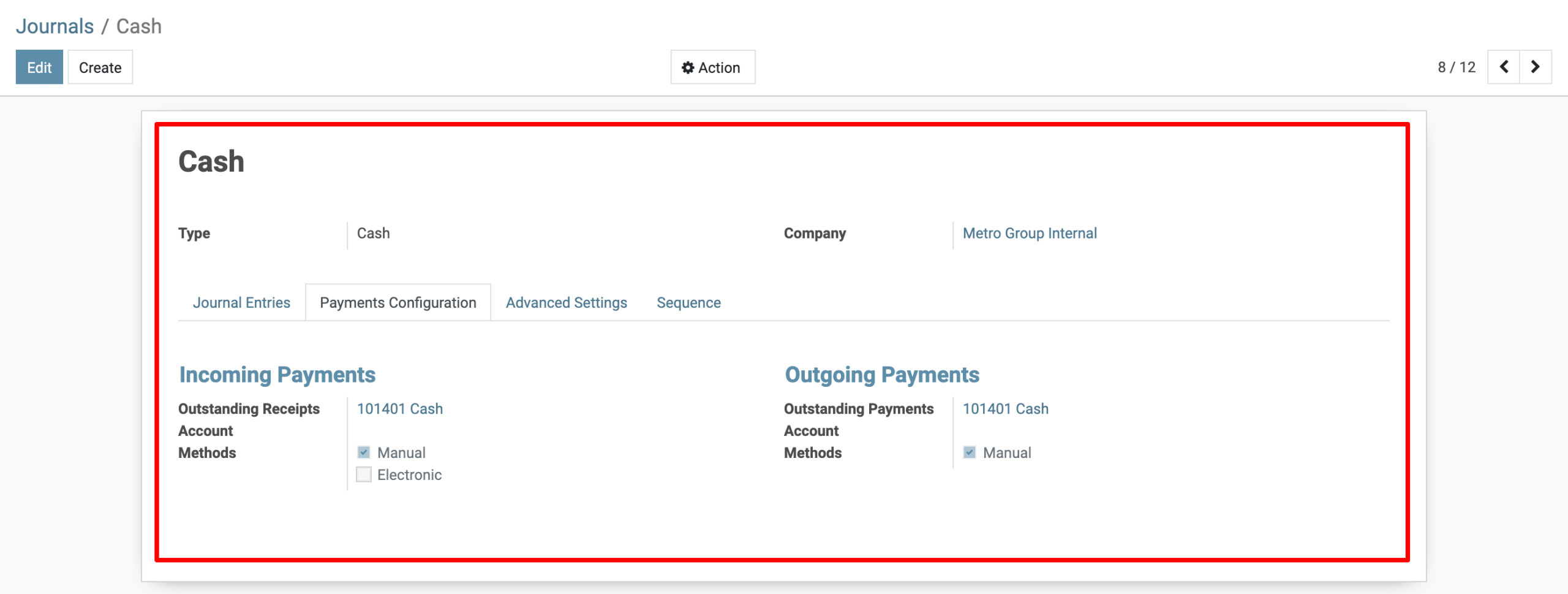
2) Navigate to: Accounting → Configuration → Journals.
3) Create a New Journal
Click Create.

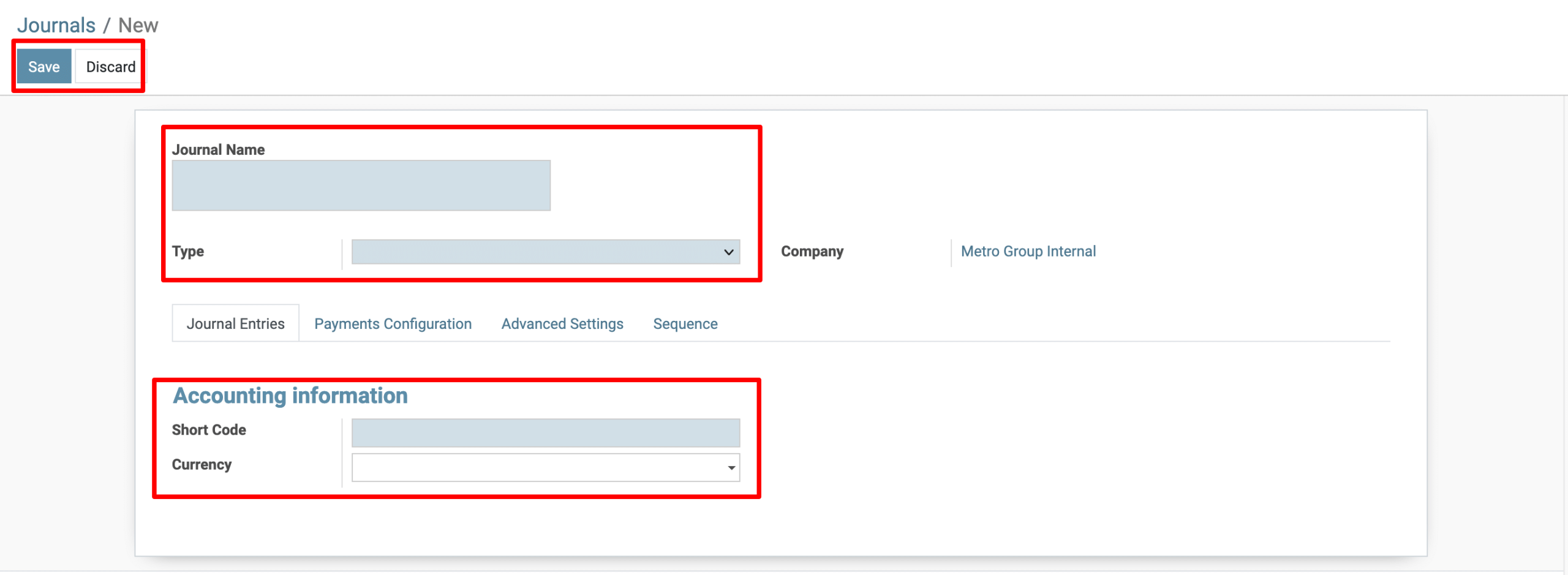
Fill in the following details:
| Field | Description |
|---|---|
| Journal Name | Enter a name like Cash Journal or Petty Cash. |
| Type | Select Cash from the dropdown. |
| Default Account | Choose your Cash account (for example: Cash or Petty Cash). |
| Short Code | Enter a short reference (e.g., CASH). |
| Currency | Leave blank if using the company’s default currency. Otherwise, specify a different one. |
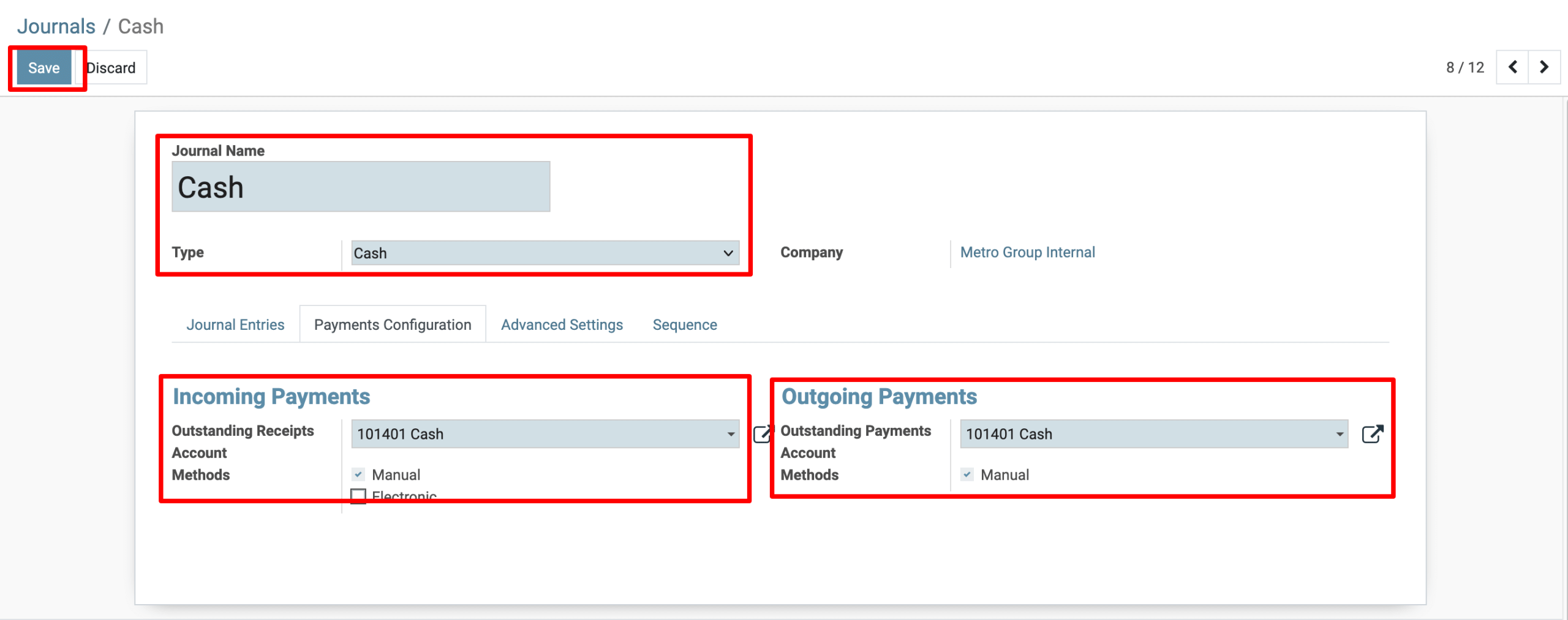
4) Click Save to finalize your Cash Journal.
To get more details to Create a Cash Journal in Metro Accounting System, please do contact us at support@metrogroup.solutions