
To enable debug mode in MetroERP follow these steps:
1) First, log in to the system by providing your credentials.

2) Go to the URL displayed in your browser.
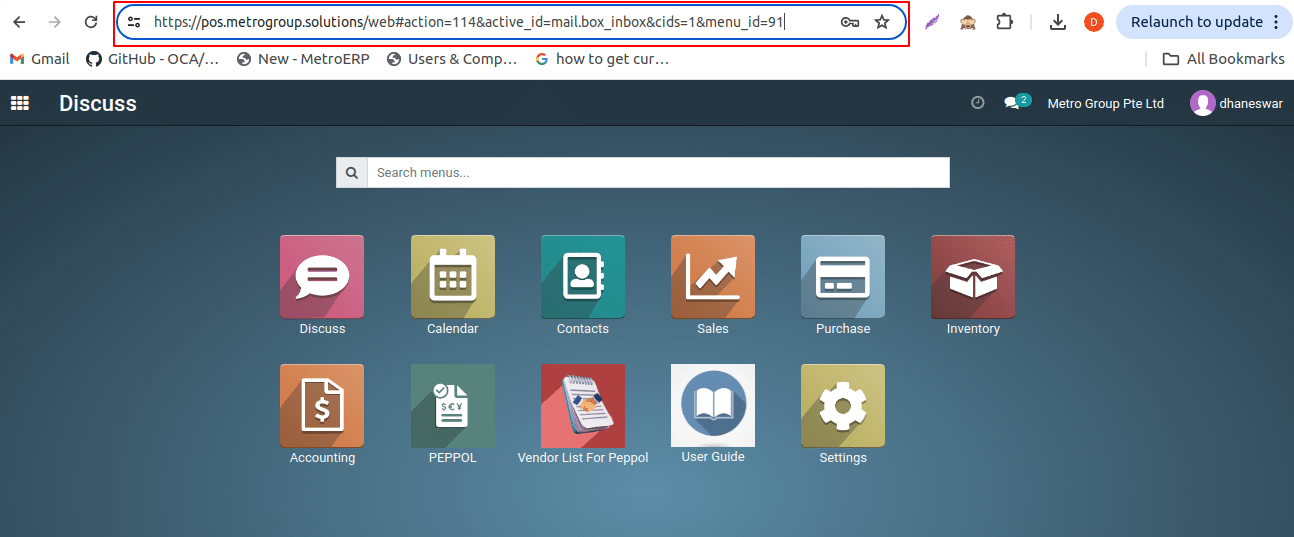
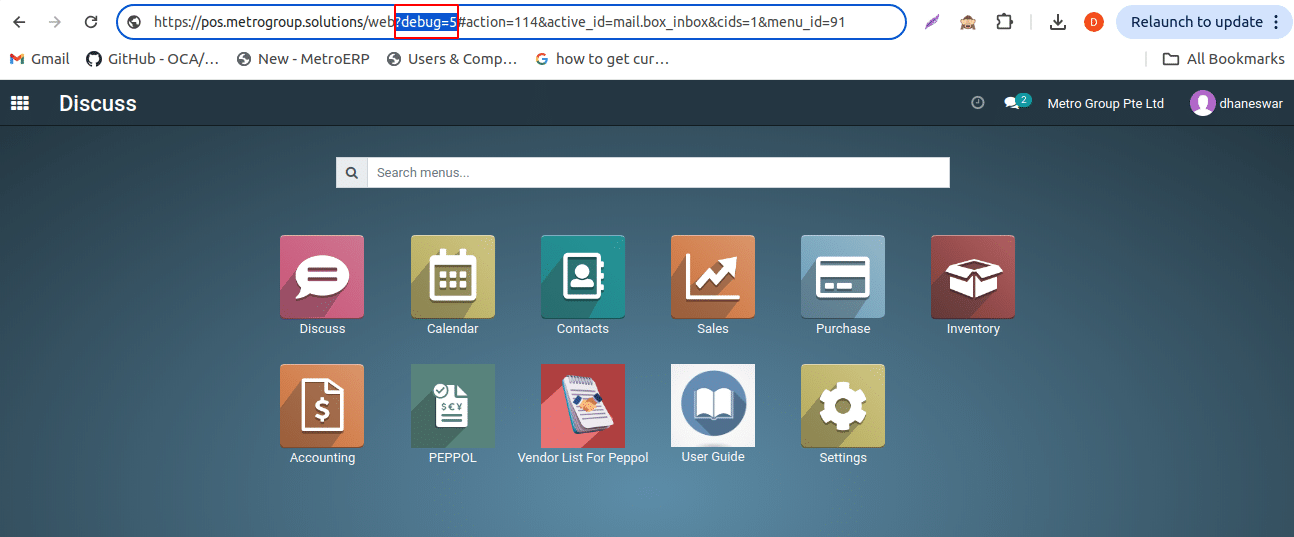
3) After the web in the URL, enter ?debug=5 and press the Enter key.
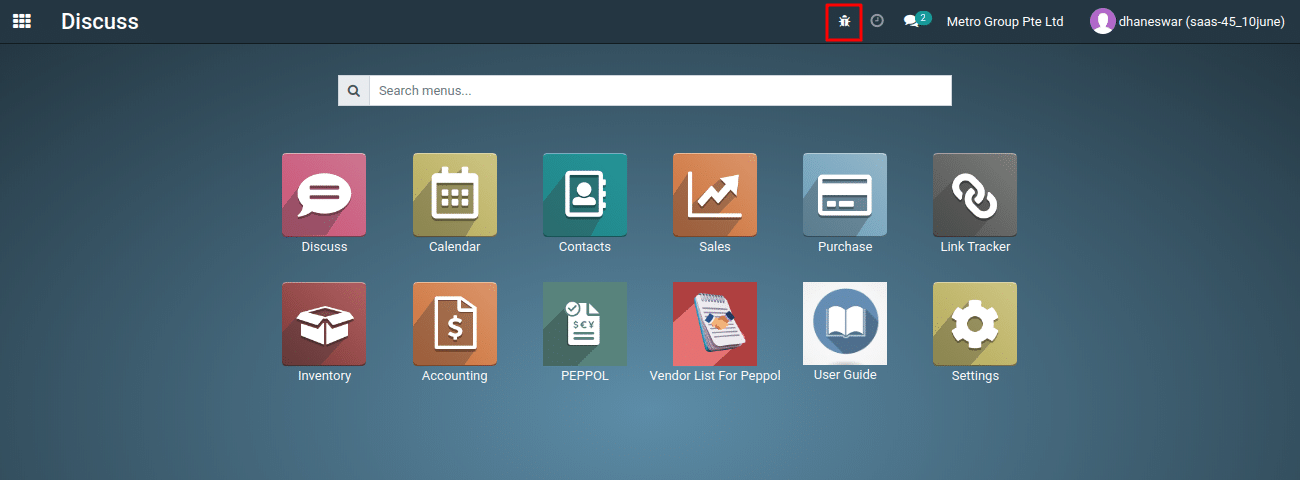
4) The above action will activate debug mode, and you will see a screen similar to the one shown below.
To get more details how to activate debug mode, please do contact us at support@metrogroup.solutions