
To enable Landed Costs in the Inventory module in Metro ERP, follow these steps:
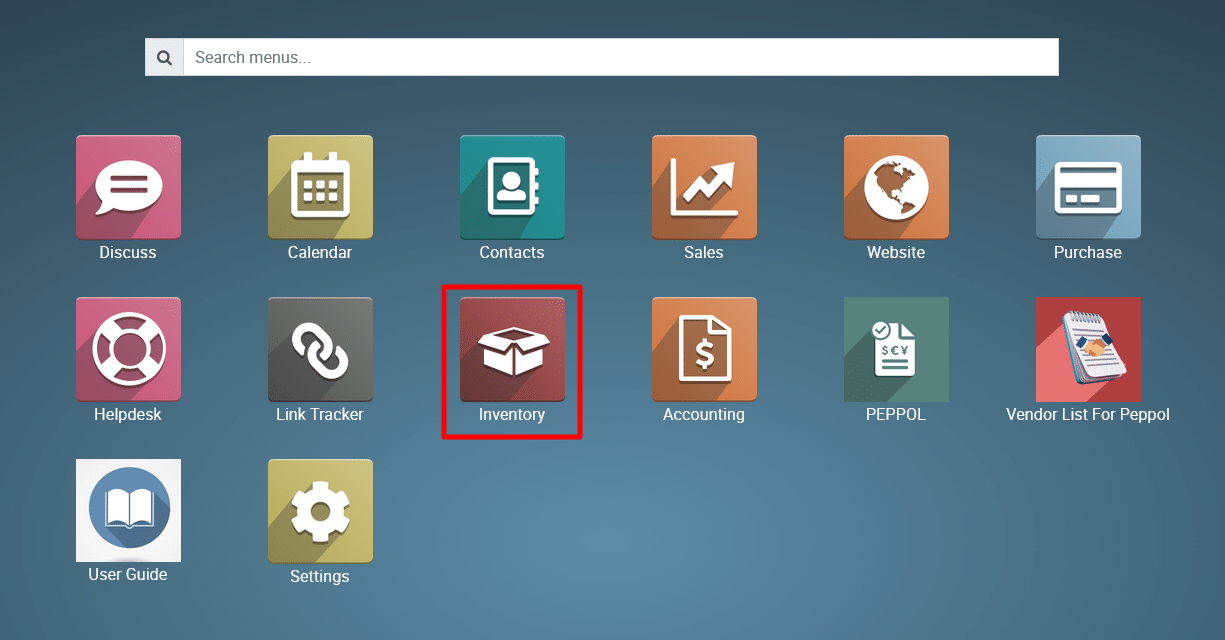
1) Navigate
to the Inventory Module.
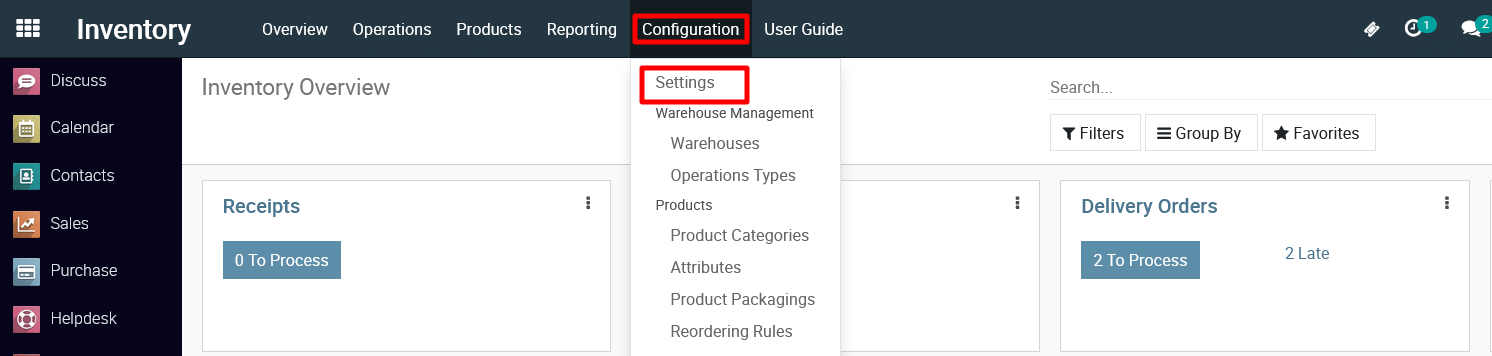
2) Click
on Configuration and then select ‘Settings’.
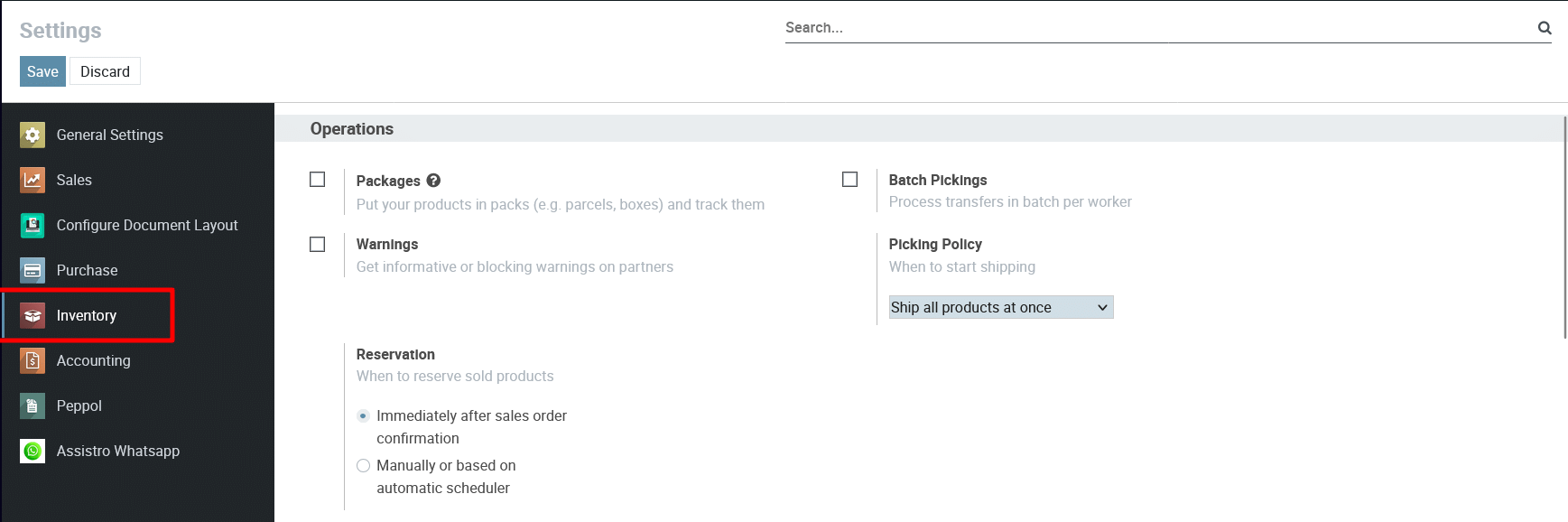
3) VIew the Inventory Settings
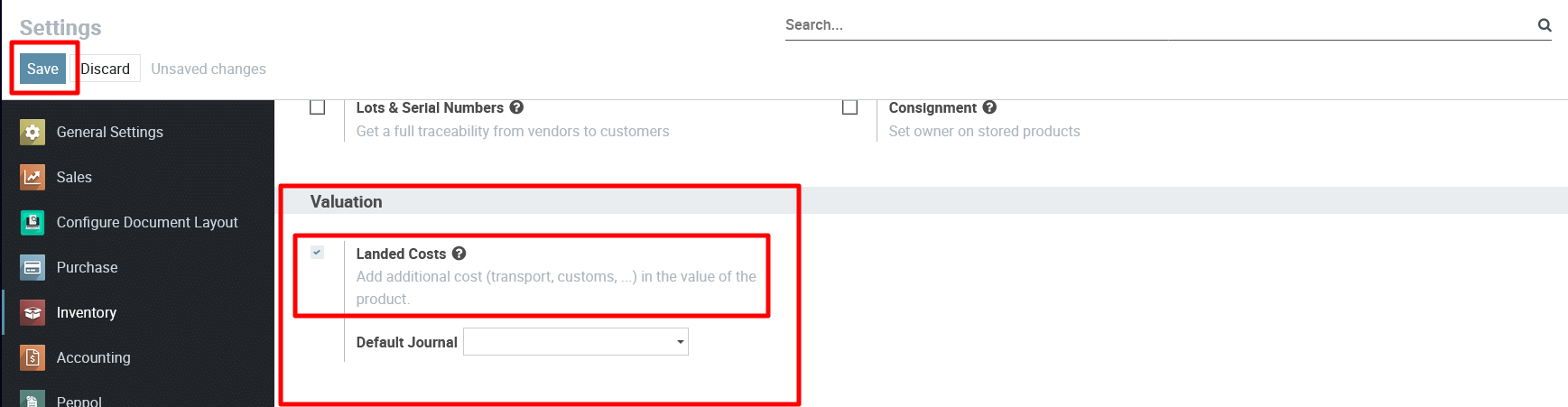
4) Scroll down to the Valuation section.
Enable the checkbox “Landed Costs”. and Click Save button.
To get more details on Enable Landed Costs Feature in the Metro ERP, please do contact us at support@metrogroup.solutions