
In Metro, Salary & Payroll is managed through the Payroll application. Below is a step-by-step user guide to add and manage Salary & Payroll:
1) Go to the ‘Accounting’ module.
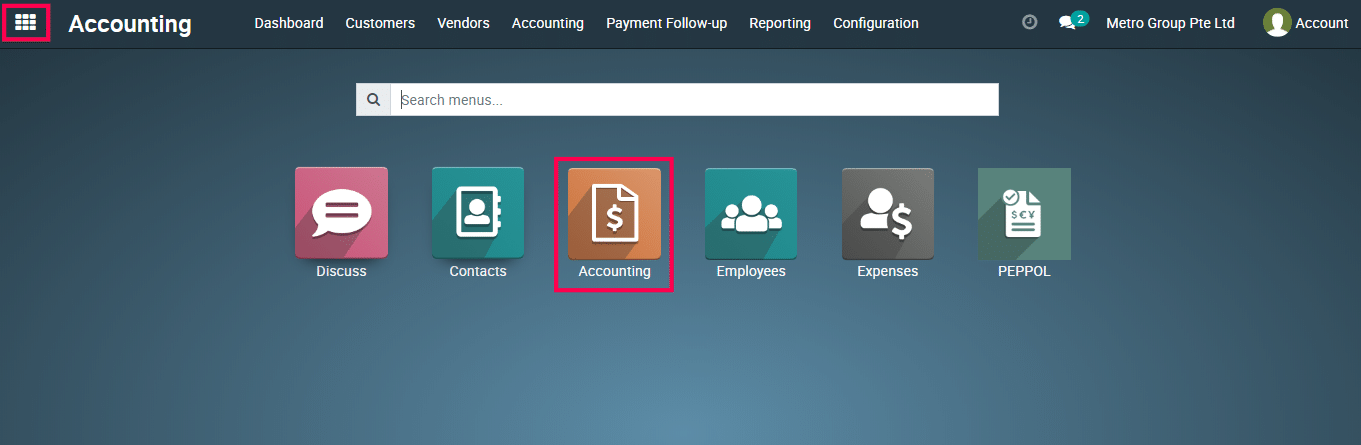
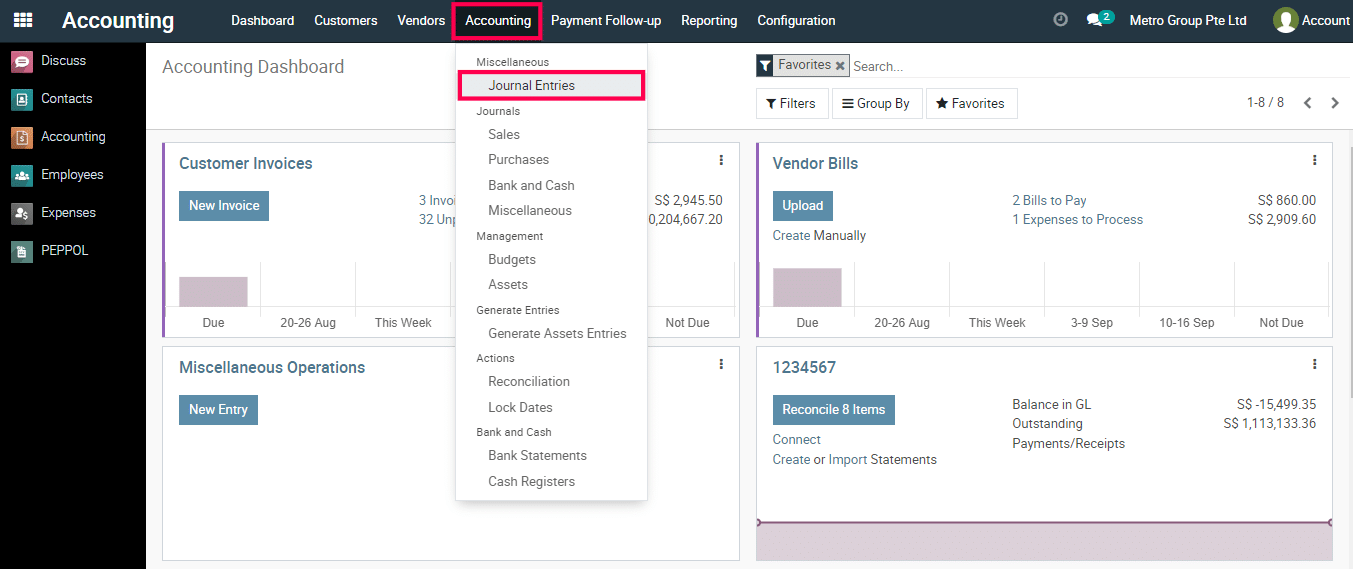
2) Go to ‘Journal Entries’.
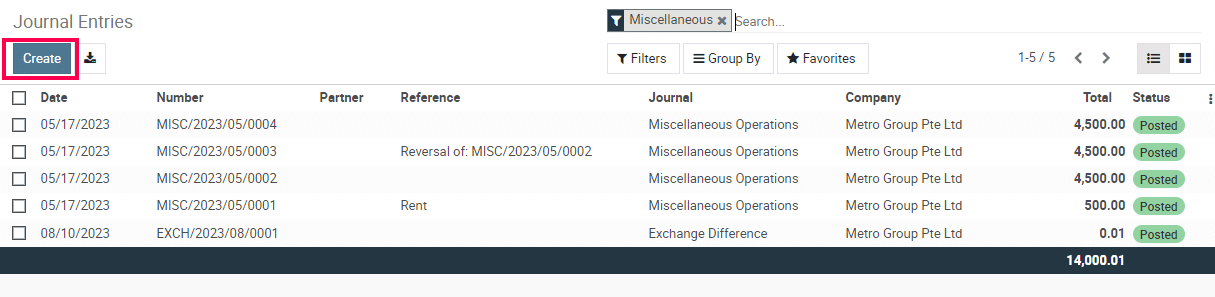
3) Click on the Create Button.
4) Select the journal, enter the date, and provide a reference if needed. Add line items with accounts, debit and credit amounts, and descriptions.
This section explains how employee salary, CPF contributions, and related payroll components are processed and posted in Metro Accounting System for Singapore payroll.
Accounting Impact Summary
| Component | Account Type | Debit | Credit |
|---|---|---|---|
| Salary & Wages | Expense | ✅ | |
| Director Fee | Expense | ✅ | |
| Employer CPF | Expense | ✅ | |
| Salary Payable | Liability | ✅ | |
| CPF Payable | Liability | ✅ | |
| Deductions / Loans | Liability | ↔ | ↔ |
NOTE: If you cannot find the required account in the Account field, you can create a new chart of accounts.
How to Add or Delete a Chart of Accounts? – Click Here
Singapore Payroll in Metro Accounting System, with focus on Salary, CPF, and accounting impact, aligned with the journal entry you shared.
This section explains how employee salary, CPF contributions, and related payroll components are processed and posted in Metro Accounting System for Singapore payroll.
A) Salary Expense Recording
Payroll – Salary & Wages
-
Account Type: Expense
-
Accounting Treatment: Debit
-
Purpose:
Records the gross salary expense paid to employees for the payroll period.
B) Director Remuneration
Director Fee
-
Account Type: Expense
-
Accounting Treatment: Debit
-
Purpose:
Records fees payable to company directors, separate from employee wages for statutory clarity.
C) CPF Contribution – Employer Portion
Employer Pension (CPF)
-
Account Type: Expense
-
Accounting Treatment: Debit
-
Purpose:
Records the employer’s CPF contribution, which is a statutory cost to the company.
D) CPF Contribution – Payable to CPF Board
CPF Payable
-
Account Type: Liability
-
Accounting Treatment: Credit
-
Purpose:
Records the total CPF amount payable to the CPF Board.
This includes:
-
Employer CPF contribution
-
Employee CPF deduction (if configured)
E) Salary Payable
Salary Payable
-
Account Type: Liability
-
Accounting Treatment: Credit
-
Purpose:
Represents net salary payable to employees or directors after deductions.
F) Payroll Deductions & Recoveries
Infra-Loan / Payroll Recoveries
-
Account Type: Liability / Adjustment
-
Accounting Treatment: Debit or Credit (based on recovery type)
-
Purpose:
Used for:-
Employee loan recoveries
-
Salary advances
-
Payroll-related deductions or reimbursements
-
G) Payroll-Related Company Expenses
Dues & Subscriptions
-
Account Type: Expense
-
Accounting Treatment: Debit
-
Purpose:
Records company-paid expenses linked to payroll, such as:-
Email subscriptions
-
Utilities
-
Internet
-
Employee-related services
-
H) Vendor & Adjustment Entries
These entries handle:
-
Small payroll adjustments
-
Vendor recoveries linked to payroll
-
Rounding differences
They ensure the payroll journal remains fully balanced.

5) Validate and save the journal entry.
To get more details to how to Add Salary & Payroll in Metro Accounting System, please do contact us at support@metrogroup.solutions