
To search customers in the Peppol lookup directory, you can follow these steps:
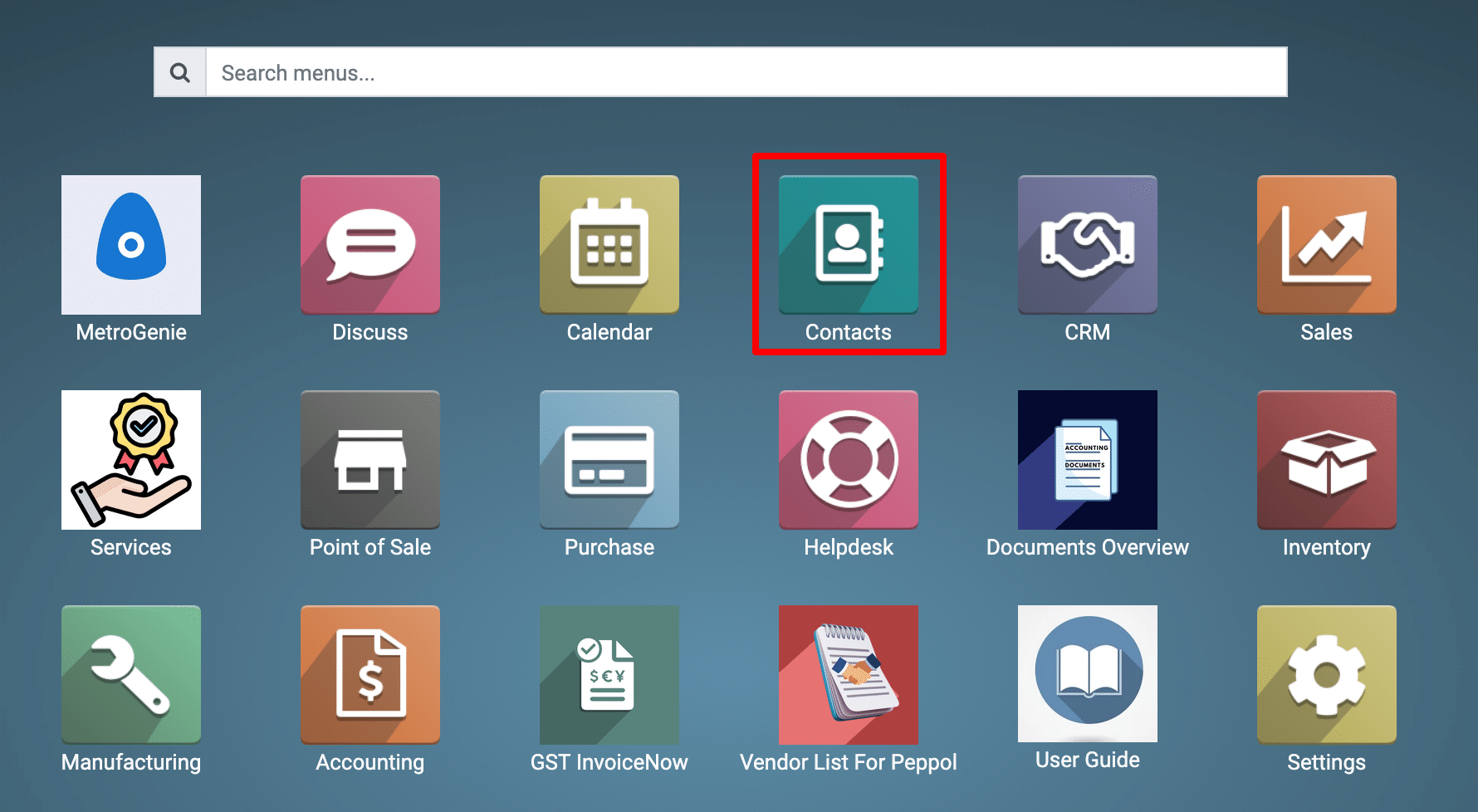
1) Go to the Contact application by clicking on its icon in the main dashboard or by using the application menu.
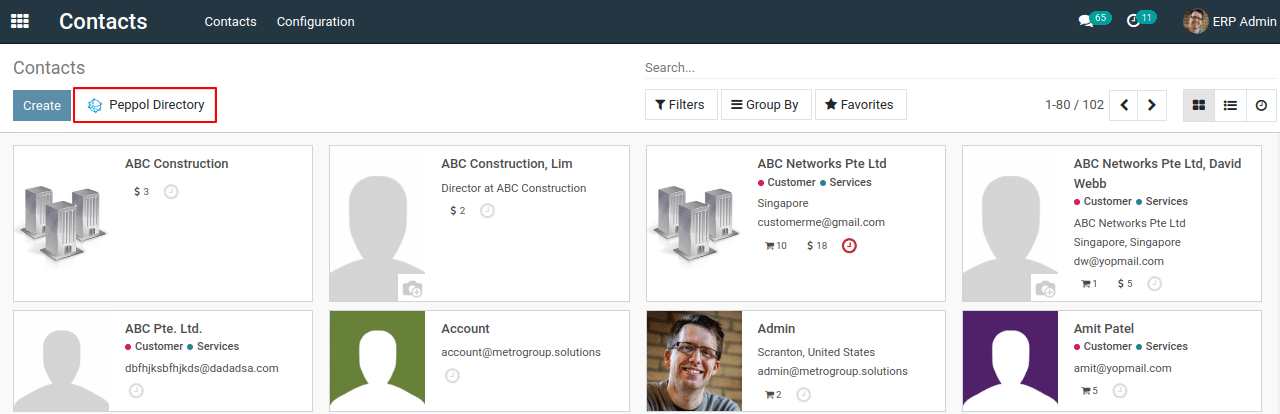
2) Click on the “Peppol Directory” button.This action will open a new window.
3) In the search panel, enter the company name, Peppol identifier, or UEN number for the customer you wish to find.
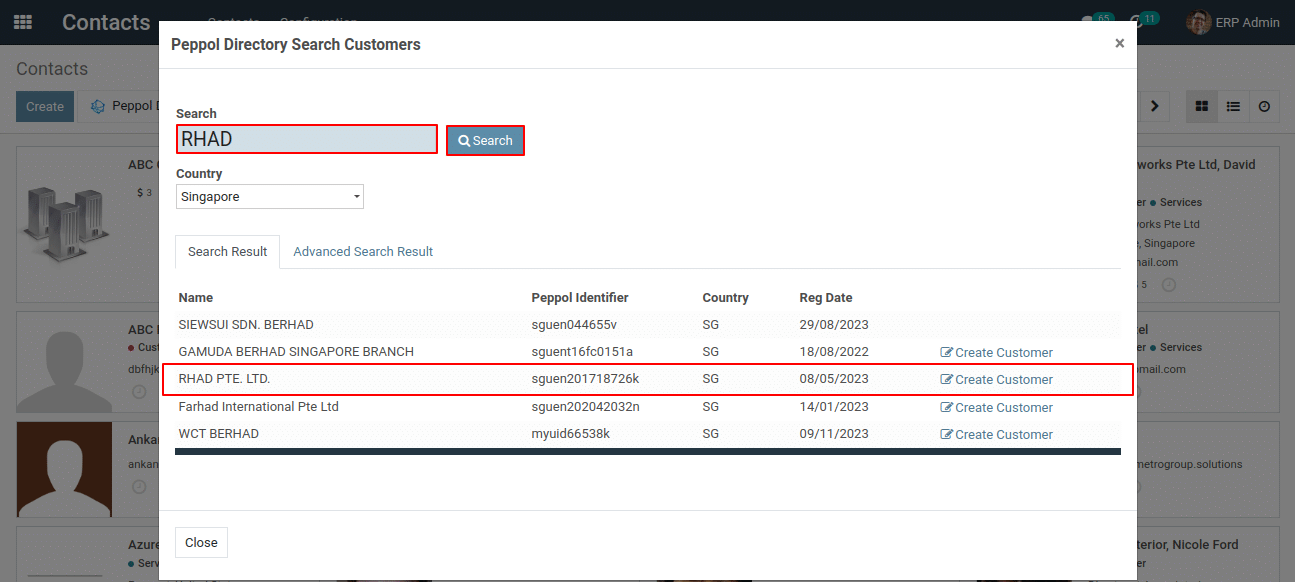
4) This action will display a list of all matching customers.
To get more details for search customers in the Peppol lookup directory, please do contact us at support@metrogroup.solutions