
To apply Overdue Interest charges on Invoices in Metro, you can manage this using the Follow-up Levels under Accounting. However, Metro Accounting System does not natively auto-calculate overdue interest. Instead, you need to either:
In Metro, Payment Terms by default do not support automatic interest charges on overdue invoices. However, you can manually configure or automate interest on overdue payments using a combination of methods: Click Here
Here is a step-by-step guide for applying overdue interest charges:
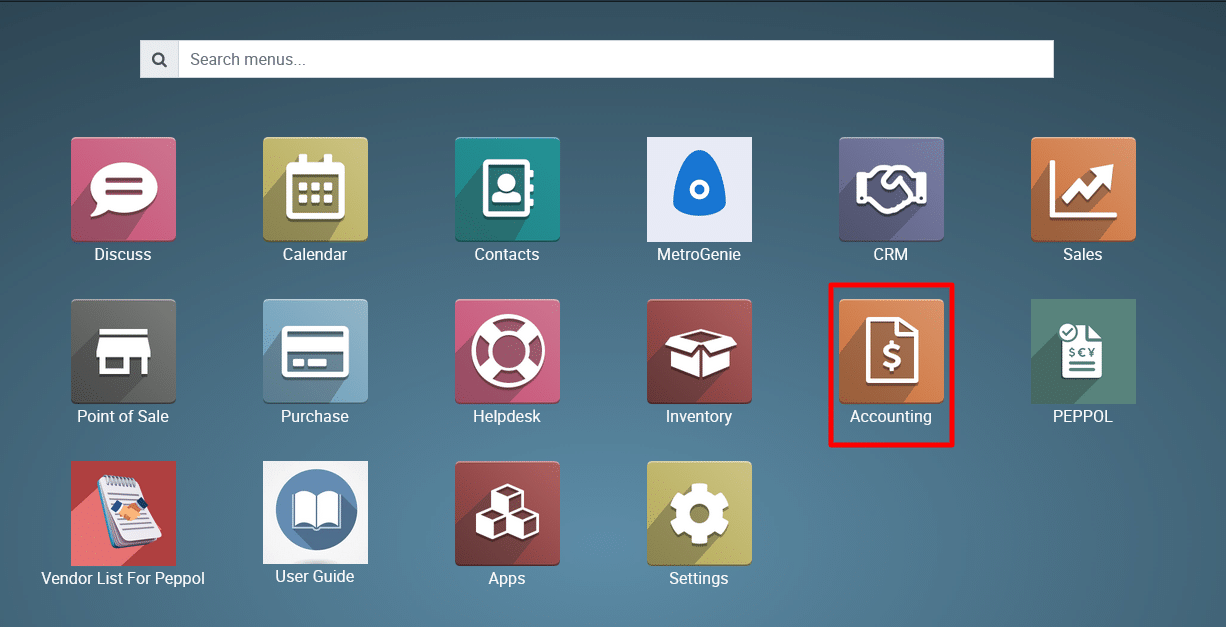
1) Go to the “Accounting” module by clicking on its icon in the main dashboard or using the application menu.
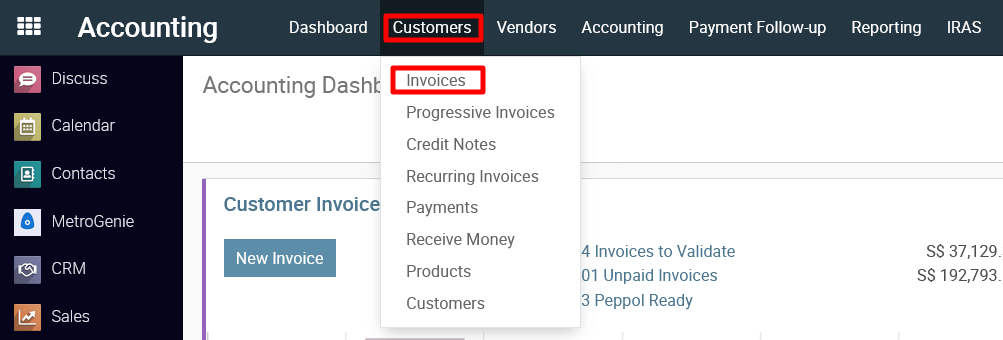
2) Inside the Accounting module, navigate to the “Customers >> Invoices.”
3) This action will open the invoice for editing.

Open a Draft Invoice.
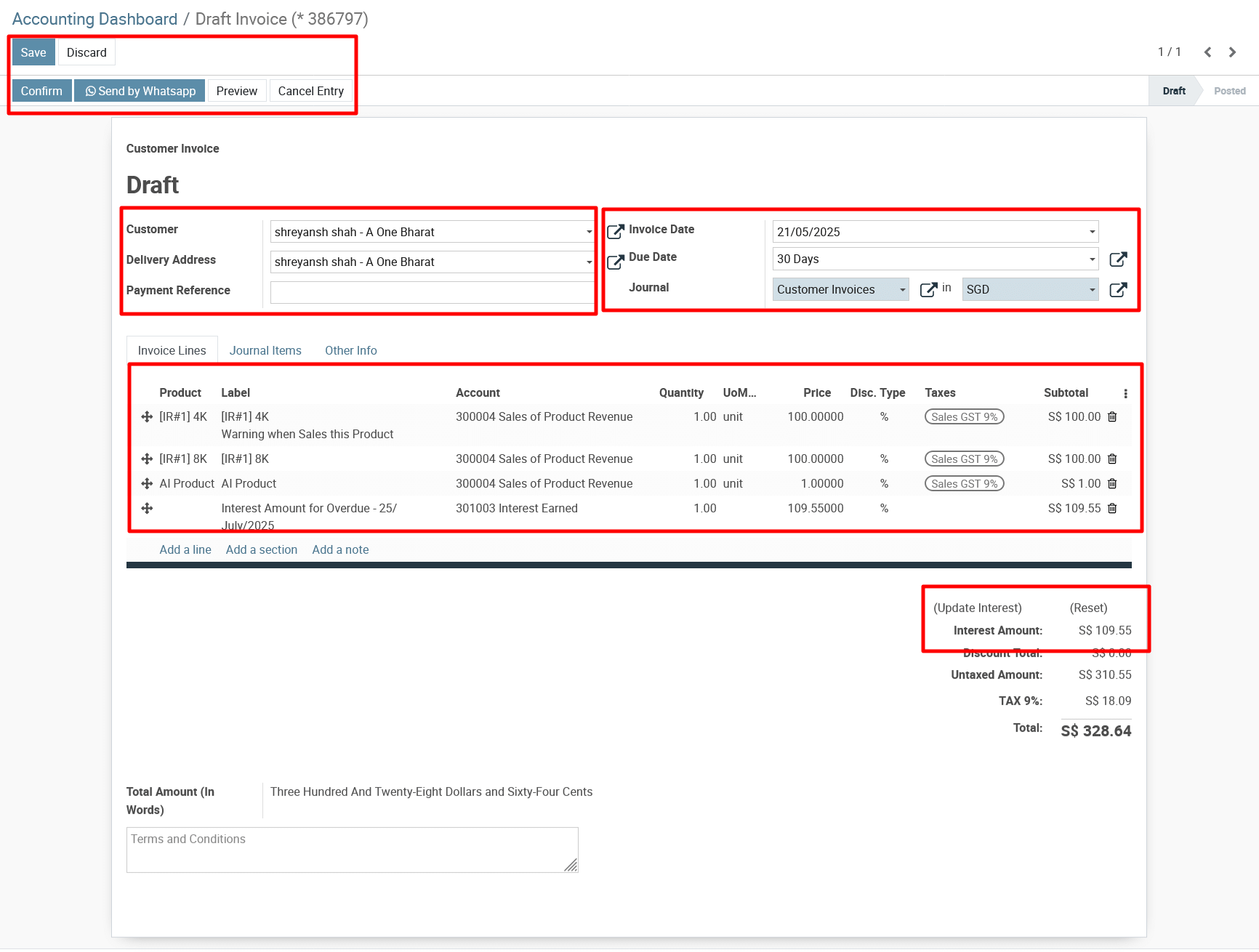
Click “Update Interest” (visible in the invoice view).
The system auto-calculates interest based on:
-
Overdue days
-
Interest rate setup
-
Payment term configuration
4)
Click Save → then Confirm the invoice to post it.
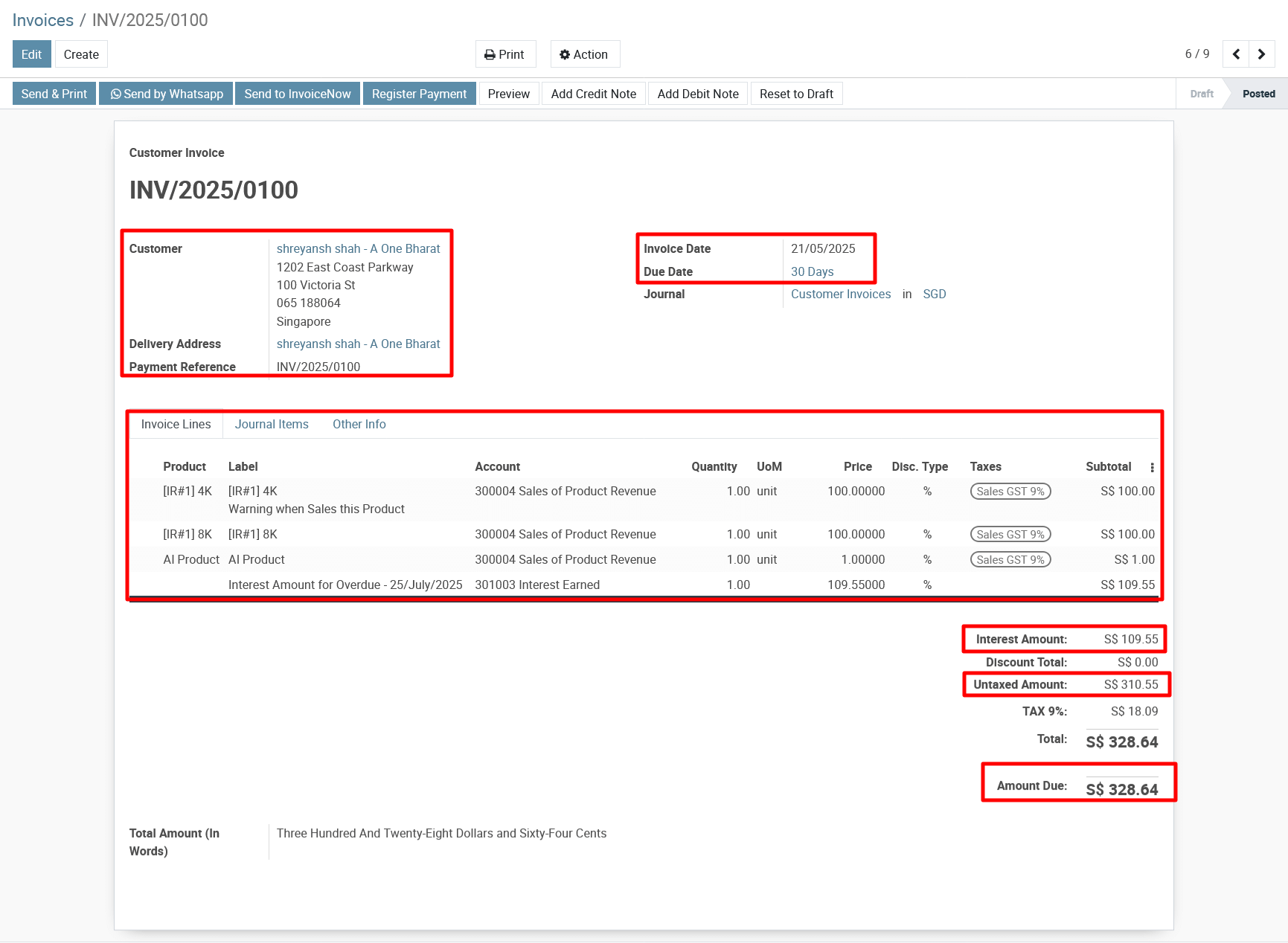
To get more details, how do I apply overdue interest charges on Metro invoices, please do contact us at support@metrogroup.solutions