
Configuring your website’s URL and domain name in Metro ERP is a straightforward process. Follow these steps to get started:
1) Log in to your admin panel.
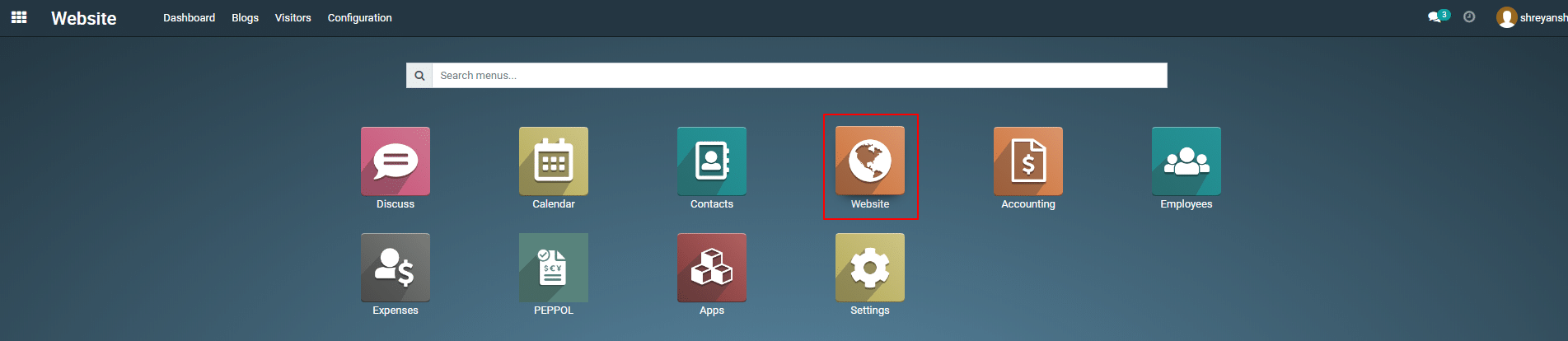
2) Navigate to the “Website” module within Metro.
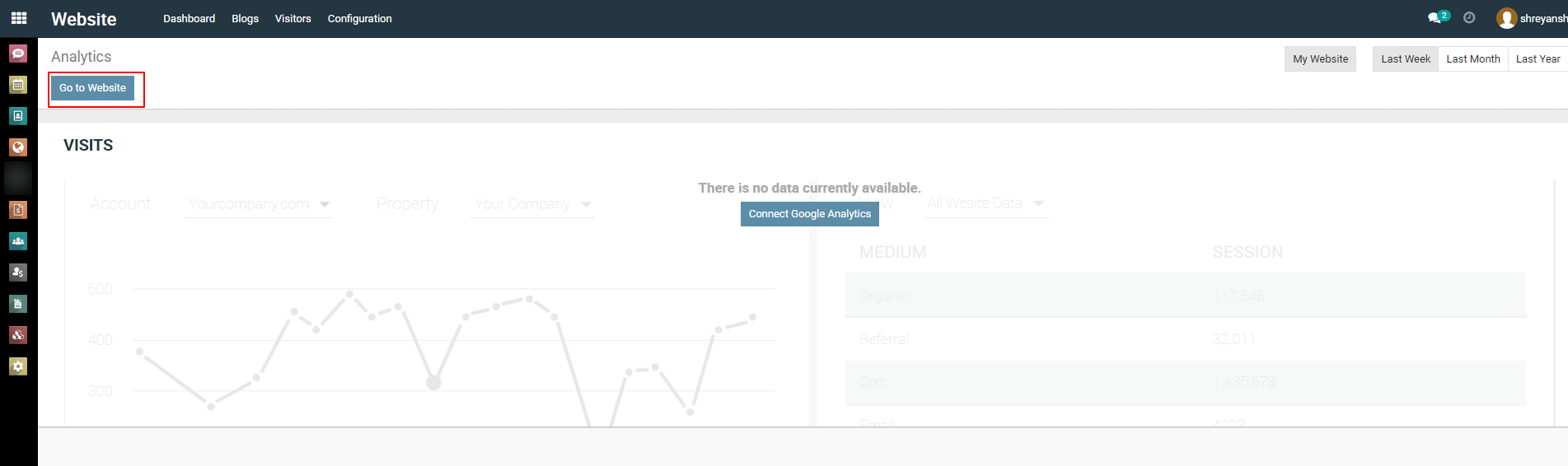
3) Click on ” Go to Website ” button
4)
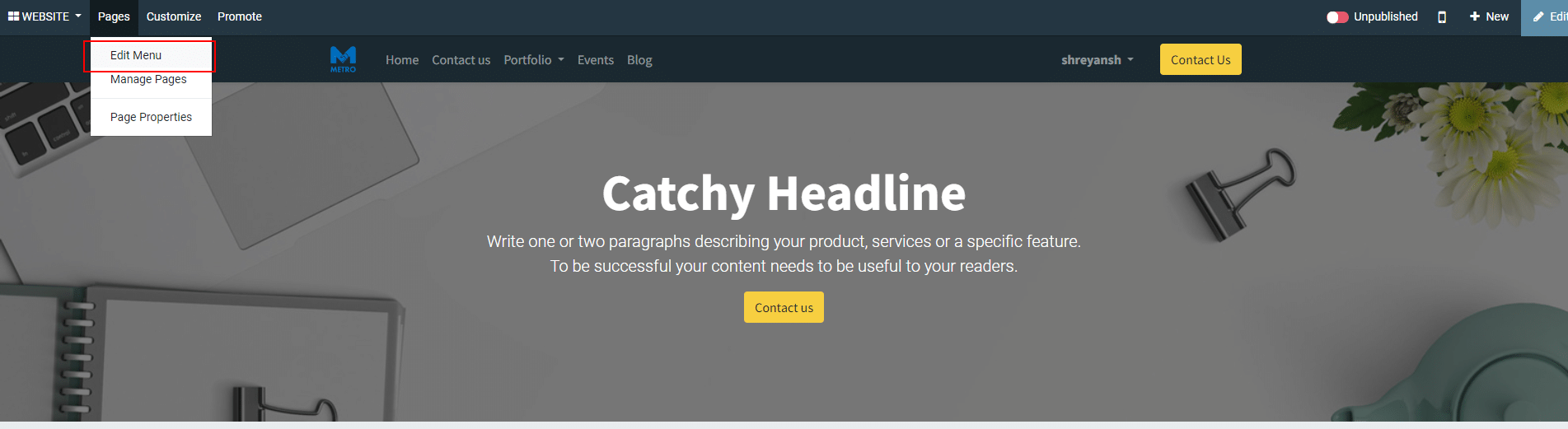
Click on “ Pages — Edit menu ” from the header.
5)
Next, a pop-up will be opened. Click on “ Add menu item “.
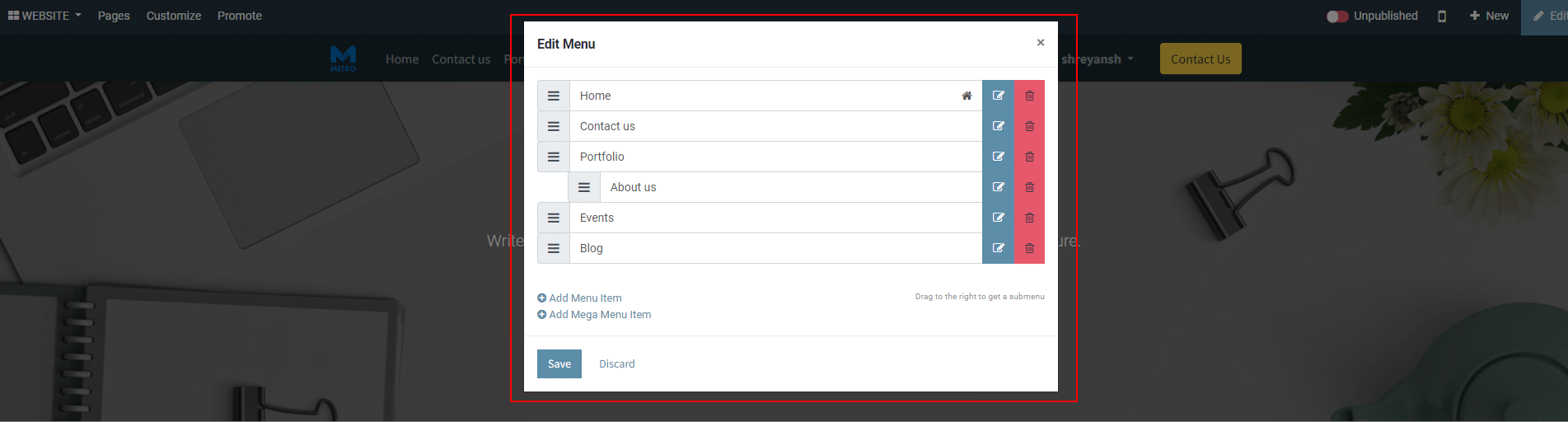
6) Enter menu label (menu name) and url. [Here you need to set this page url. e.g, “About us” page url could be https://www.xyz.com/about-us, here you need to enter /about-us ].
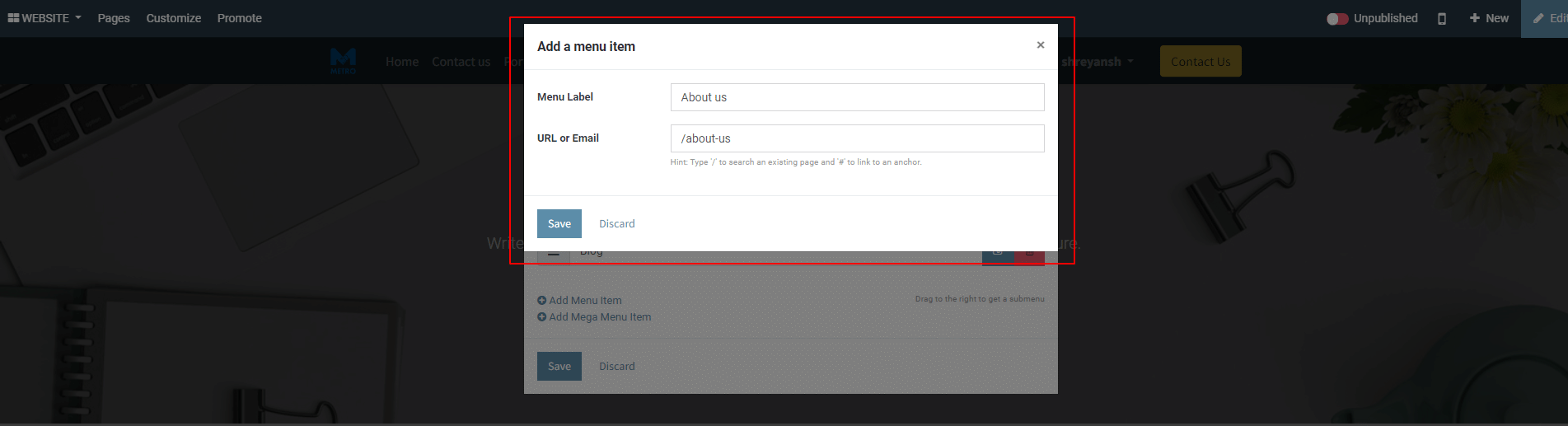
7) Click on ” Save ” button.
To get more details on how to use the Website Builder, please do contact us at support@metrogroup.solutions