
To get GST InvoiceNow Activation Submission for GST-Registered Businesses in Accounting System, you can follow these steps:
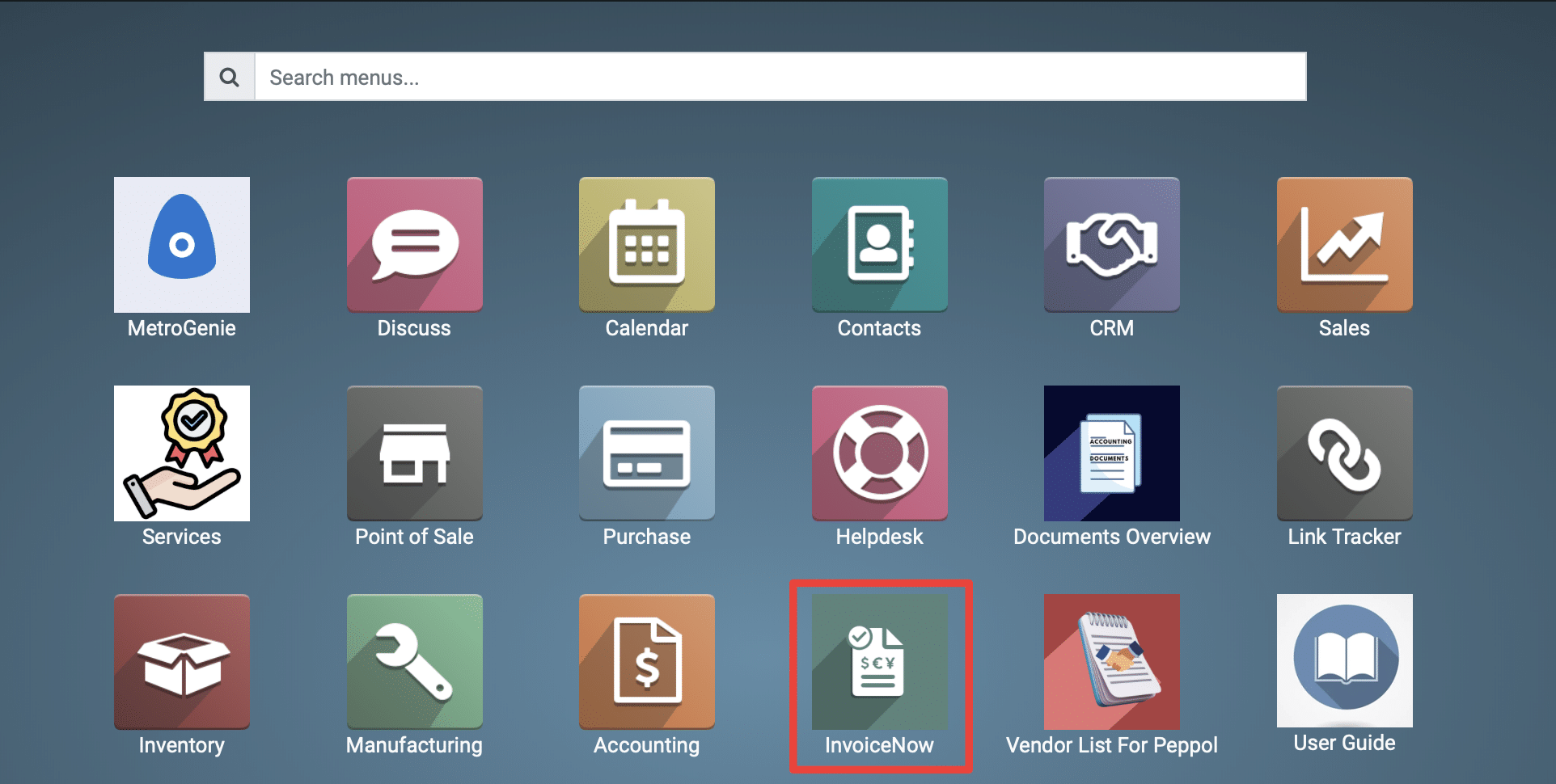
1) Go to the Peppol application by clicking on its icon in the main dashboard or by using the application menu.
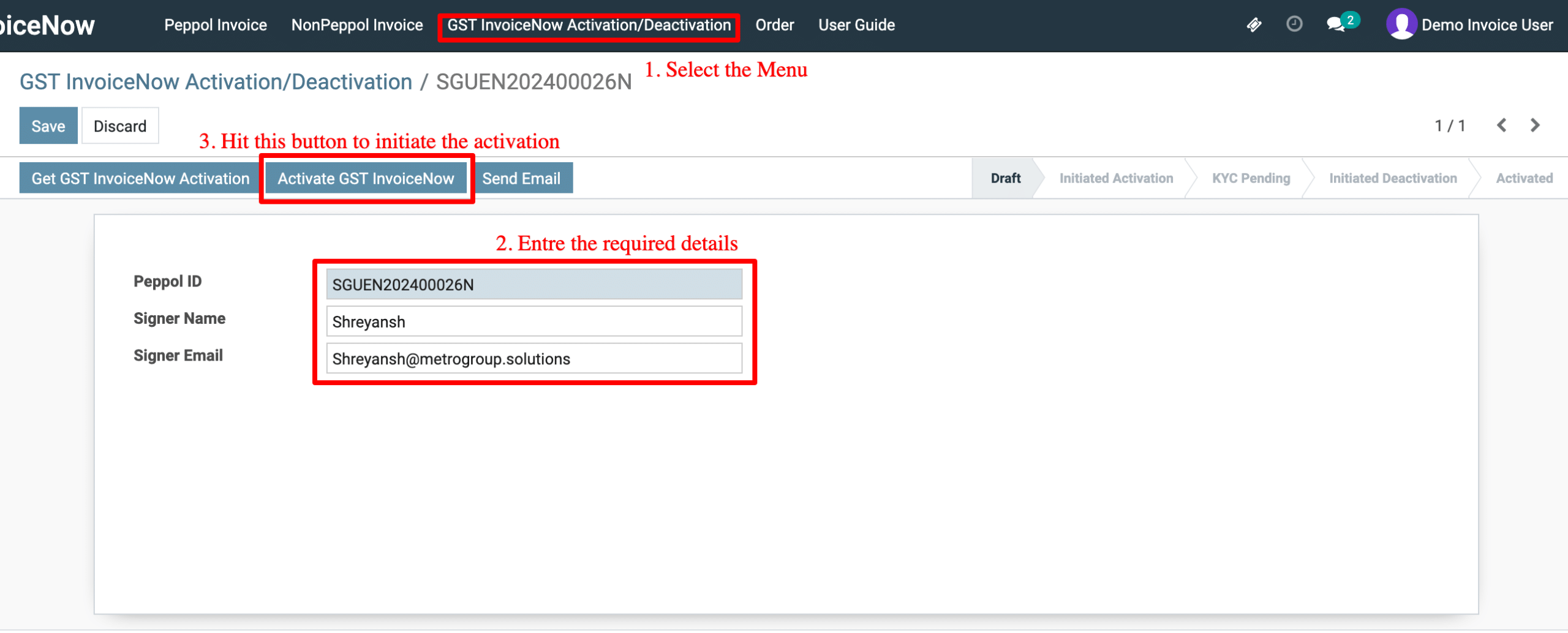
2) Navigate to the “GST InvoiceNow Activation/Deactivation.
-
Go to GST InvoiceNow Activation/Deactivation from the top menu.
-
Fill Required Details:
Enter: -
Peppol ID (e.g., SGUEN202400022K)
-
Signer Name (authorized person’s name)
-
Signer Email (authorized email ID)
-
Company (select from dropdown)
Click “Activate GST InvoiceNow”
This starts the activation process for your Peppol ID.
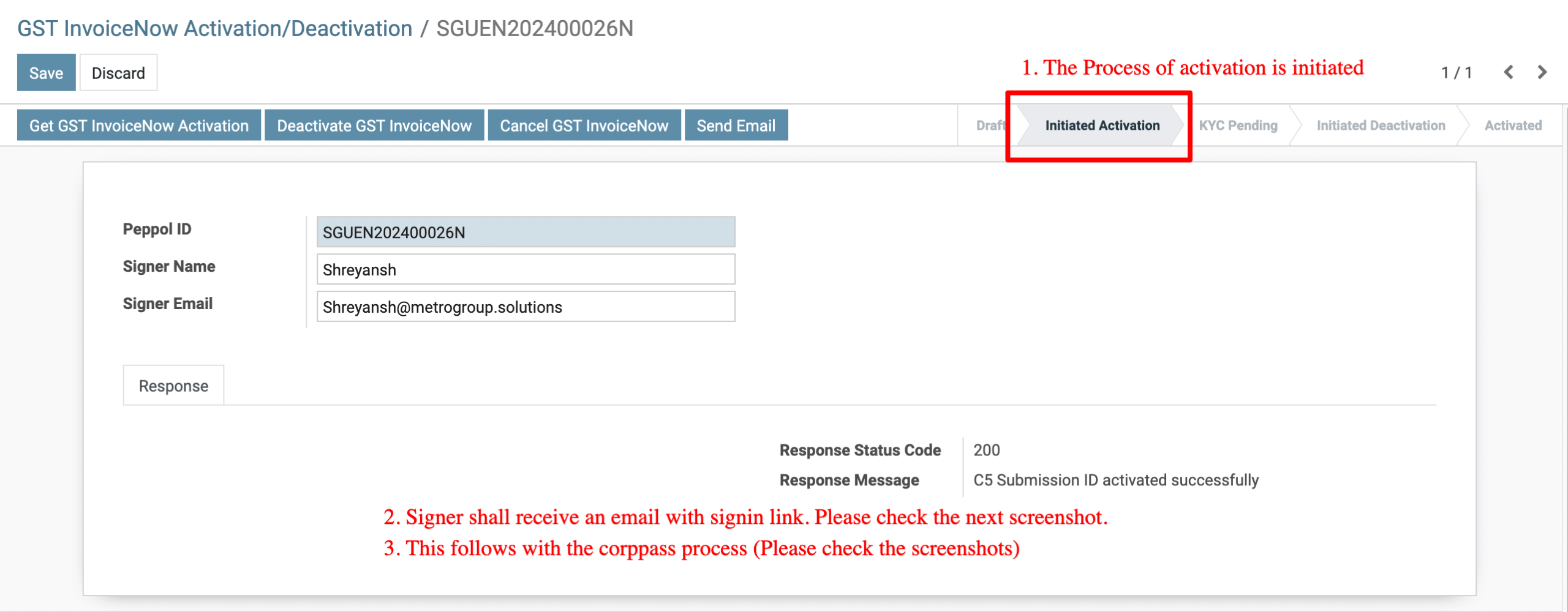
3) Activation Initiated
-
The system updates the status to Initiated Activation.
-
A signing link is generated.
-
The signer will receive an email with the signing link for CorpPass authorization.
-
This email confirmation is shown in the next screenshot.
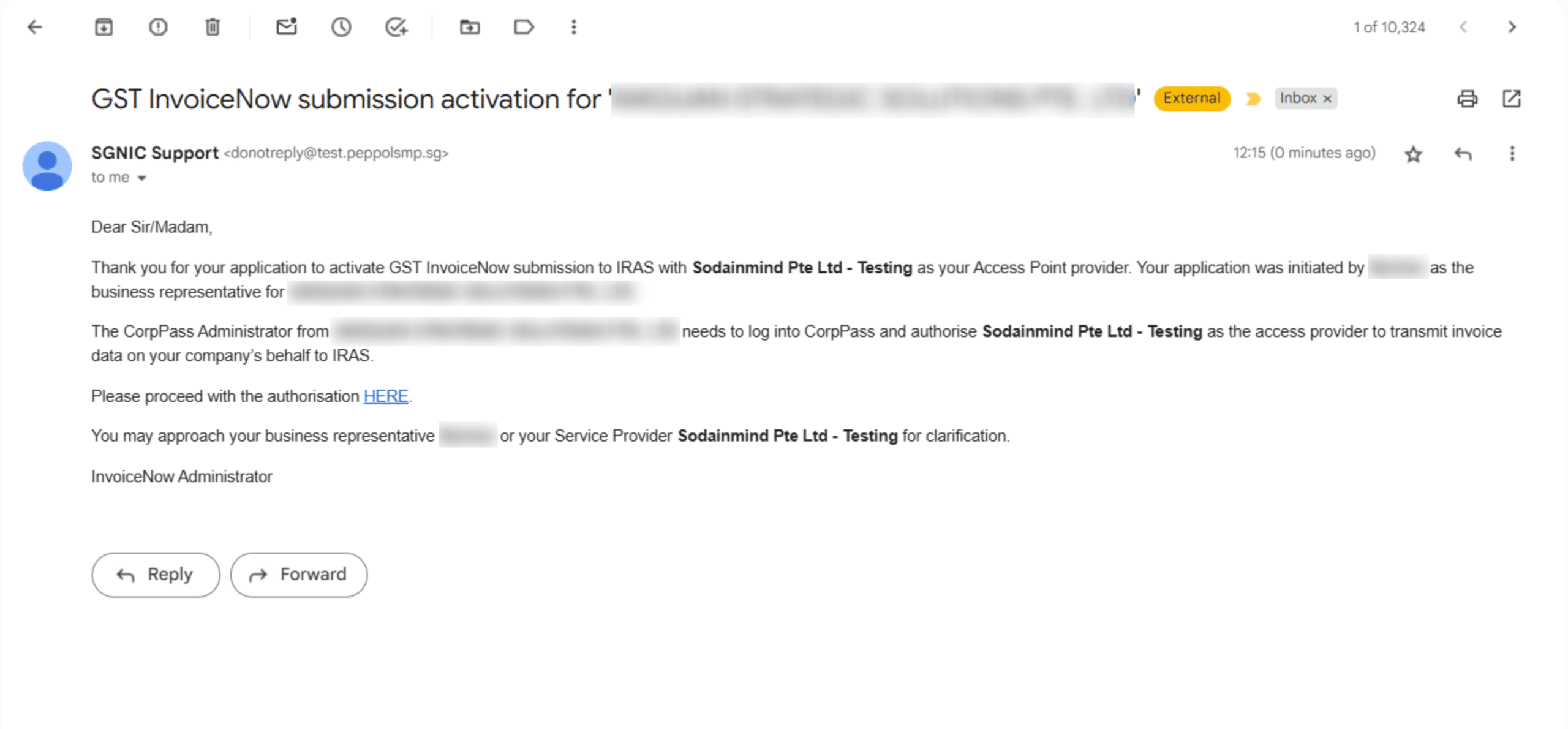
4) Email Confirmation
-
The signer receives an email from SMP.
-
Email confirms that CorpPass Administrator of the company must log in to CorpPass and authorise the service provider (Sodainmind Pte Ltd – Testing) to transmit invoice data to IRAS.
-
The email contains a HERE link to proceed.
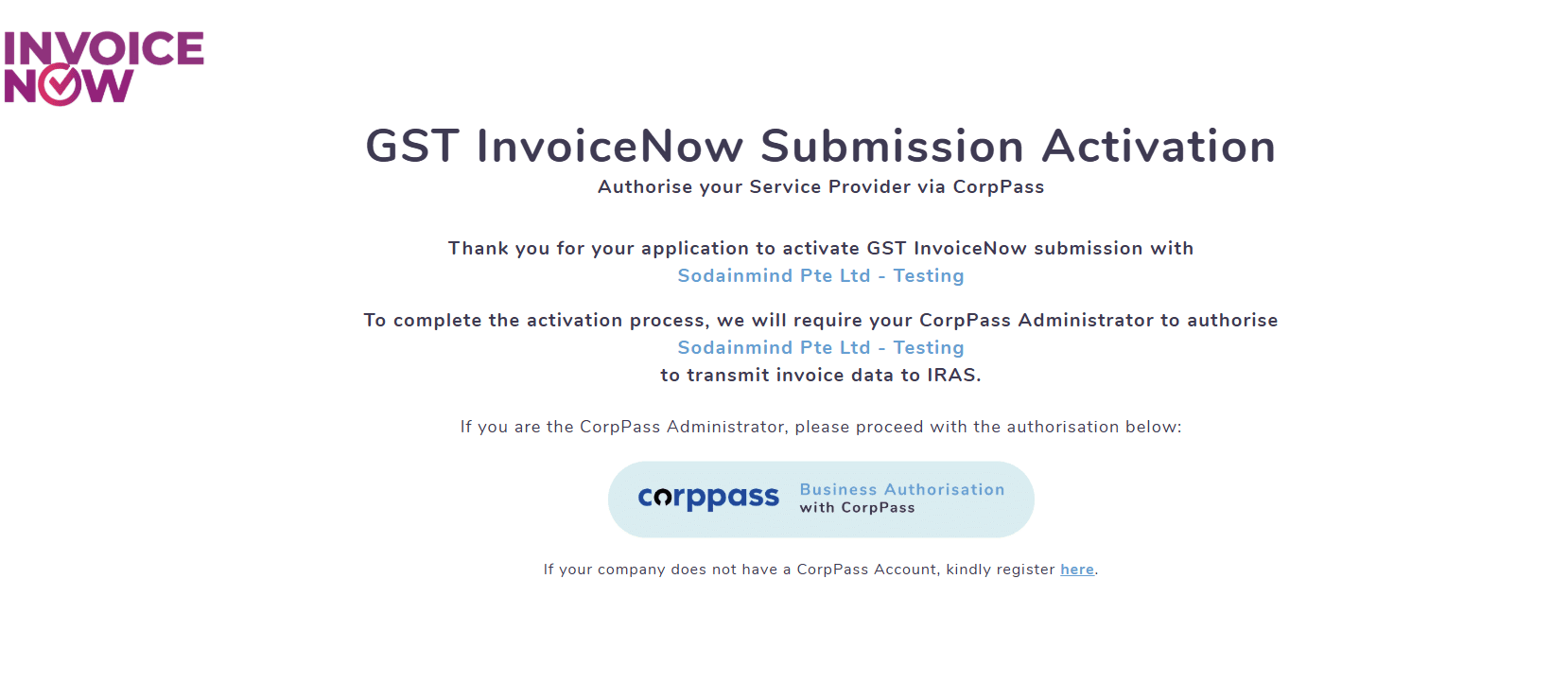
5) CorpPass Authorisation
-
Clicking the link redirects to the CorpPass Business Authorisation page.
The CorpPass Administrator authorises Sodainmind Pte Ltd – Testing to complete activation.
6) Successful Activation Email
-
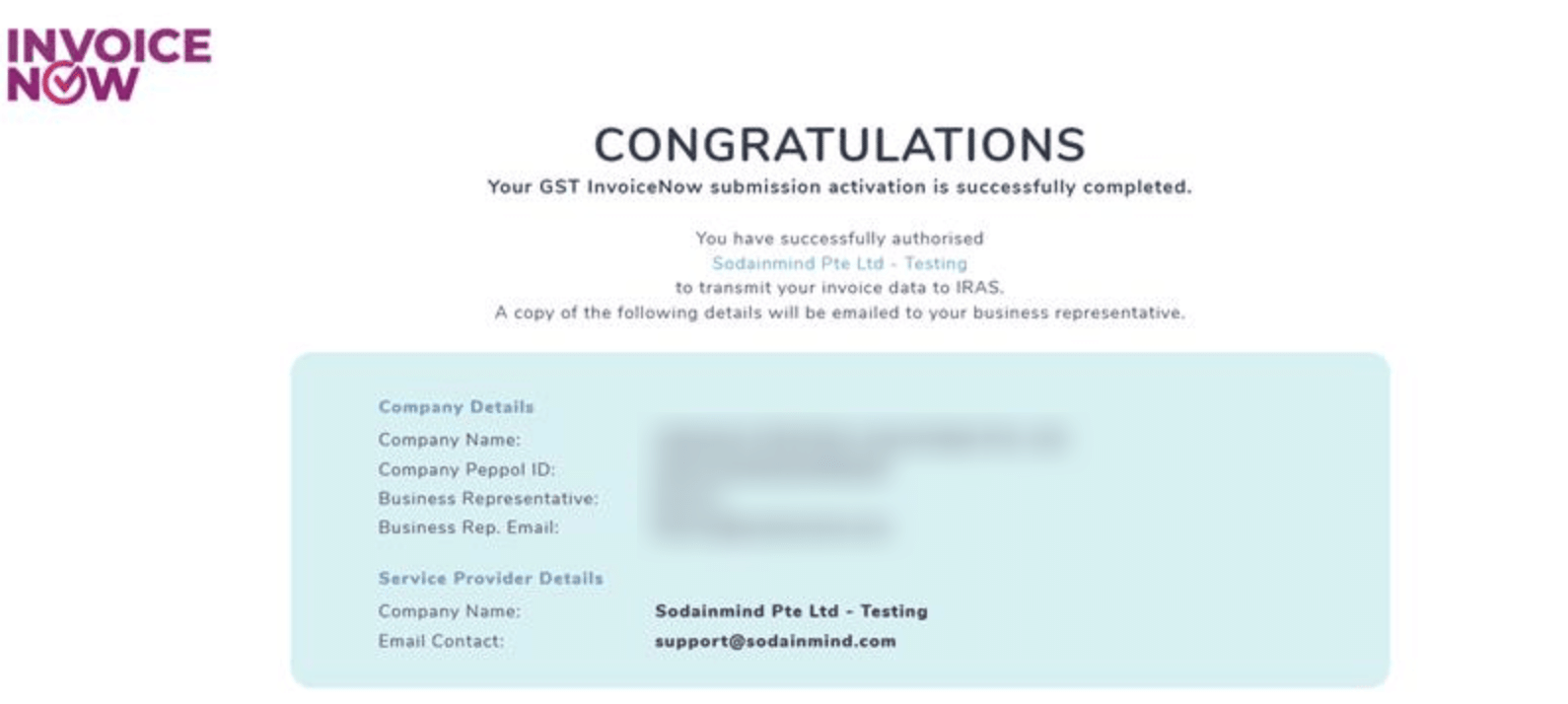
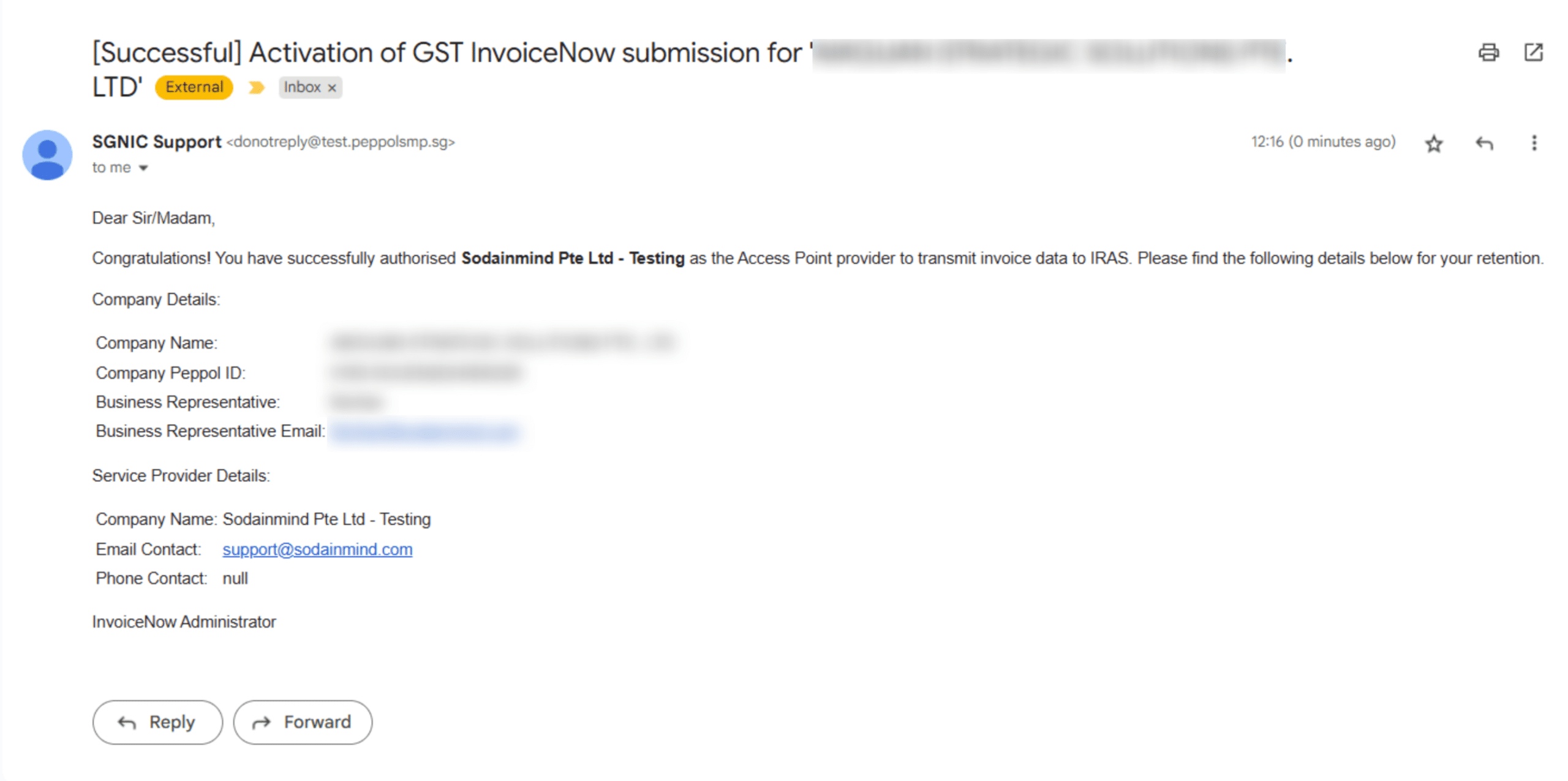
A confirmation email is received, showing:
-
Company Details (Company Name, Peppol ID, Business Representative details).
-
Service Provider Details (Company Name, Email Contact).
Confirms that authorization has been successfully completed.
7) Final Status in System
-
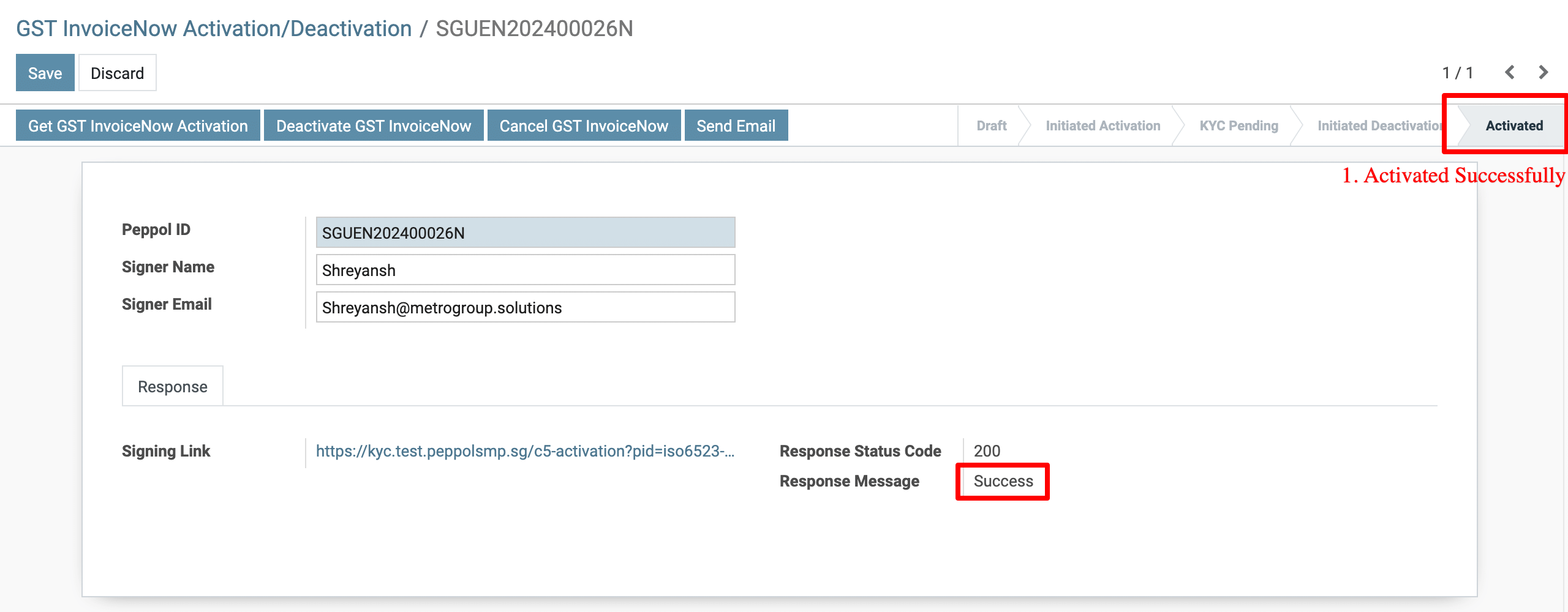
System updates status to Activated.
-
Response Status Code = 200 and Response Message = Success.
-
This indicates that the GST InvoiceNow activation is completed successfully.
The activation process includes:
-
Initiating activation in the system → Signer receives CorpPass authorization email → CorpPass Administrator approves → Final confirmation email received → Status updated to Activated in the system.
To get more details how to a User activates the GST InvoiceNow functionality in Metro Accounting System, please do contact us at support@metrogroup.solutions