
In Metro, when you are integrated with IRAS (Singapore’s Inland Revenue Authority) through the Peppol/IRAS module, the system tracks the status of invoices (successful or failed submissions). To extract a report of these records, you can follow these steps:
Steps to Extract Report of Successful & Failed IRAS Invoices.
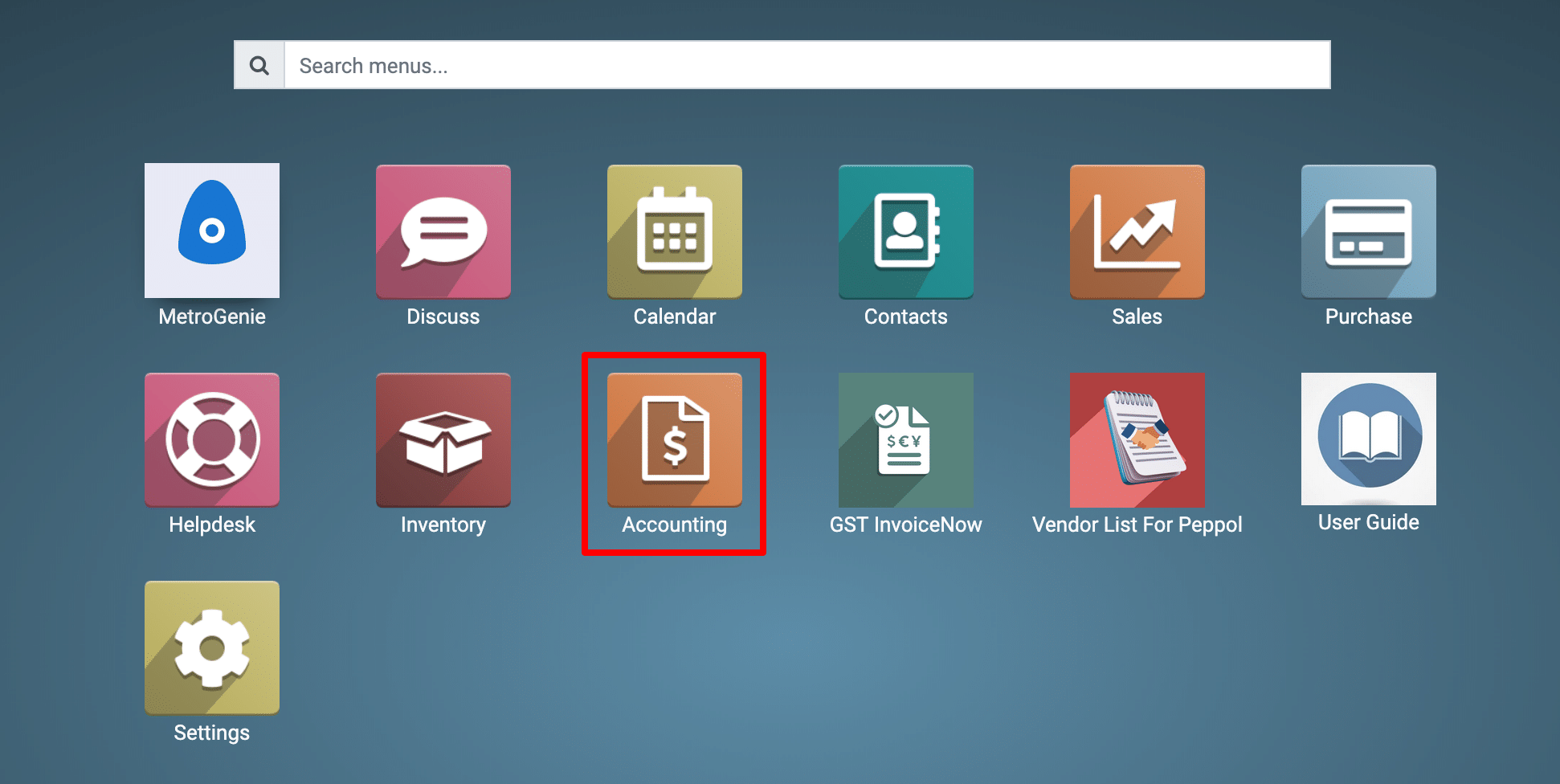
1) Go to the Accounting application by clicking on its icon in the main dashboard or by using the application menu.
2) Check the E-Invoice Status
-
Navigate to: Accounting → Customers → Invoices.
-
Here you will find an additional column or smart button showing IRAS/Peppol submission status (e.g., Sent, Accepted, Rejected, Failed).
3) Filter by Status
-
Use the Search bar → Filters → Add Custom Filter.
-
Add filters like:
-
IRAS Status = Accepted → Successful submissions.
-
IRAS Status = Rejected/Failed → Failed submissions.
-
4) Group & View
-
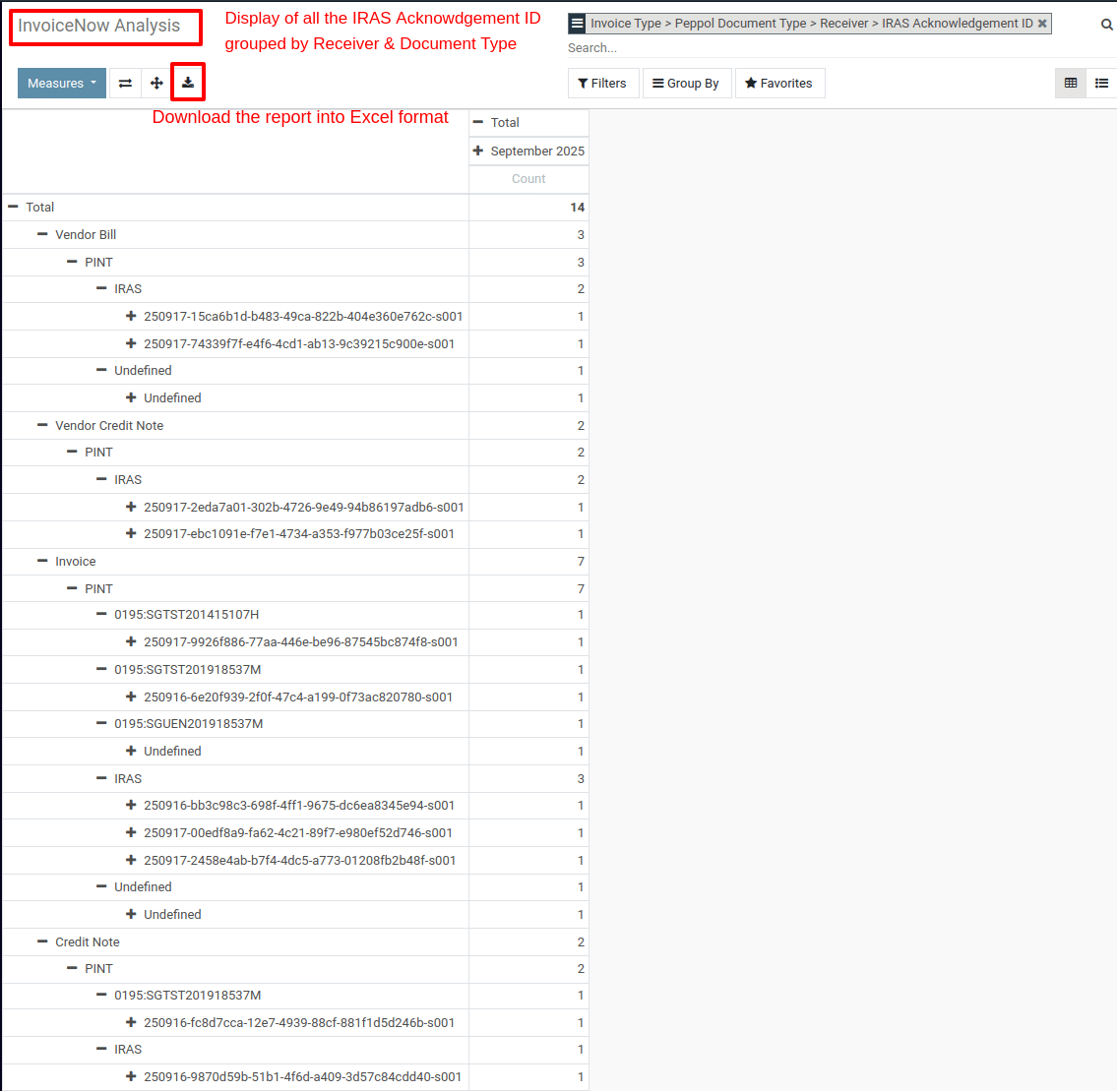
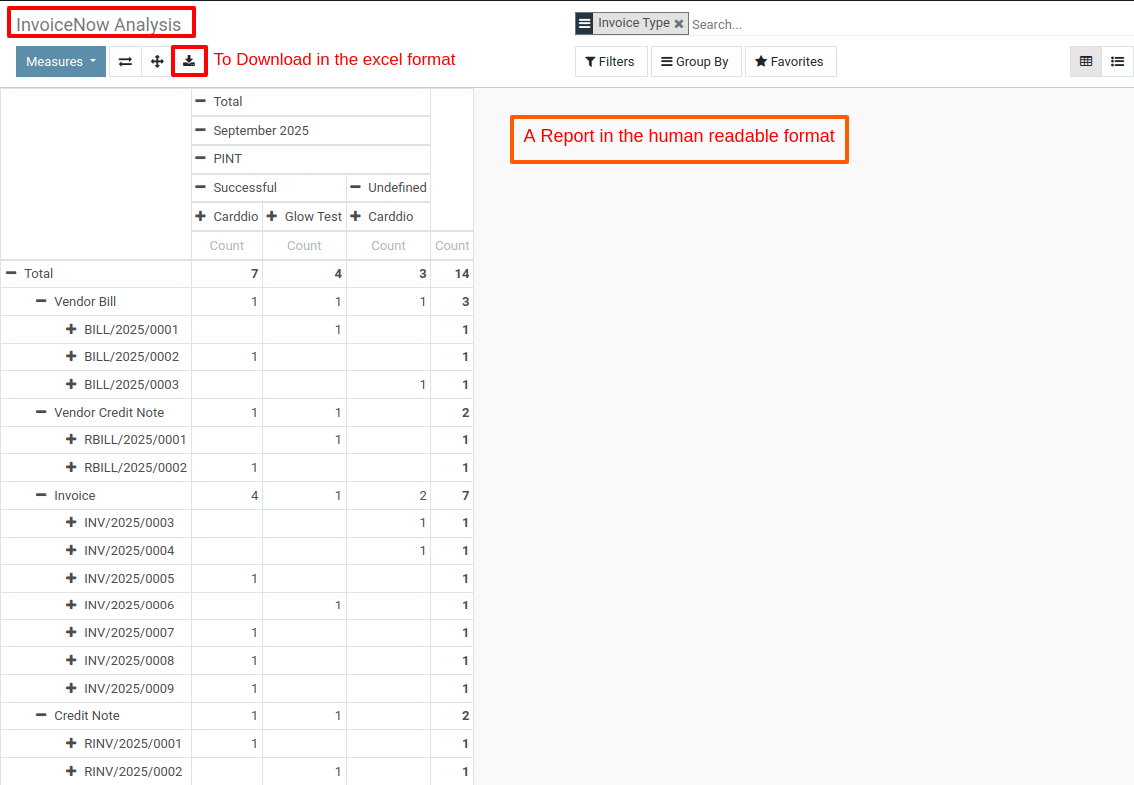
Use the Group By option to group invoices by IRAS Status for a quick summary.
-
This allows you to see how many invoices were successful vs. failed.
5) Export the Report
-
Select all the filtered invoices (successful or failed).
-
Click Action → Export.
-
Choose the required fields such as:
-
Invoice Number
-
Customer Name
-
Date
-
Total Amount
-
IRAS Submission Status
-
IRAS Message/Error (if available)
-
-
Export as Excel (.xlsx) or CSV for reporting.
To get more details how to extraction and packaging of non-PEPPOL sales invoices be performed for submission to GST InvoiceNow, please do contact us at support@metrogroup.solutions