
1) Log
in to your Metro ERP system using your credentials.
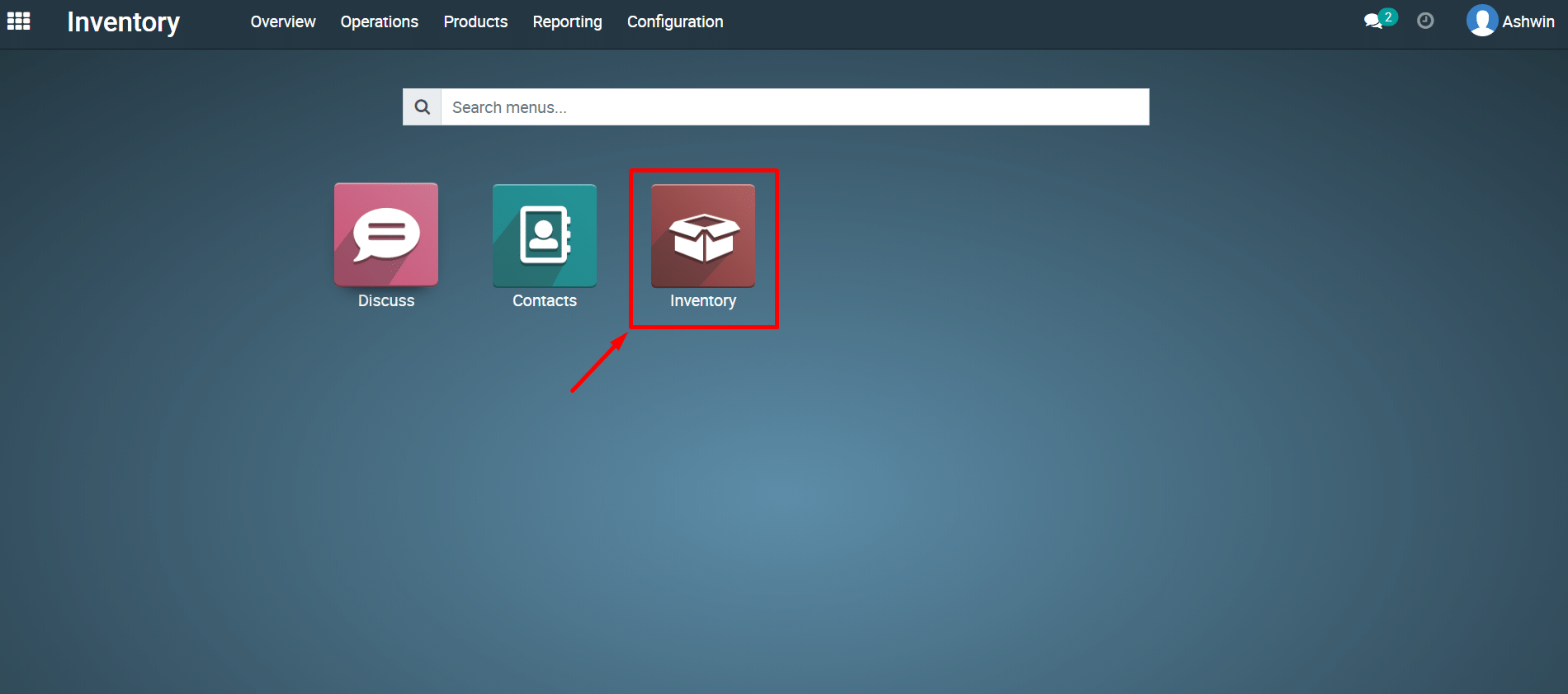
2) Navigate
to the Inventory Module.
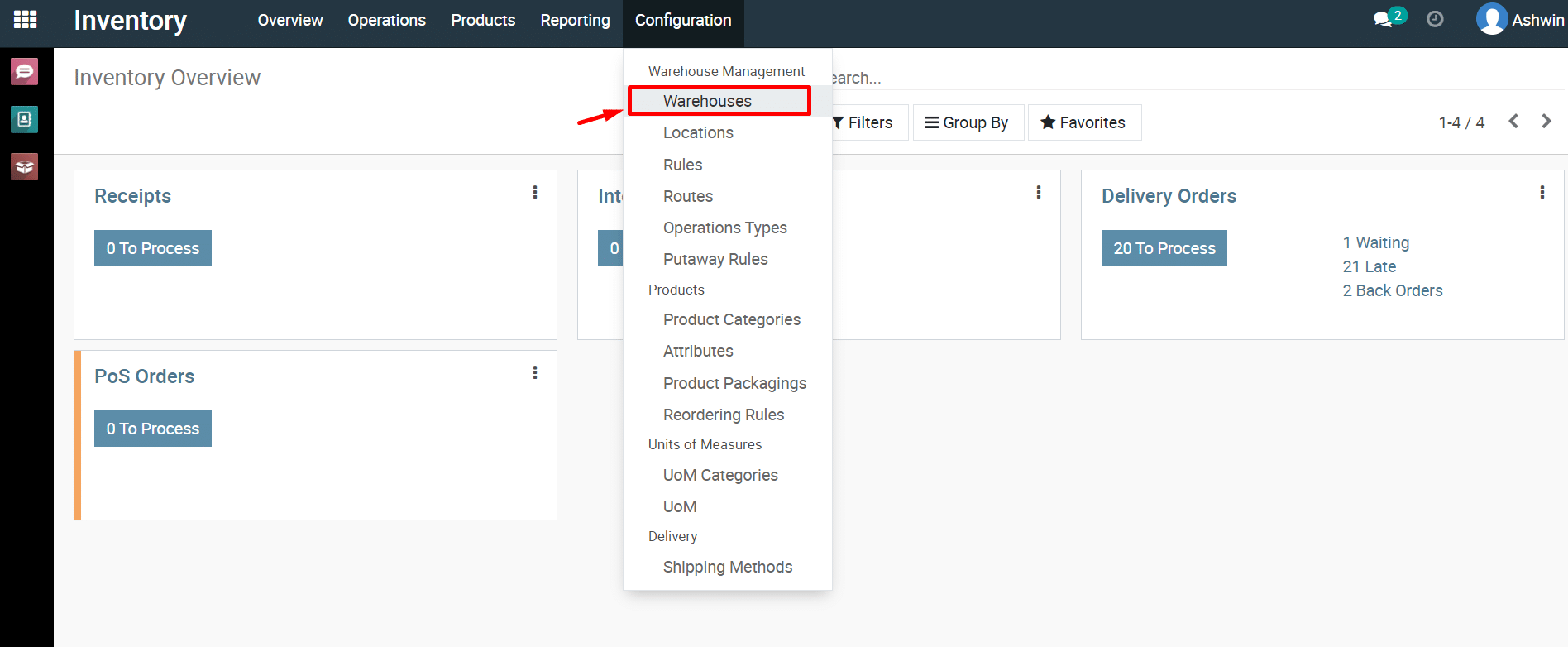
3) Click
on Configuration and then select Warehouses.
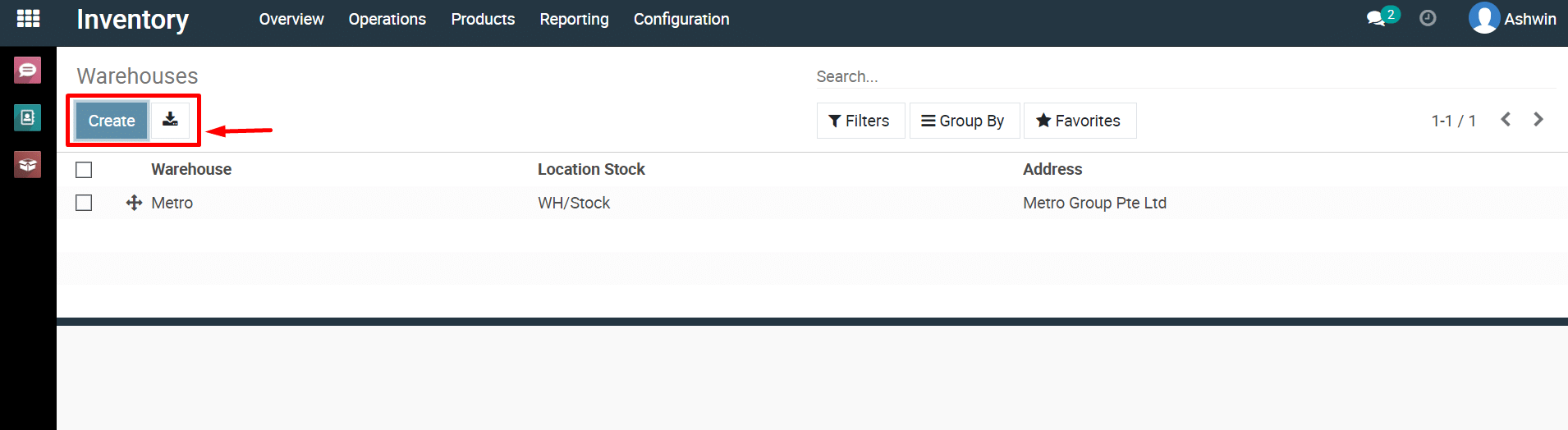
4) Click
on the ‘Create’ button to create a new Warehouse.
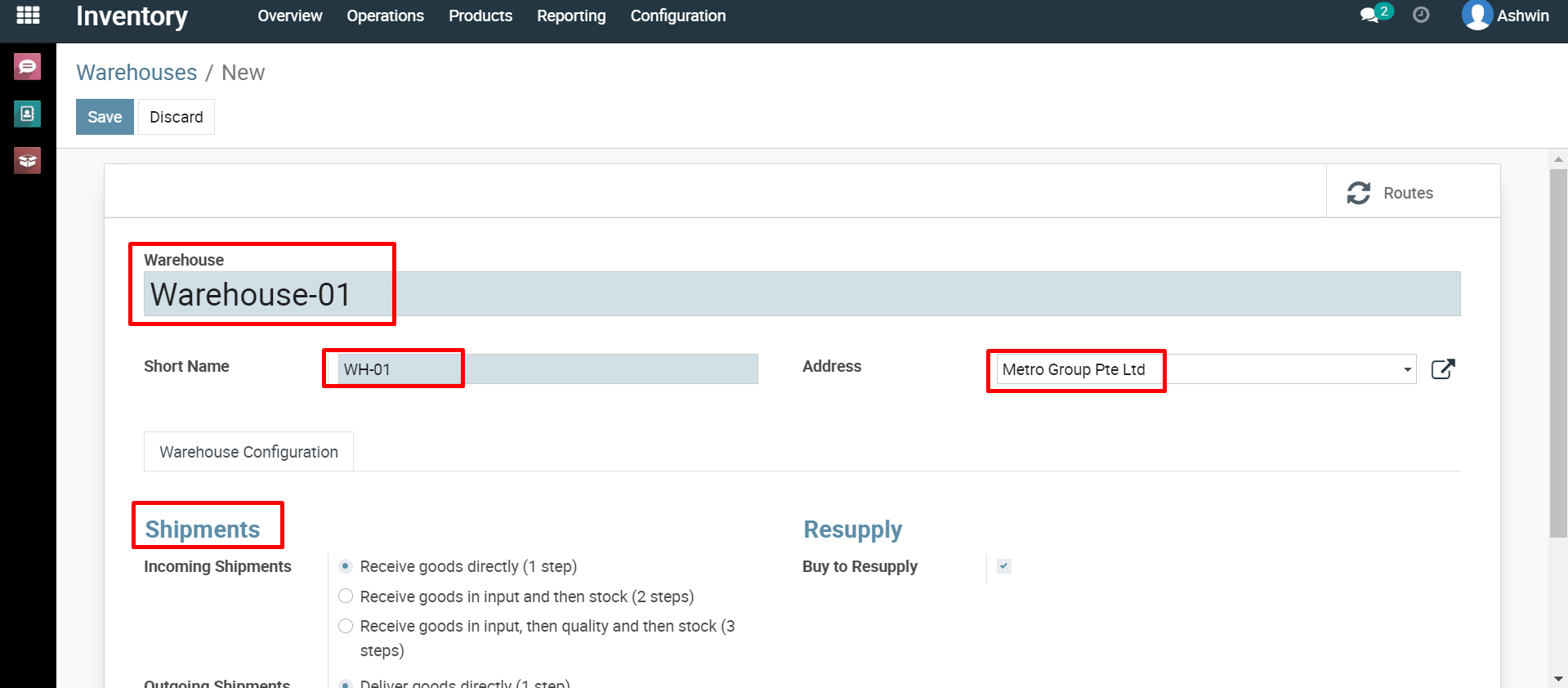
5) Fill
in all the details you need to add to your warehouse.
Warehouse
name.
Short
name.
Address
etc.,
6) Click
the ‘Save’ button to save the warehouse details
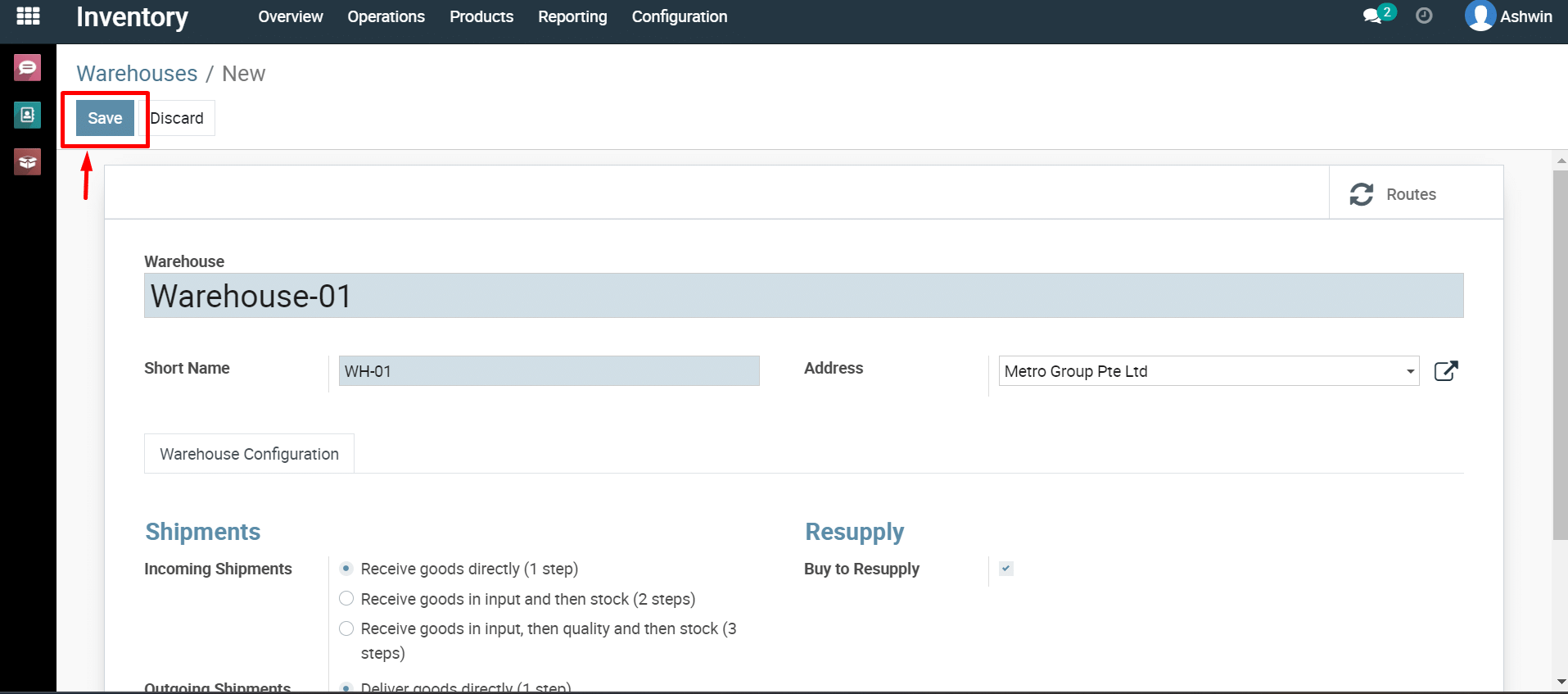
You
have successfully created your new warehouse.
Create
Location
1) Log
in to your Metro ERP system using your credentials.
2) Navigate
to the Inventory Module.
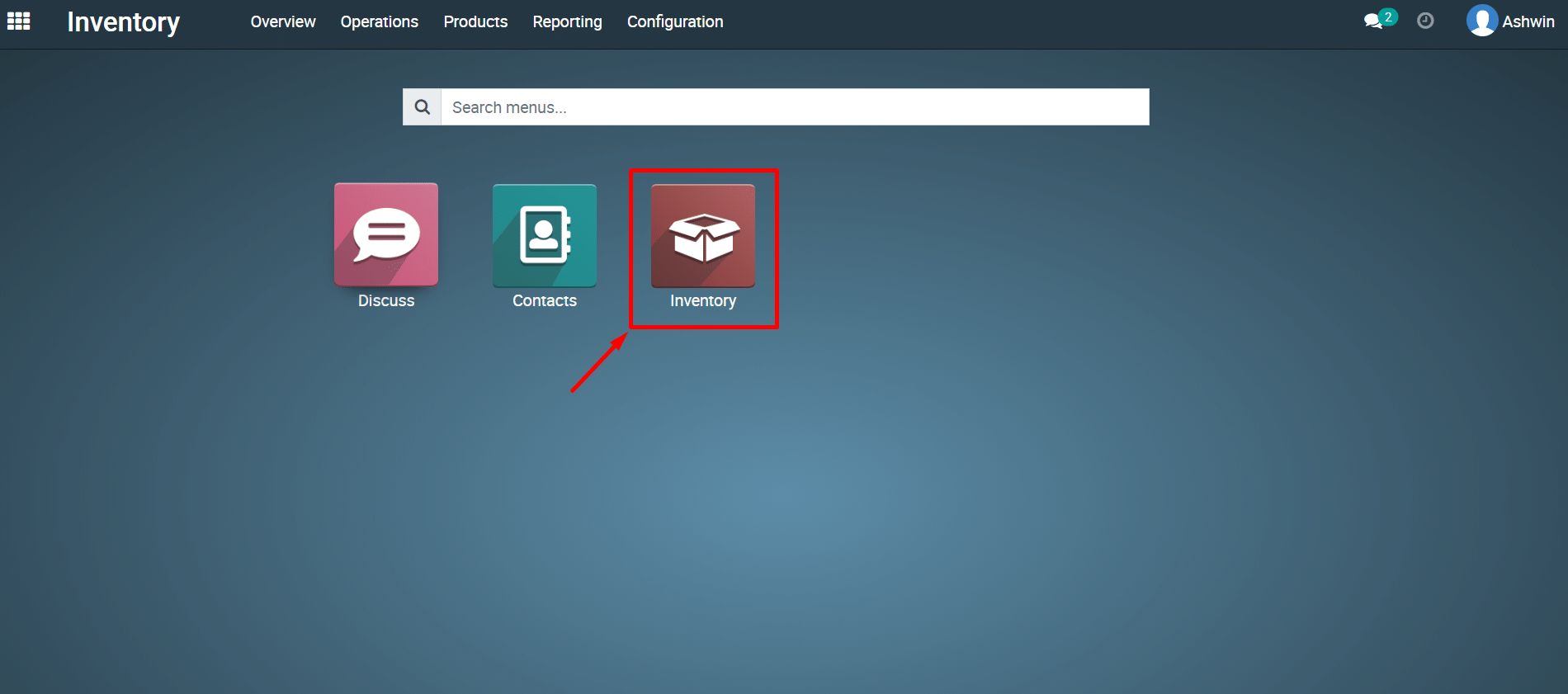
3) Click
on Configuration and then select Locations.
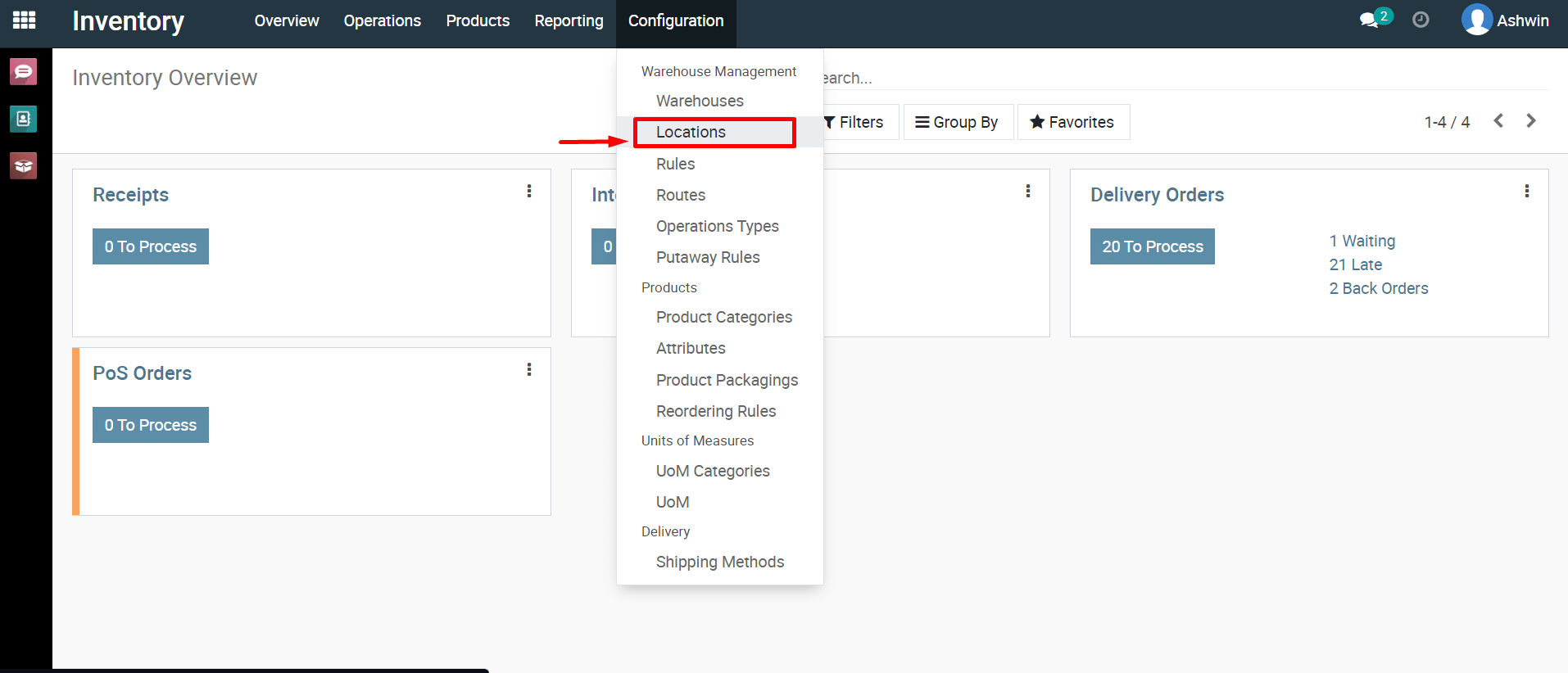
4) You
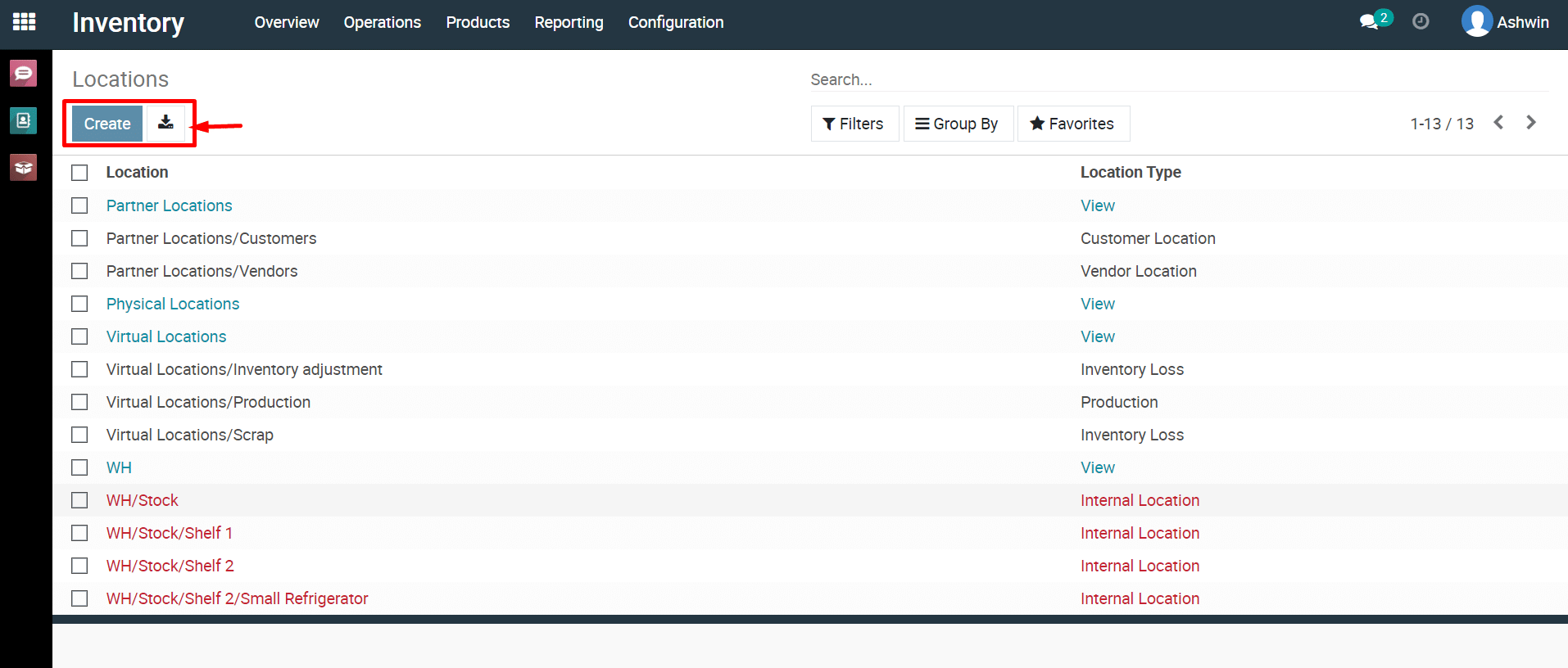
can view all locations here.
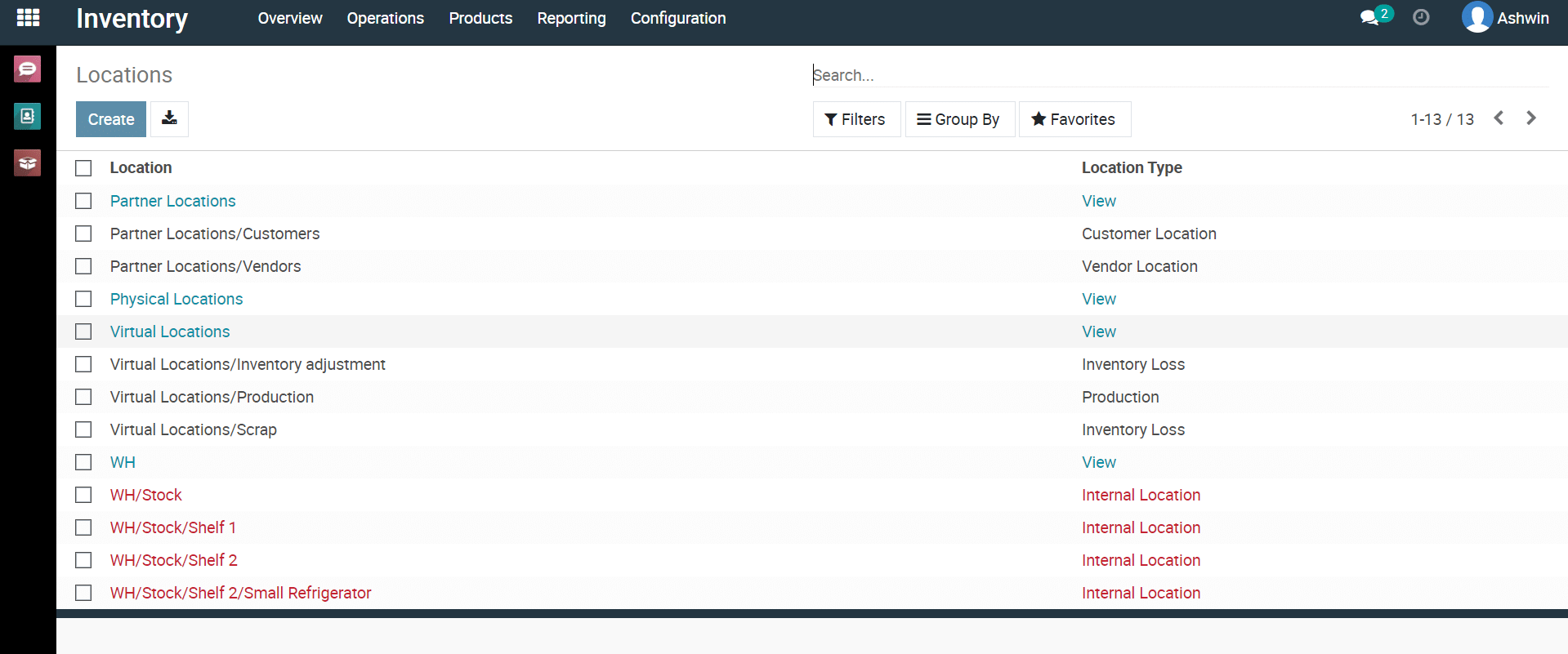
5) To
create new locations, click on ‘Create’ button.
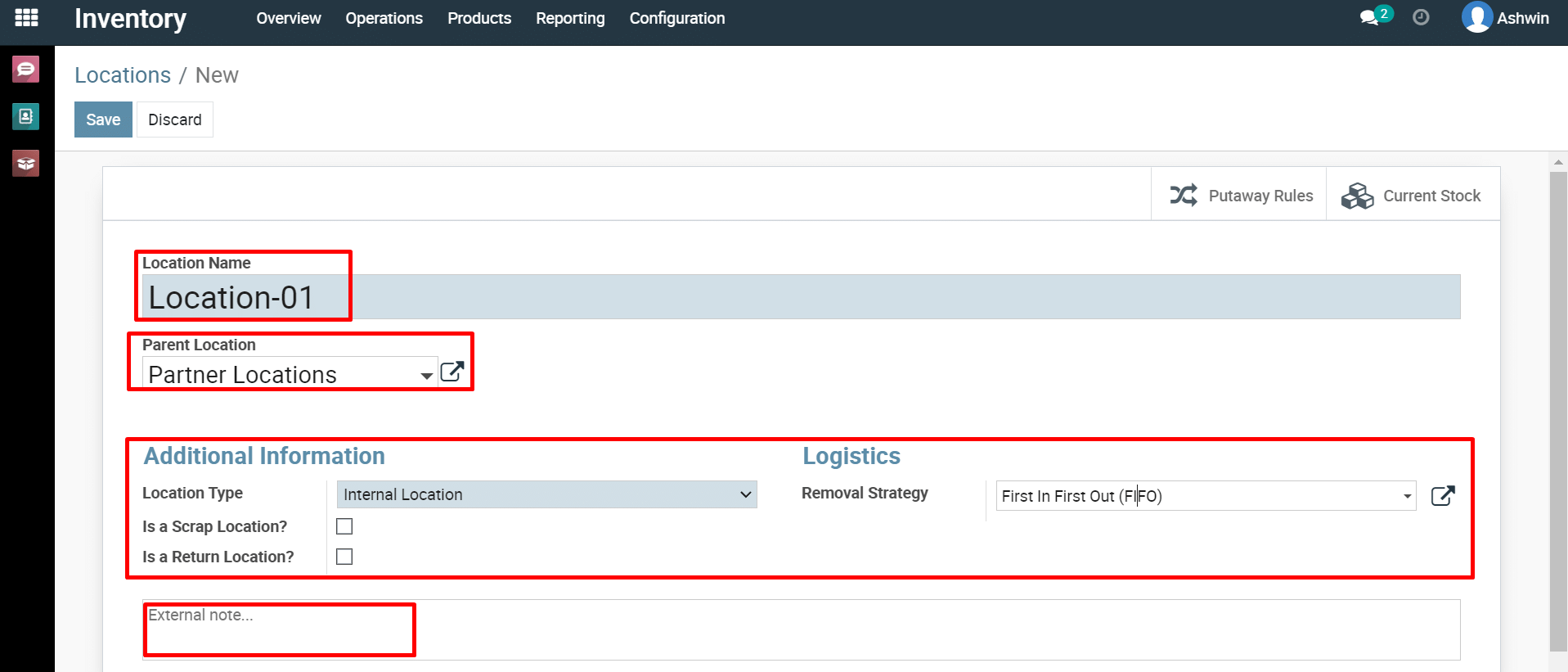
6) Fill
the necessary fields according to your requirements.
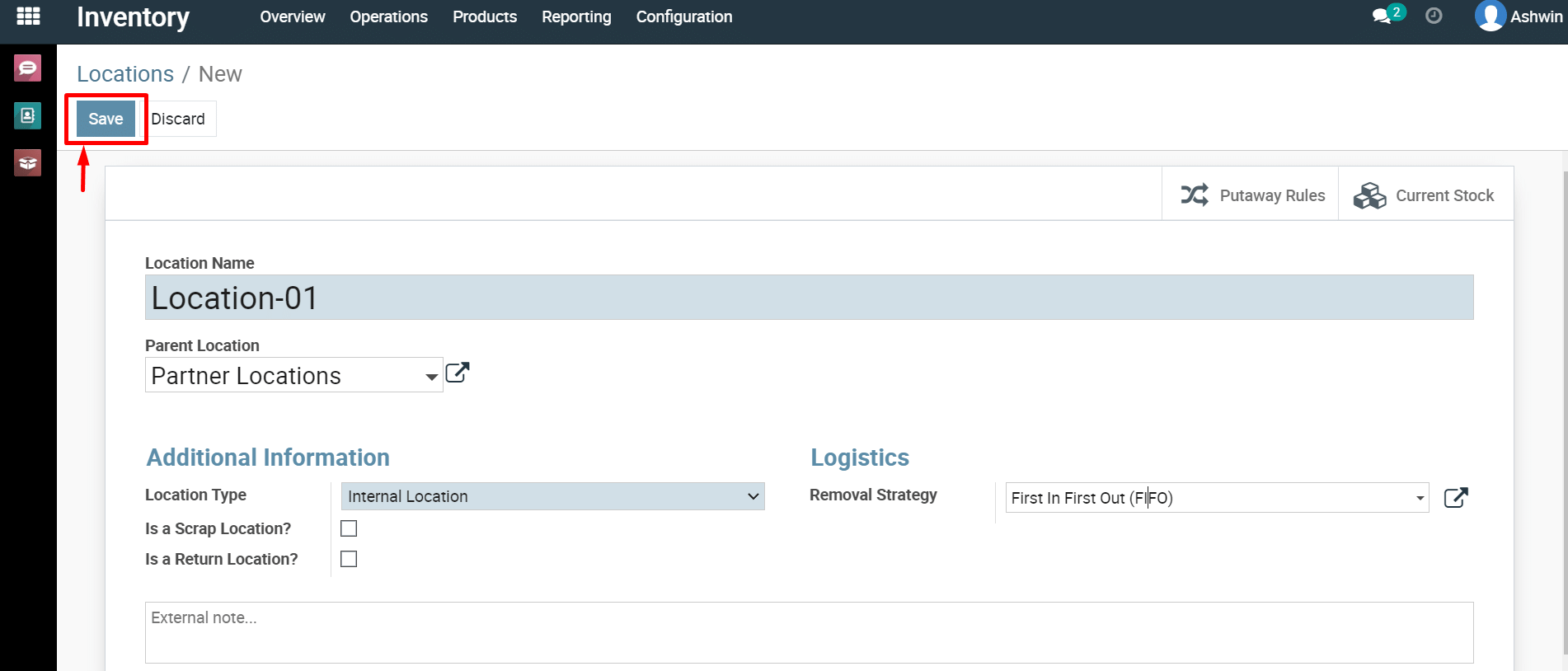
7) Click
‘Save’ button to save new location.
To set up different warehouses and storage locations, please do contact us at support@metrogroup.solutions