
Return Order management comes up also with refund and with proper Stock maintenance from Customer to Stock locations. Follow the steps below to access it.
1) Access the PoS Module:
Go to the dashboard and select the Point of Sale (PoS) module.
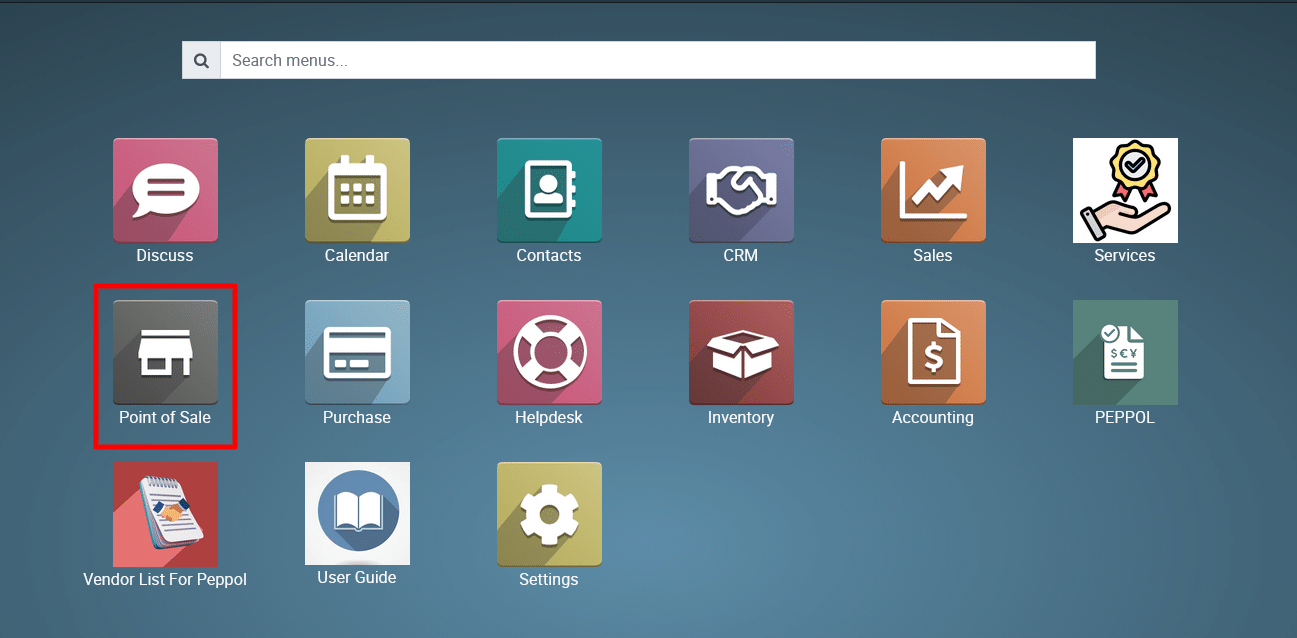
2) Navigate to Point of Sale > Dashboard > Open the Session.
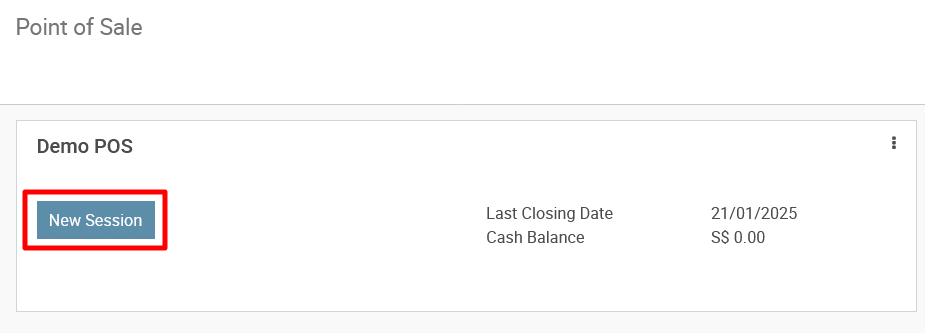
3) Navigate to Point of Sale > Point of Sale > Open the Session.
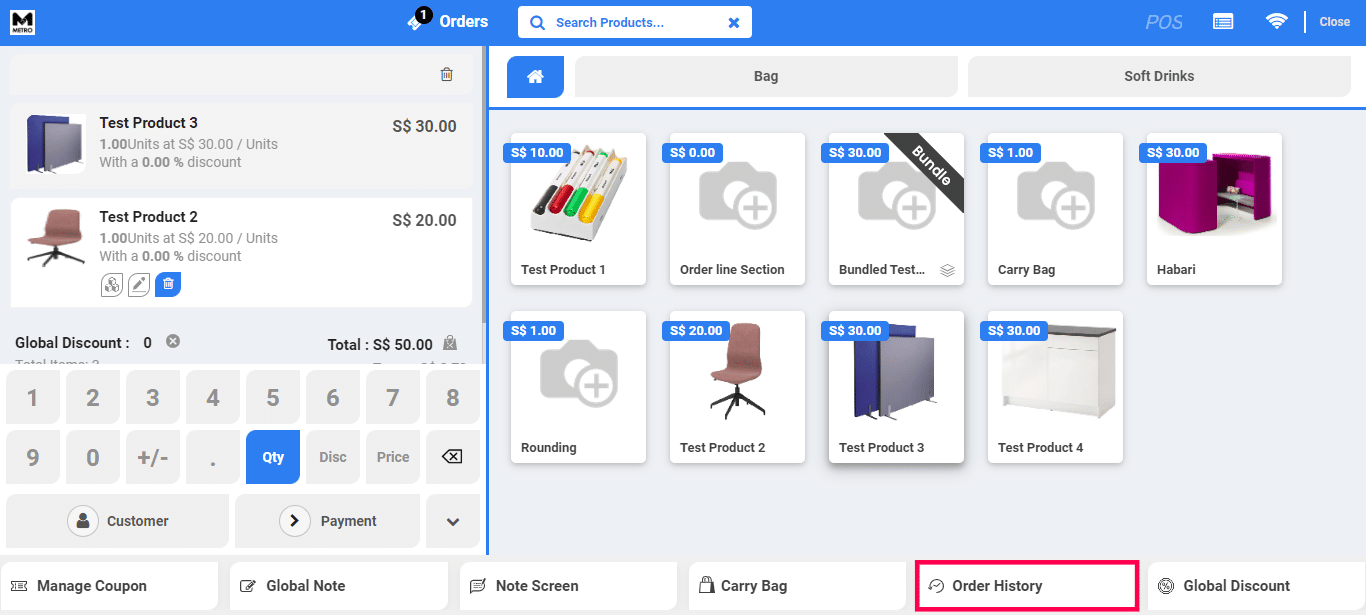
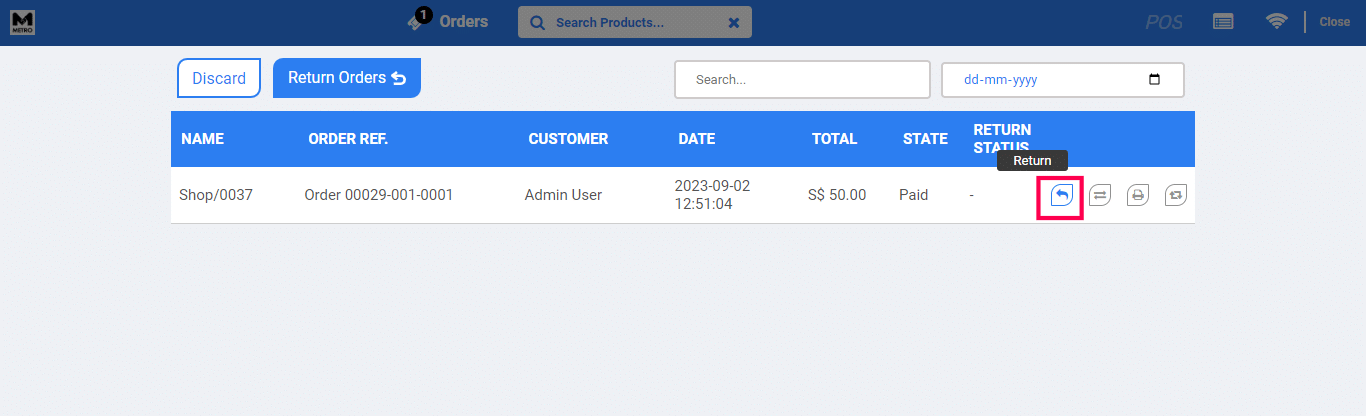
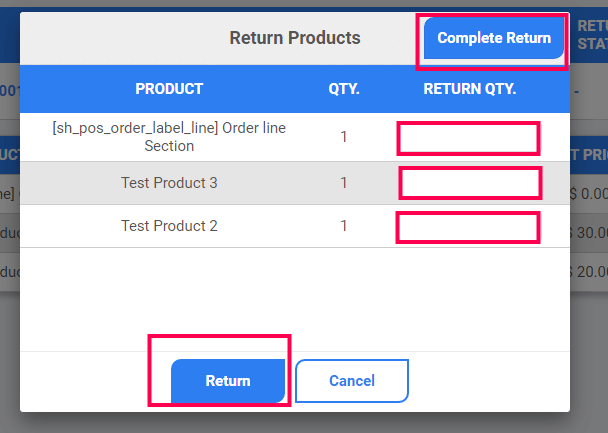
4) FInd the button ‘Order History’. Filter by searching for the appropriate Order and click on the ‘Return’ icon.
5) You can choose the partial/complete return of the products.
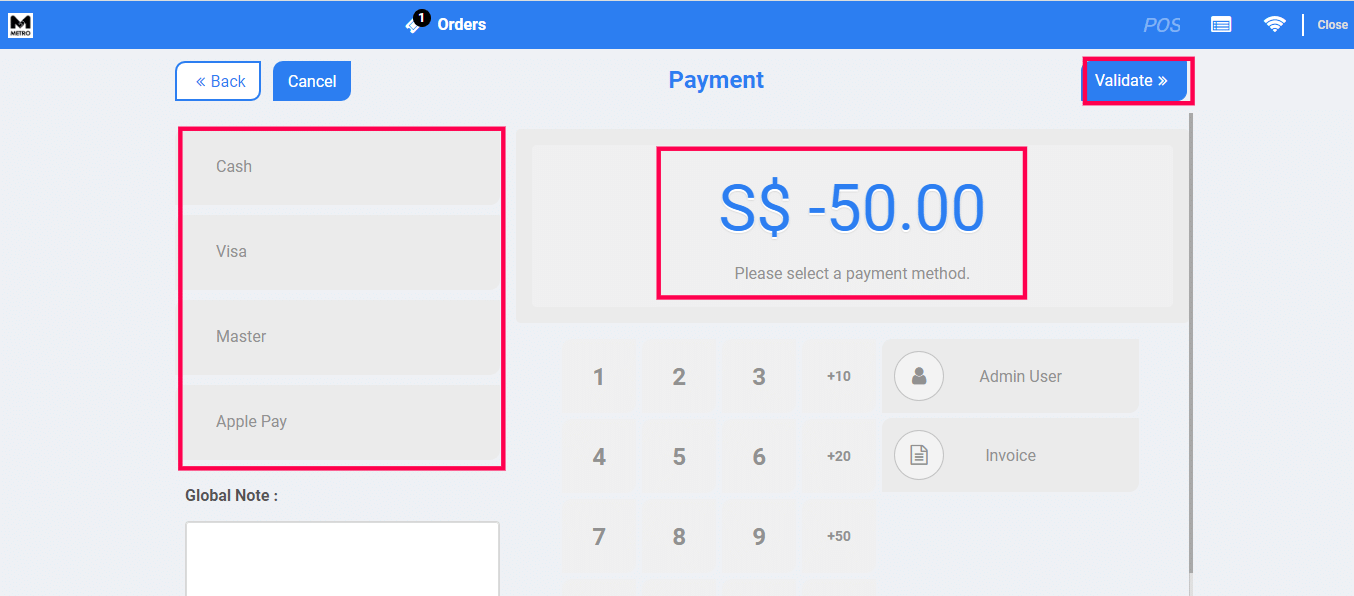
6) Make reverse payment to the Customer and close to Validate the Order.
To get more details, how to create a Return Order in the PoS Session into the system, please do contact us at support@metrogroup.solutions