
To install Charts of Accounts in Metro, follow these steps — this works for a fresh database and also if you need to enable or update the chart later.
1) Go to the ‘Accounting’ module. 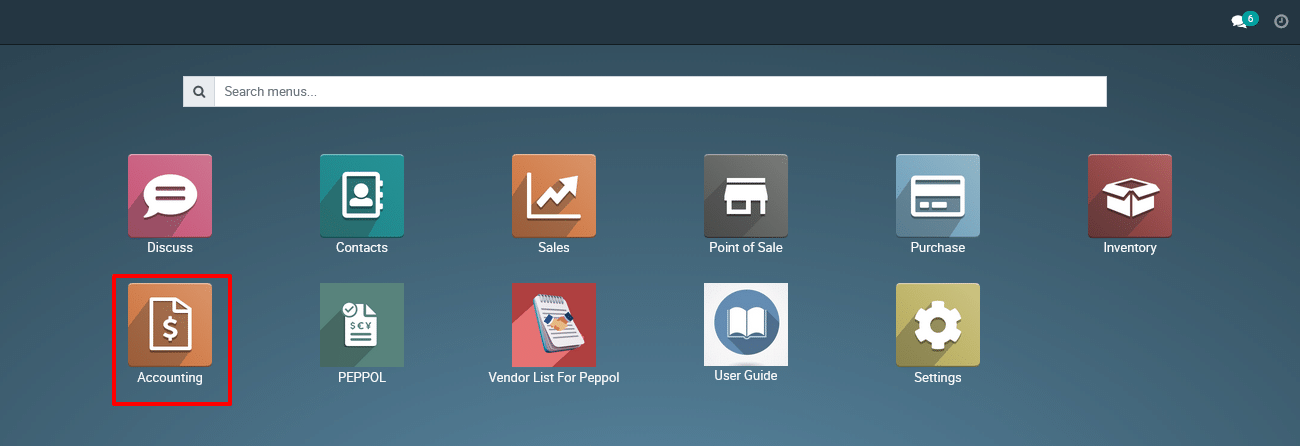
2) View the Account Settings page :
- Go to Accounting > Configuration > Settings

Fiscal Localization Section
Location: Settings → Accounting → Fiscal Localization
This dropdown lists available localization packages installed in the system.
Example: Singapore Chart of Accounts
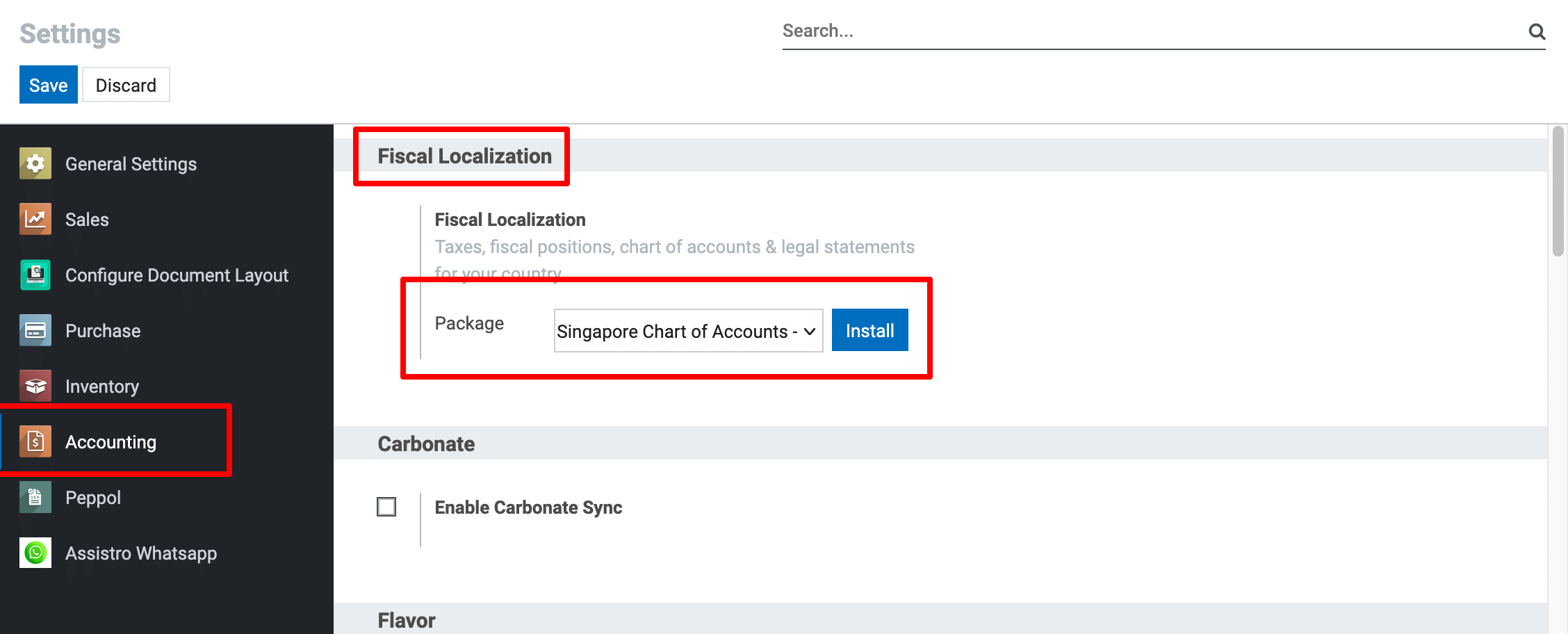
Only one package can be installed per company.
3) Clicking Install will:
Automatically create the Chart of Accounts.
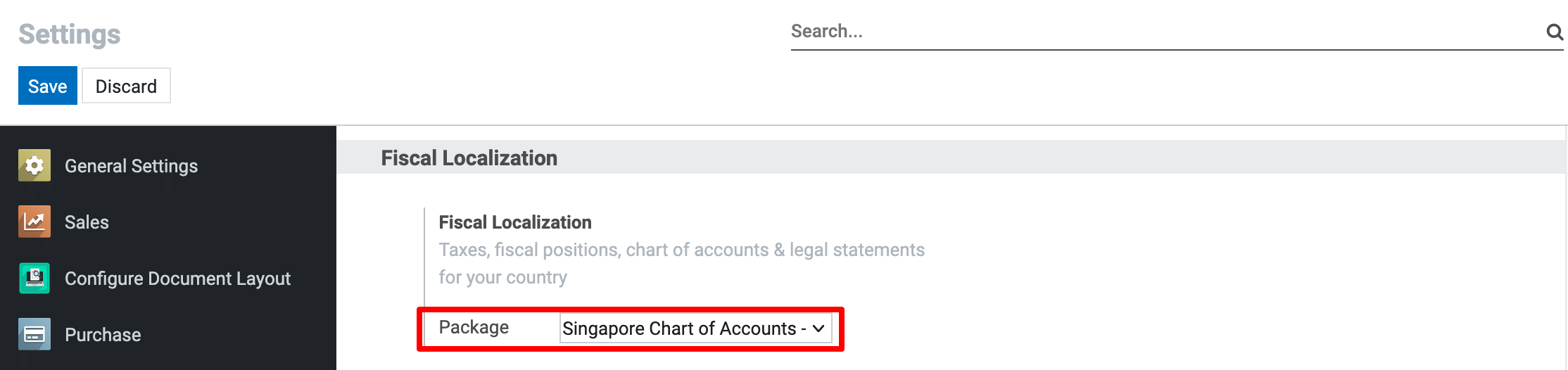
Way to Install COA (Starting from Companies Page).
1) Go to Settings
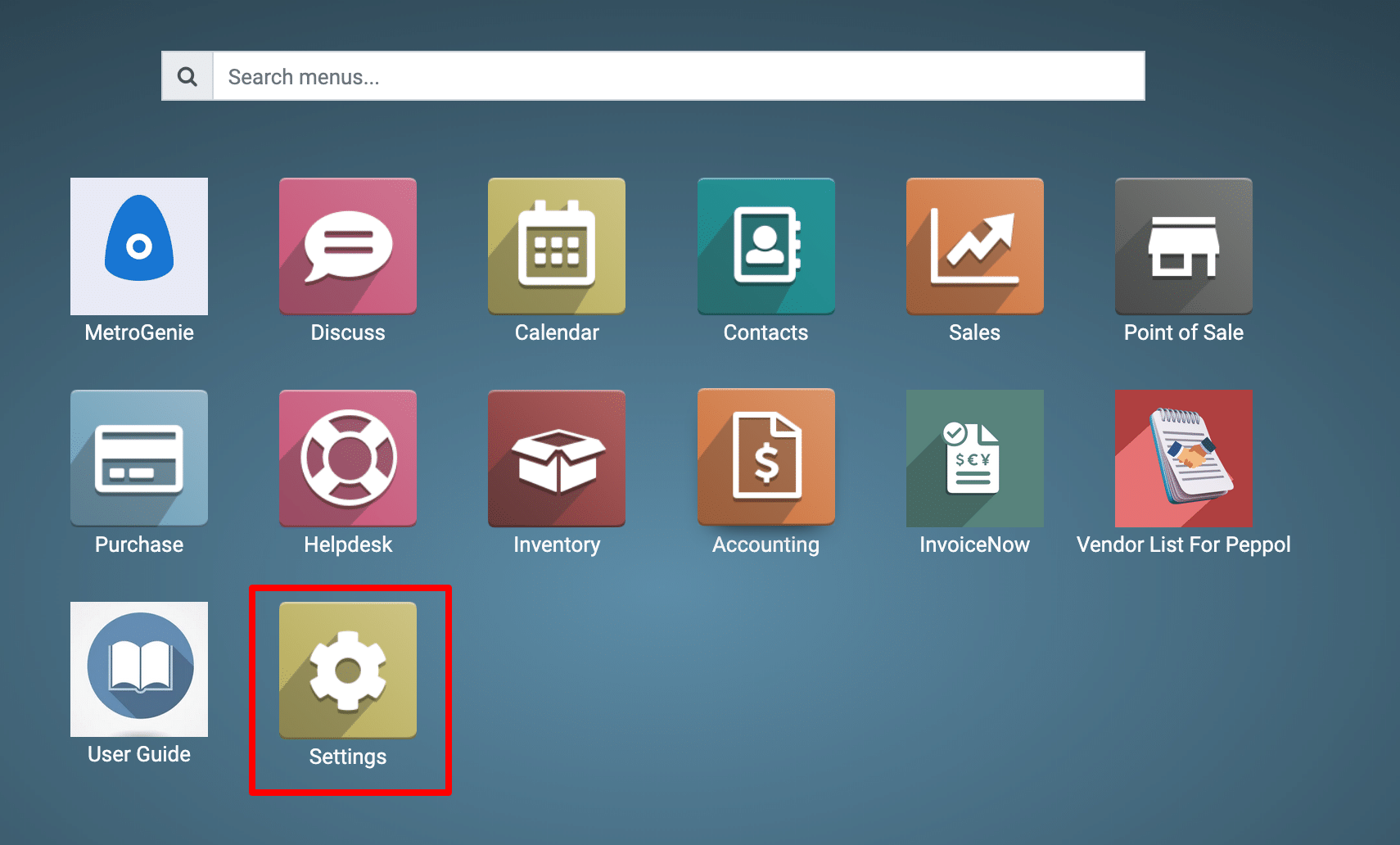
View the Settings Page.
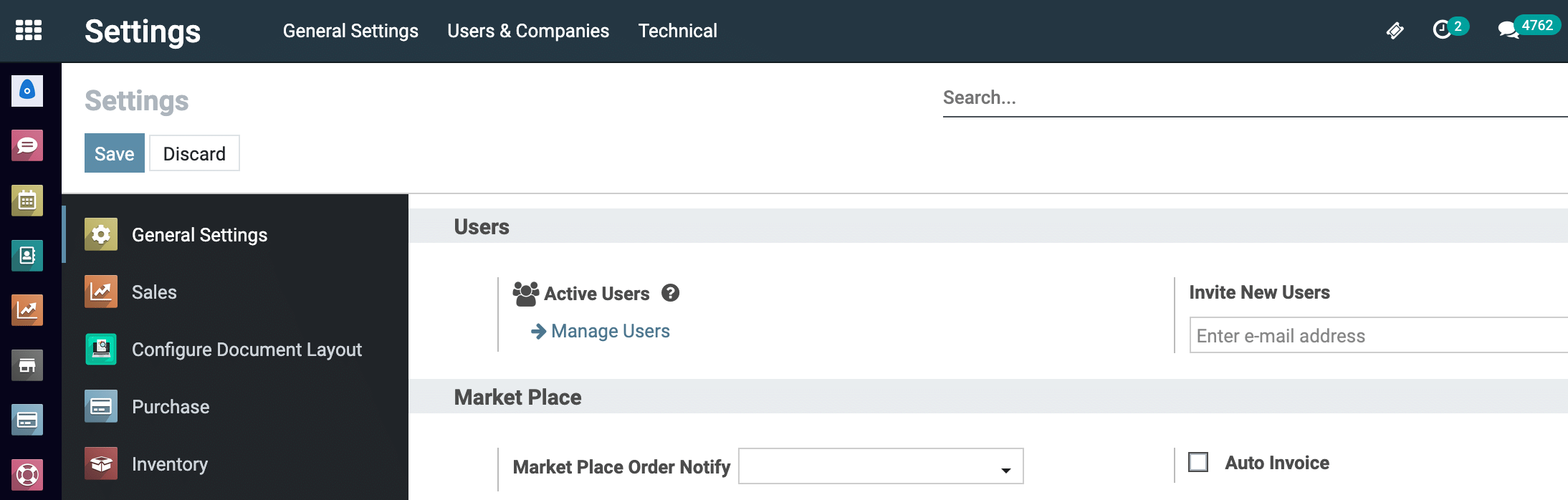
2) Go to Company Page.
Settings → User & Companies → Companies.

View the Company listing page.

3) Now, click and view the company.
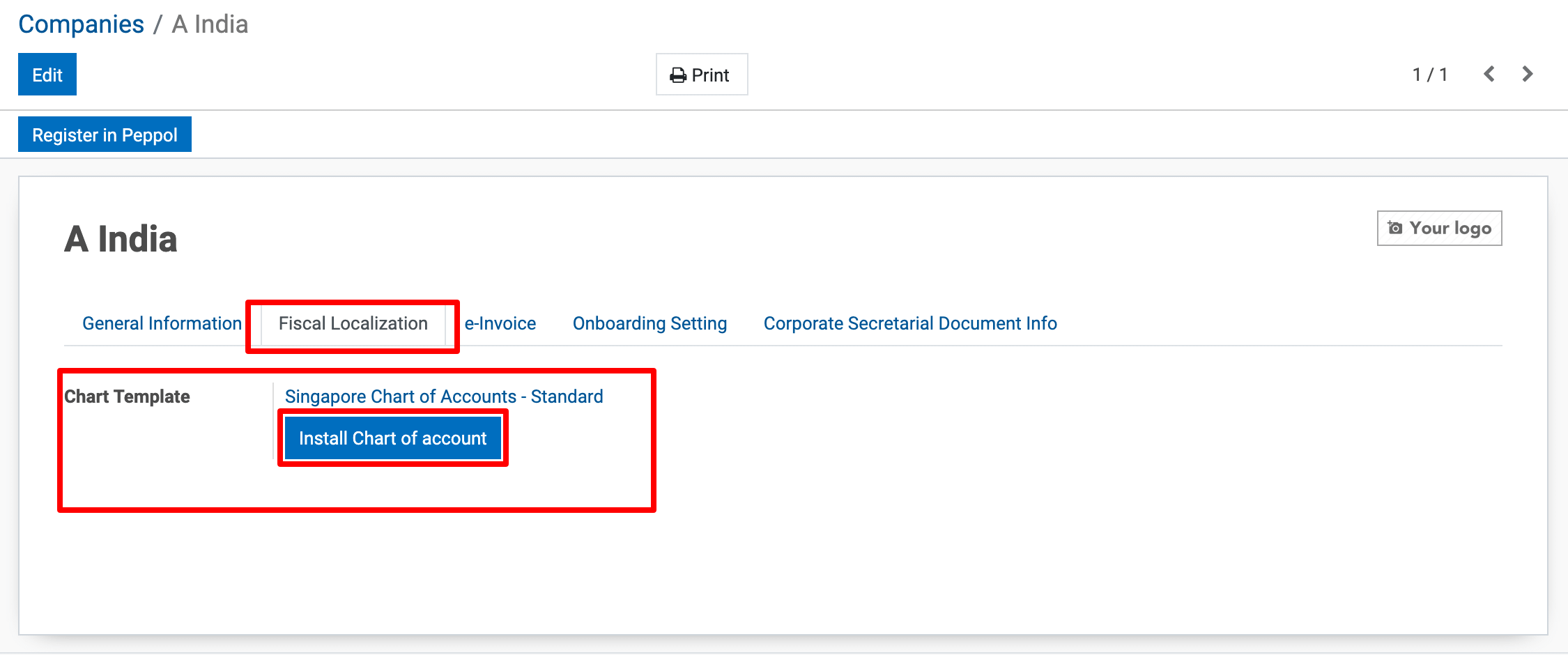
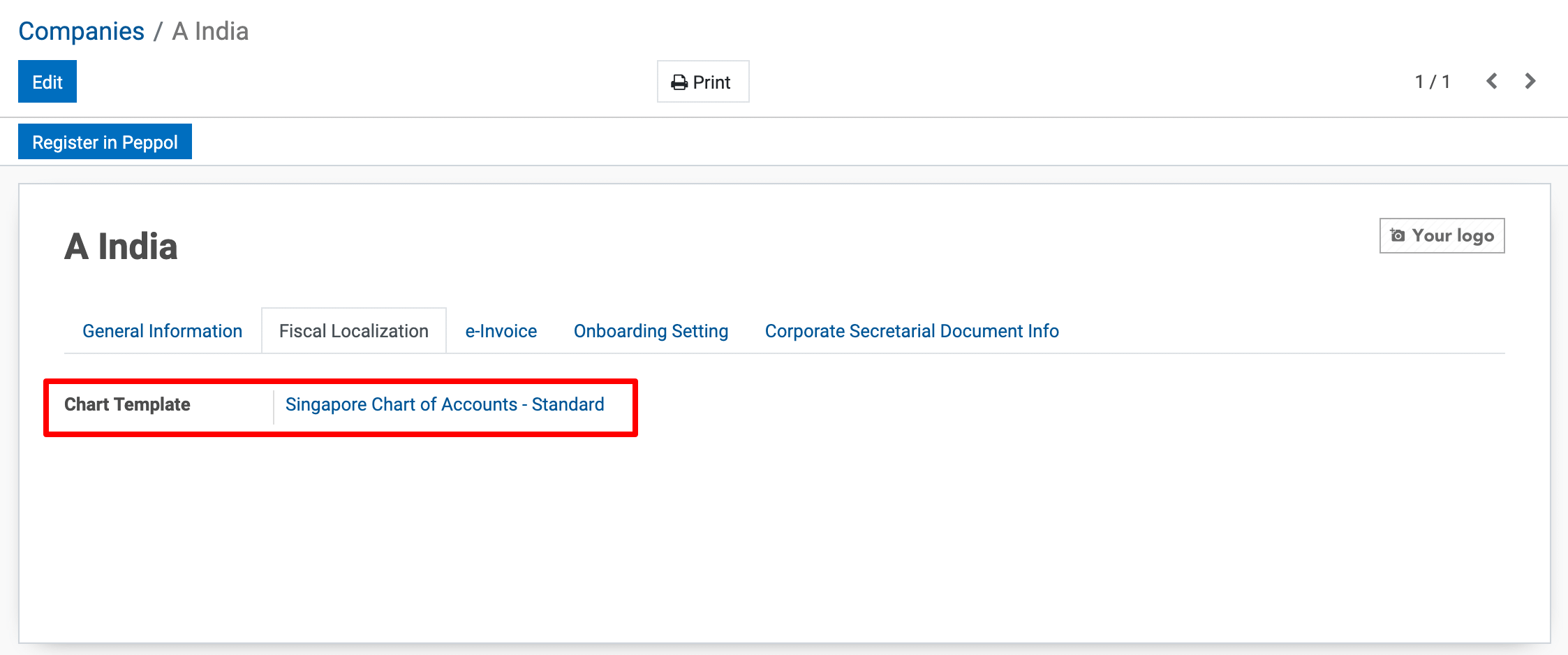
4) Clicking Install will:
Automatically create the Chart of Accounts.
To get more details how do i install Charts Of Accounts in Metro ERP, please do contact us at support@metrogroup.solutions