
To set up a reconciliation model in Metro ERP’s Accounting App, follow these steps:
1) Go to the ‘Accounting’ module.
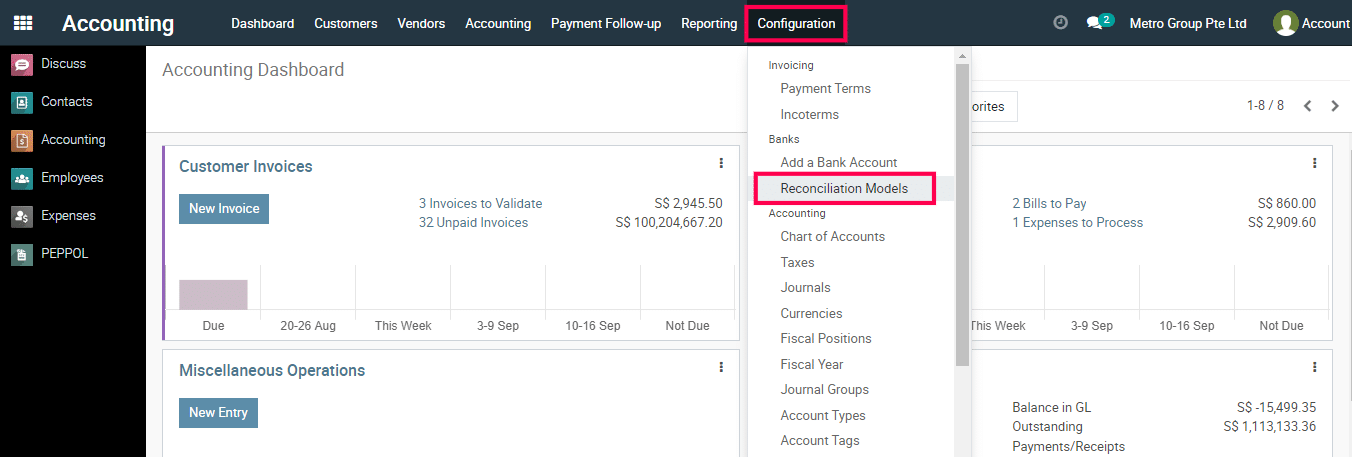
2) Navigate to ‘Configuration’ > ‘Reconciliation Models’.
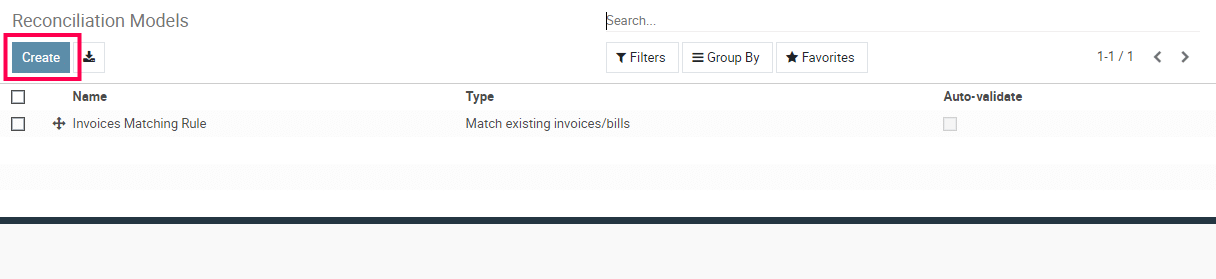
3) Click ‘Create’ to add a new reconciliation model.
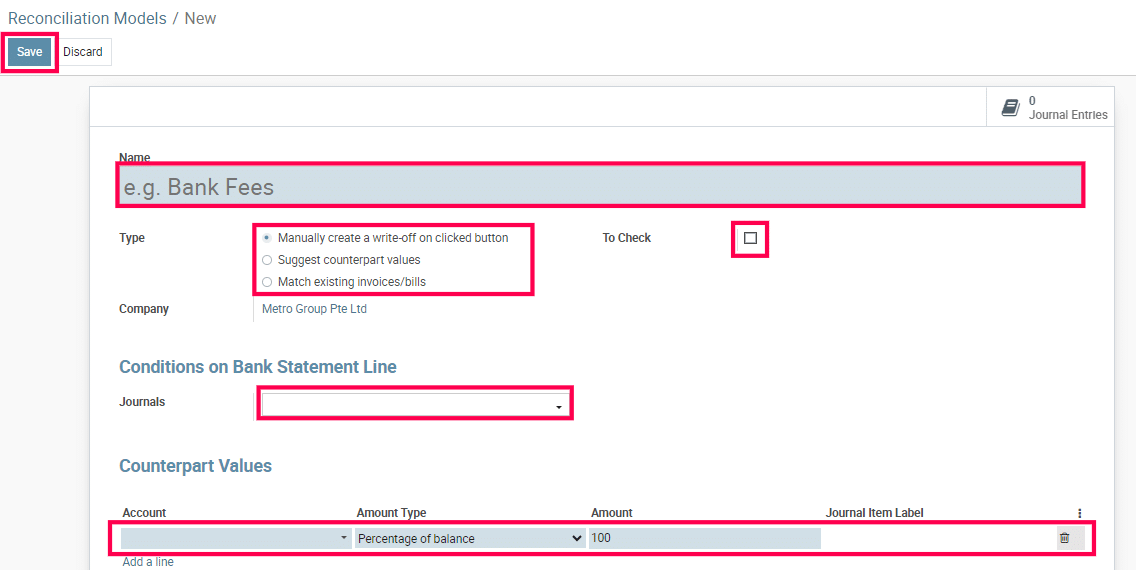
4) Define the model’s name, type, and other details.
5) Save the reconciliation model.
To get more details to set up a reconciliation model, please do contact us at support@metrogroup.solutions