
In Metro, the Lock Date feature in the Accounting module is used to prevent users from modifying accounting entries before a certain date. This ensures that financial records remain accurate and comply with auditing and reporting standards.
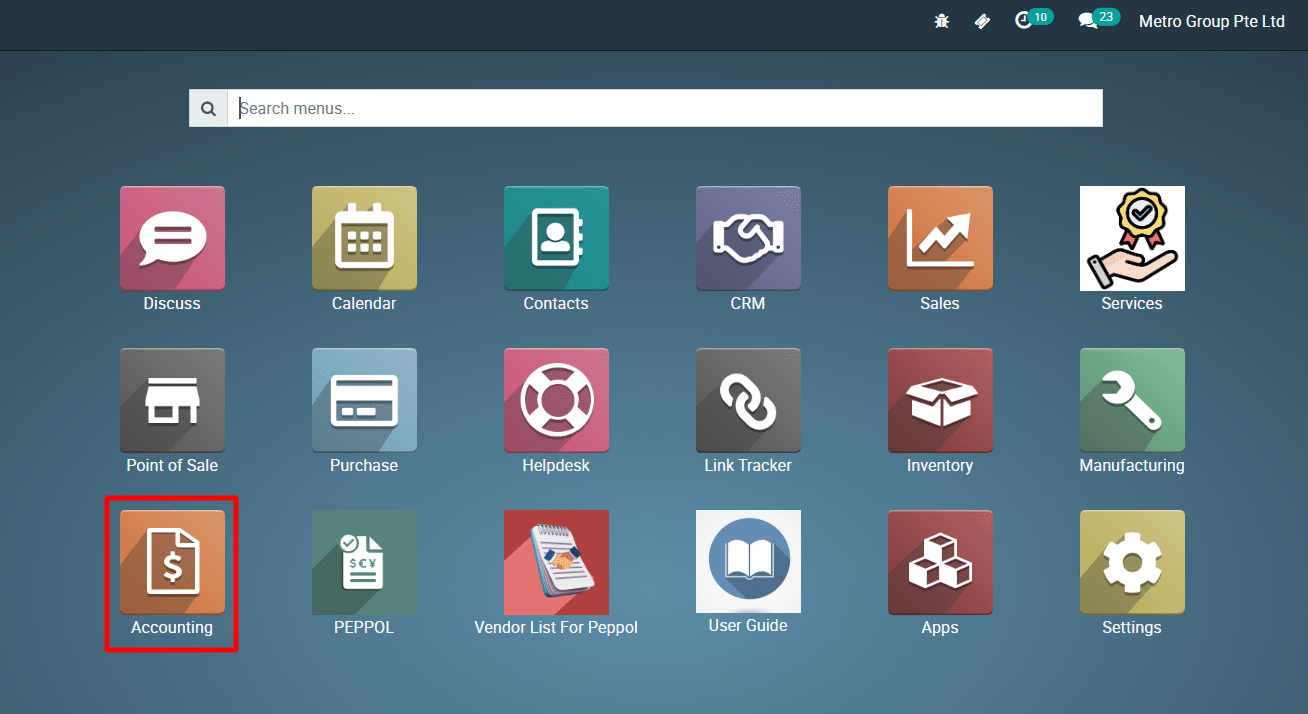
1) Go to the ‘Accounting’ module.
2)
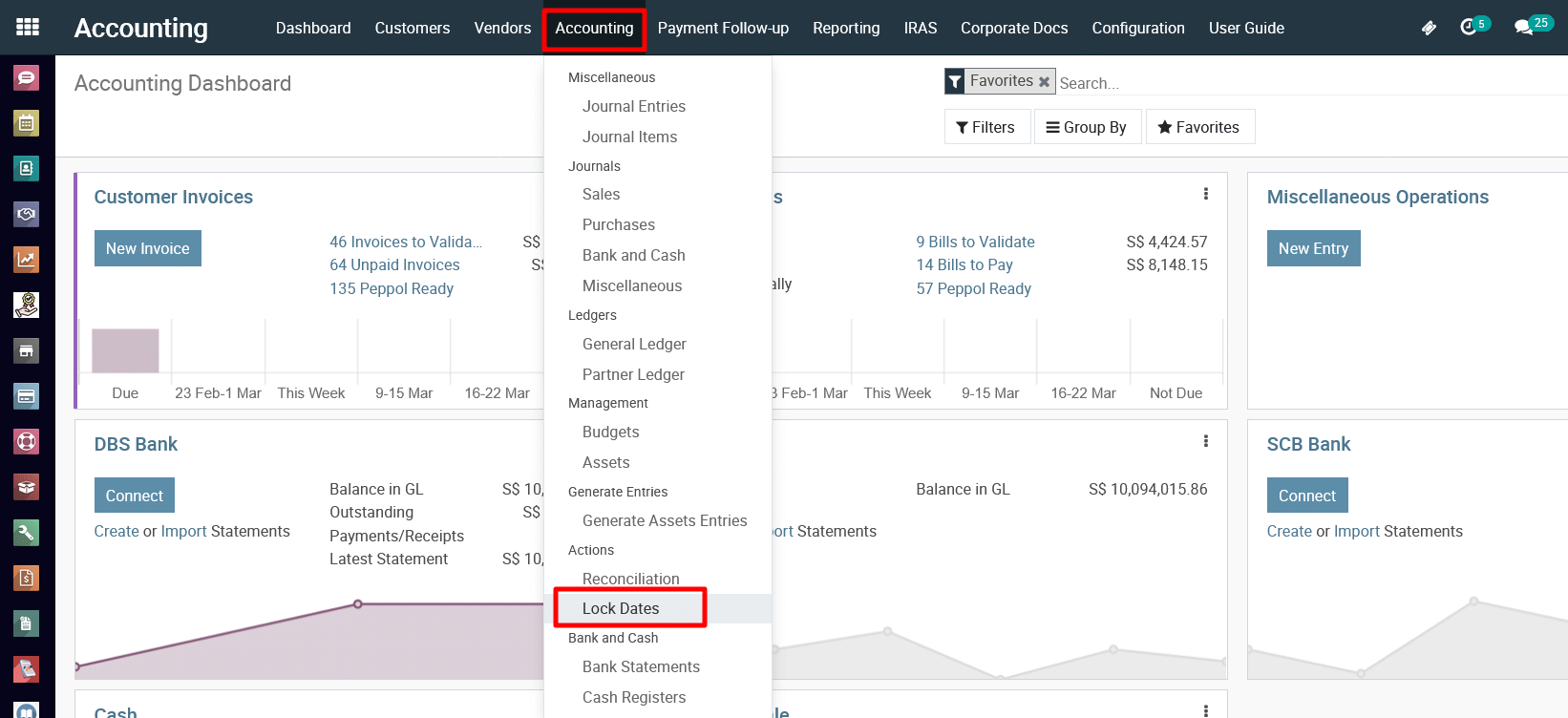
Navigate to Accounting >> Lock Dates.
3)
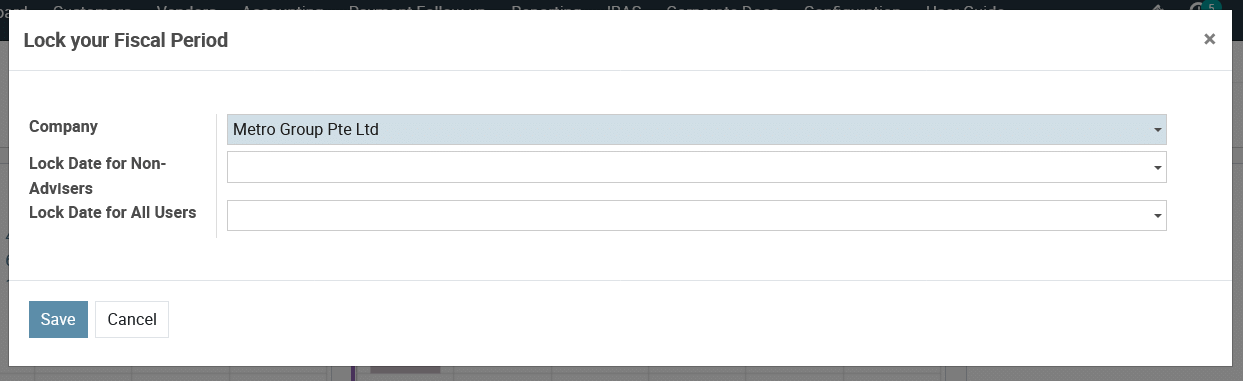
The screenshot displays the “Lock your Fiscal Period” feature in Metro under the Accounting module. This feature allows users to restrict financial entries beyond a specific date to maintain financial accuracy and compliance.
Explanation of Fields:
-
Company:
- The dropdown allows selection of the company for which the fiscal period is being locked.
-
Lock Date for Non-Advisers:
- This field allows setting a lock date beyond which non-advisers (regular users) cannot modify or create financial transactions.
- Typically, accountants or authorized users still have access to make modifications.
-
Lock Date for All Users:
- This field specifies a strict lock date beyond which no users, including advisers or accountants, can make changes to financial records.
- This is often set after financial reports are finalized and submitted.
Action:
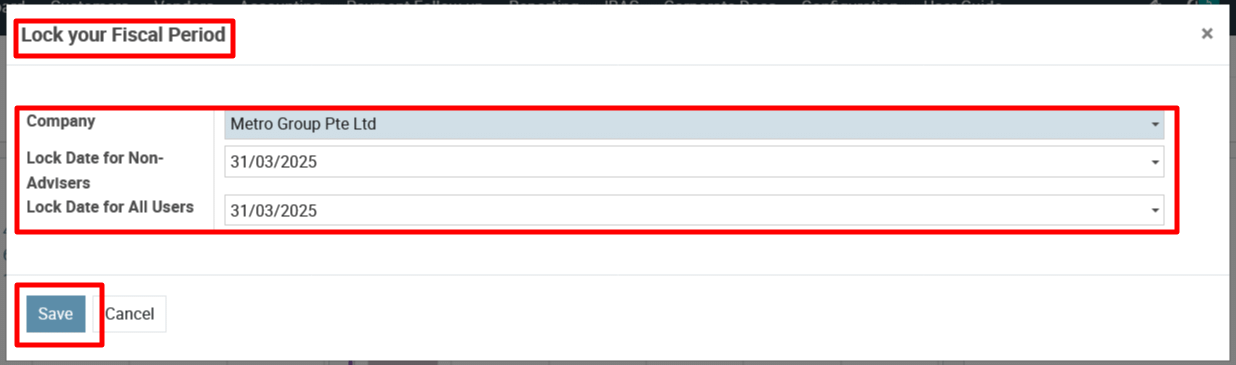
- Save: Confirms and applies the lock settings.
- Cancel: Discards any changes and closes the window.
To get more details to use Lock Date in Metro ERP, please do contact us at support@metrogroup.solutions