
Adding or Deleting Charts of Account
While you can edit existing accounts within the initial onboarding stage,
adding or deleting charts of account isn’t available here. To manage these
actions, navigate to the main Charts of Account section within your
accounting software. Here’s the typical path:
- Go to the Accounting Module.
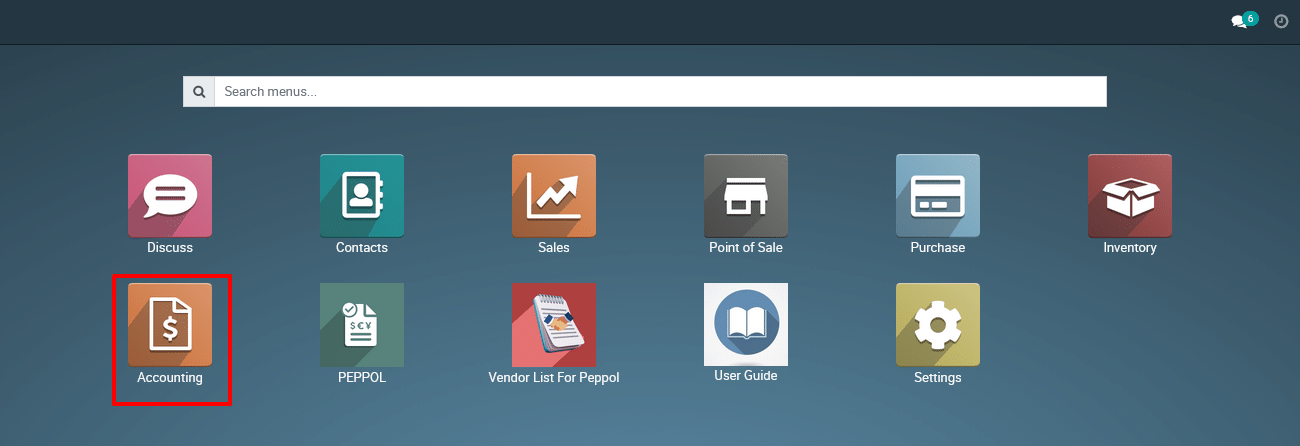
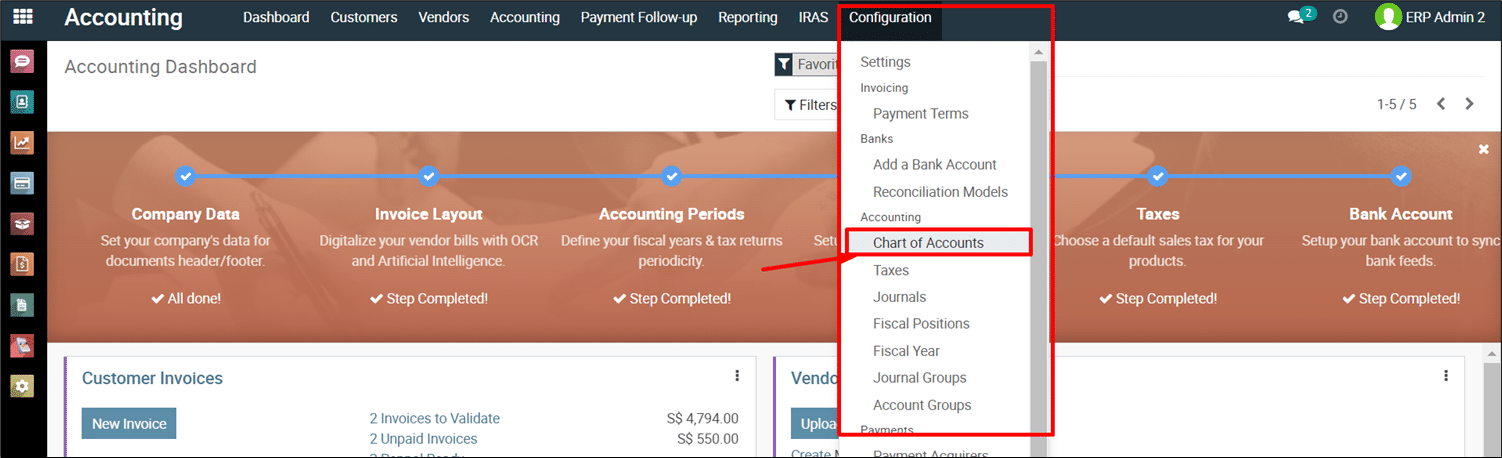
- Click on Configuration.
- Select Charts of Account.
(Refer below Screenshot)
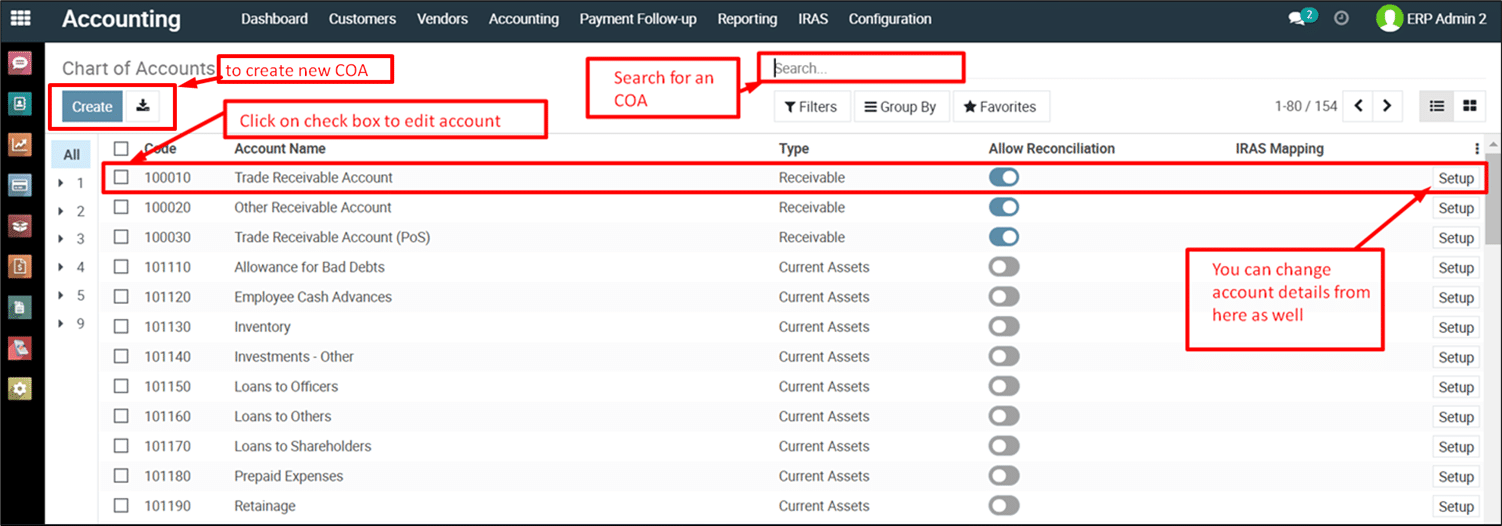
On the Charts of Account Page:
- Search for existing accounts.
- Edit account details.
- Add new accounts.
- Delete accounts
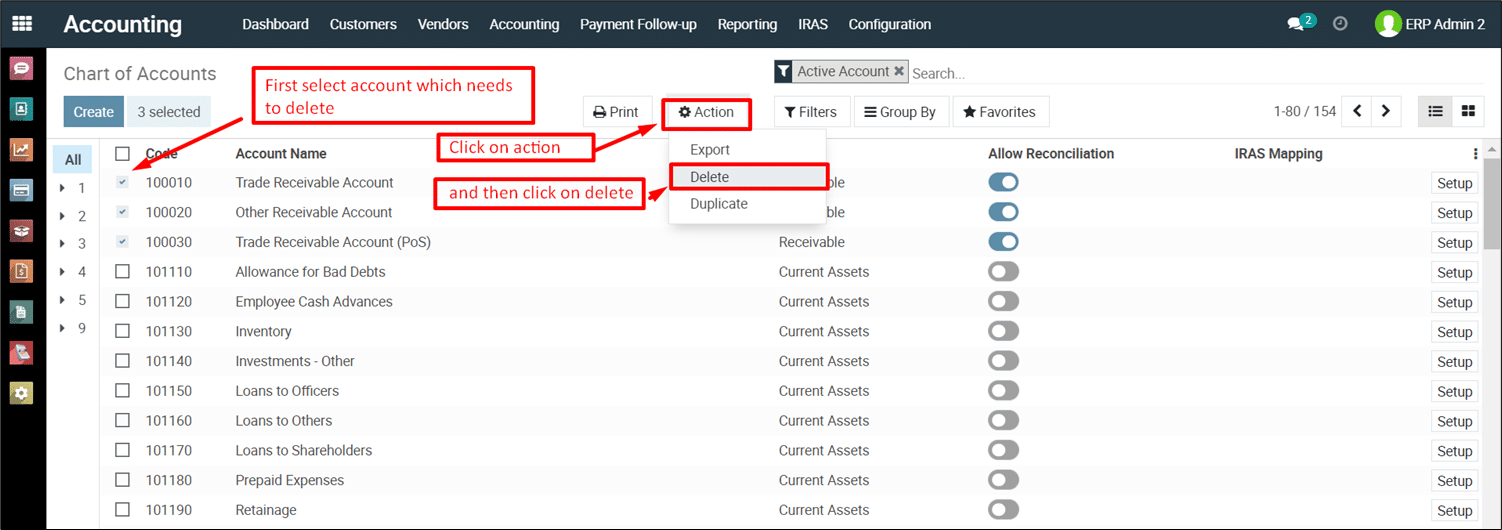
Deleting Charts of Account
Important Note:
Not all chart of accounts can be deleted in Metro ERP. System-generated or
mandatory accounts are crucial for maintaining financial data integrity and are
typically non-deletable. However, you can often modify these accounts to suit
your needs.
Before You Delete:
- Identify the Account: Locate the specific chart of
account you want to delete. Use the search or browse functionalities
within the Charts of Account section. - Check Delectability: Some accounts might have visual
cues indicating they cannot be deleted
Steps to Delete:
- Navigate to the Chart of Accounts Section: (Refer to previous steps in your guide for navigation instructions)
- Locate the Account to Delete: (Refer to the
information above) - Delete the Account (if allowed):
Confirmation and Potential Impact:
- Proceed with caution when deleting accounts. Confirm the deletion
before finalizing the action.
Deleting accounts might impact your
financial data and reporting. Ensure you understand the consequences before
proceeding.
Note:
Understand that Metro ERP
system-generated some mandatory chart of accounts that cannot be deleted. You
can modify these accounts as needed.
| Code | Account Name | Type |
| 100010 | Trade Receivable Account | Receivable |
| 101401 | Cash | Bank and Cash |
| 101402 | Outstanding Receipts | Current Assets |
| 101403 | Outstanding Payments | Current Assets |
| 101411 | Bank Suspense Account | Current Assets |
| 101412 | Bank | Bank and Cash |
| 101413 | Outstanding Receipts | Current Assets |
| 101414 | Outstanding Payments | Current Assets |
| 200010 | Trade Payable Account | Payable |
| 300004 | Sales of Product Revenue | Income |
| 401005 | Supplies and Materials – COS | Cost of Revenue |
To get more details how to add or delete a Charts of Account in Metro ERP, please do contact us at support@metrogroup.solutions