
In Metro, opening debtorsare recorded through journal entries when migrating accounting data from a previous system or setting up opening balances.
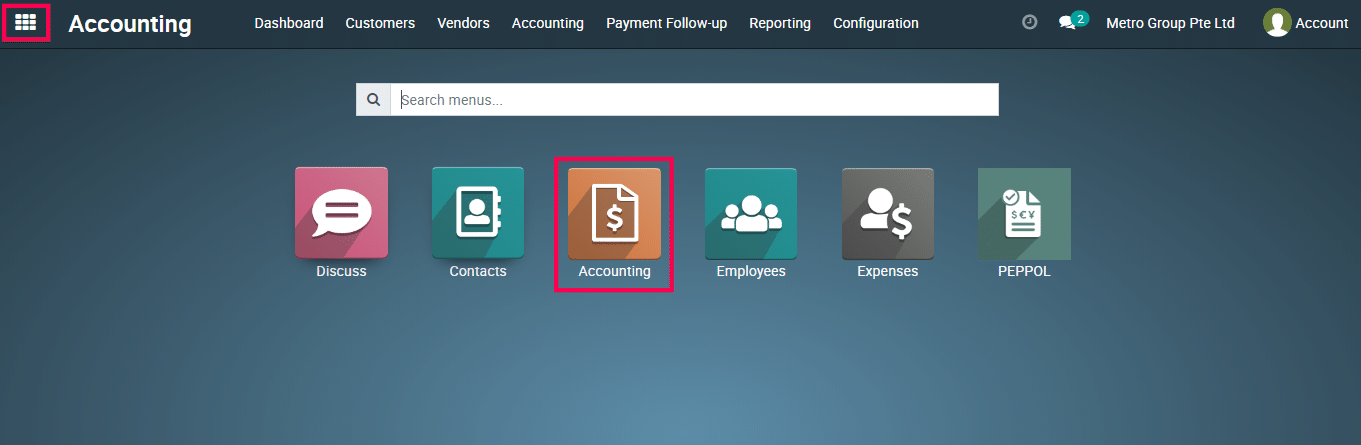
1) Go to the ‘Accounting’ module.
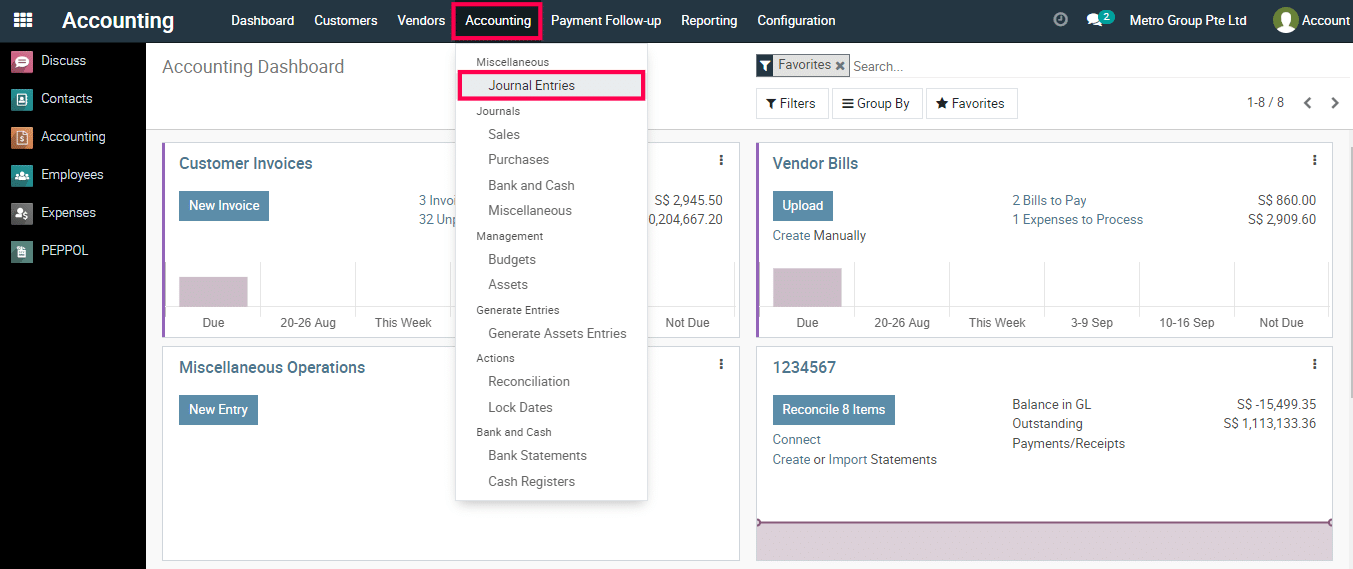
2) Go to ‘Journal Entries’.
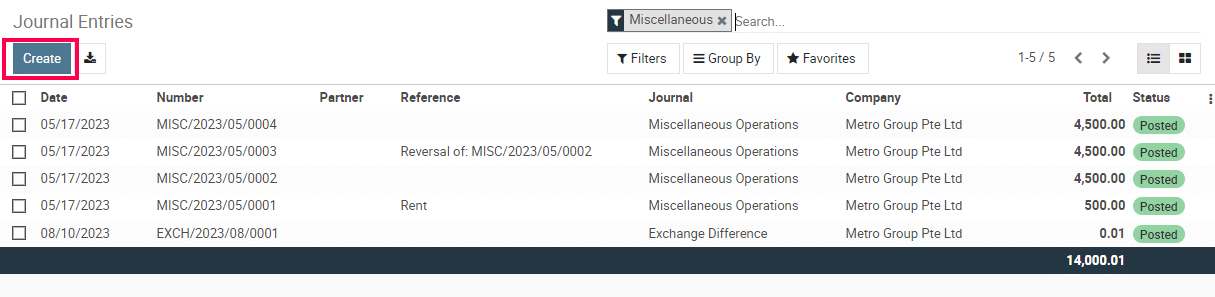
3) Click on the Create Button.
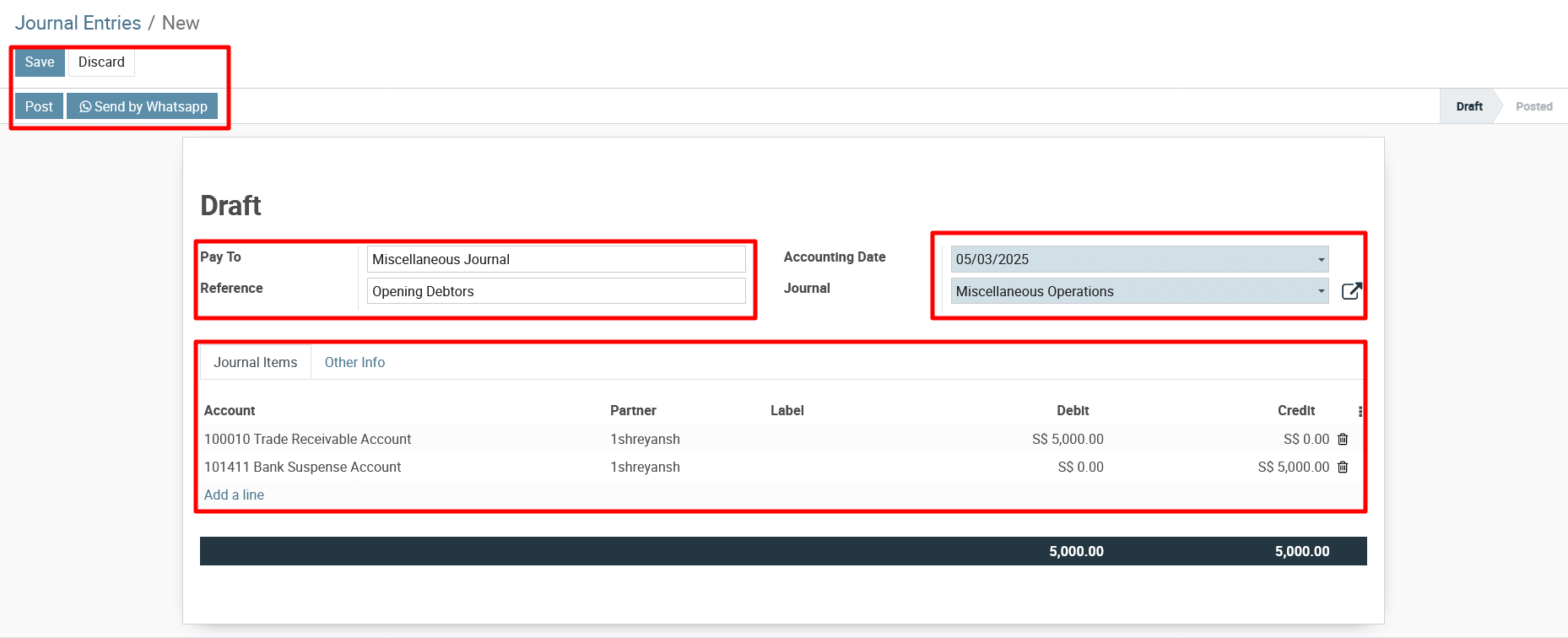
4) Enter the Journal Entry Details:
- Date: Set the opening balance date (e.g., start of the financial year).
- Journal: Select Miscellaneous Journal or a custom Opening Balance Journal.
- Reference: Enter a suitable reference like “Opening Debtors”.
Enter Debtor Balances
- In the Journal Items tab, enter the following:
- Debtor Account (Accounts Receivable – 110000) → Debit with the opening balance.
- Suspense Account / Opening Balance Account → Credit with the same amount.
Validate the Journal Entry
- Click Post to finalize the journal entry.
To get more details to create Journal Entries for Opening Debtors in Metro Accounting System, please do contact us at support@metrogroup.solutions