
To download OCBC bank statement to reconcile in metro accounting system, follow these steps:
1) Login to your OCBC Velocity internet banking.

2) From the menu, choose Transaction History.
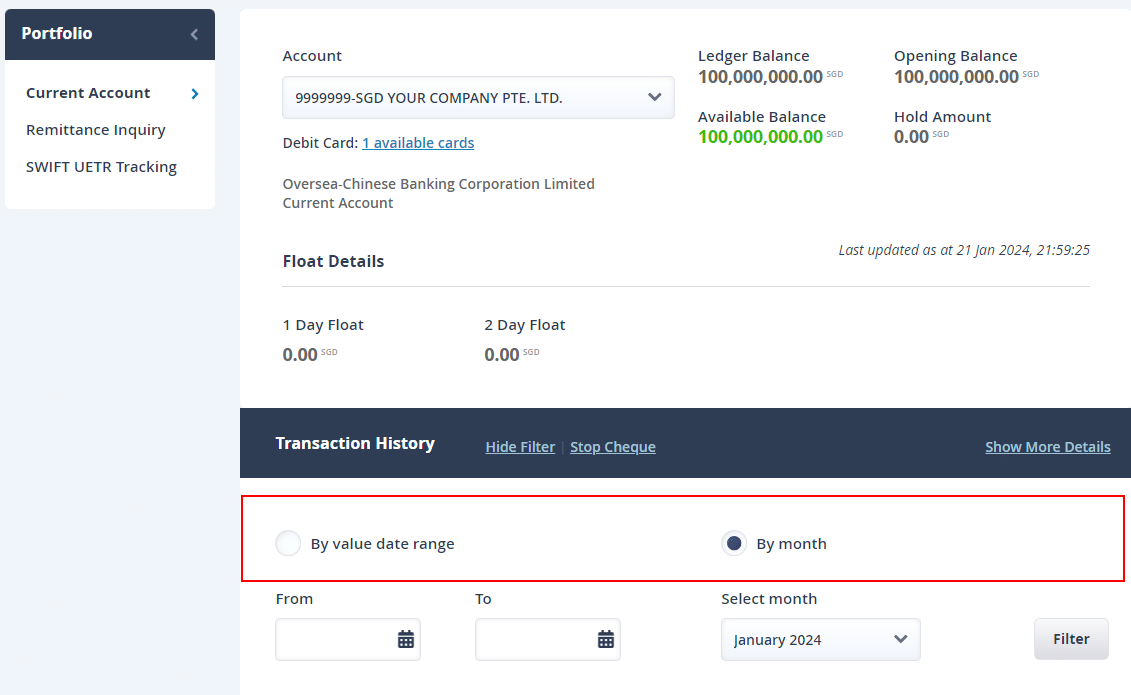
3) Choose the account and date range.
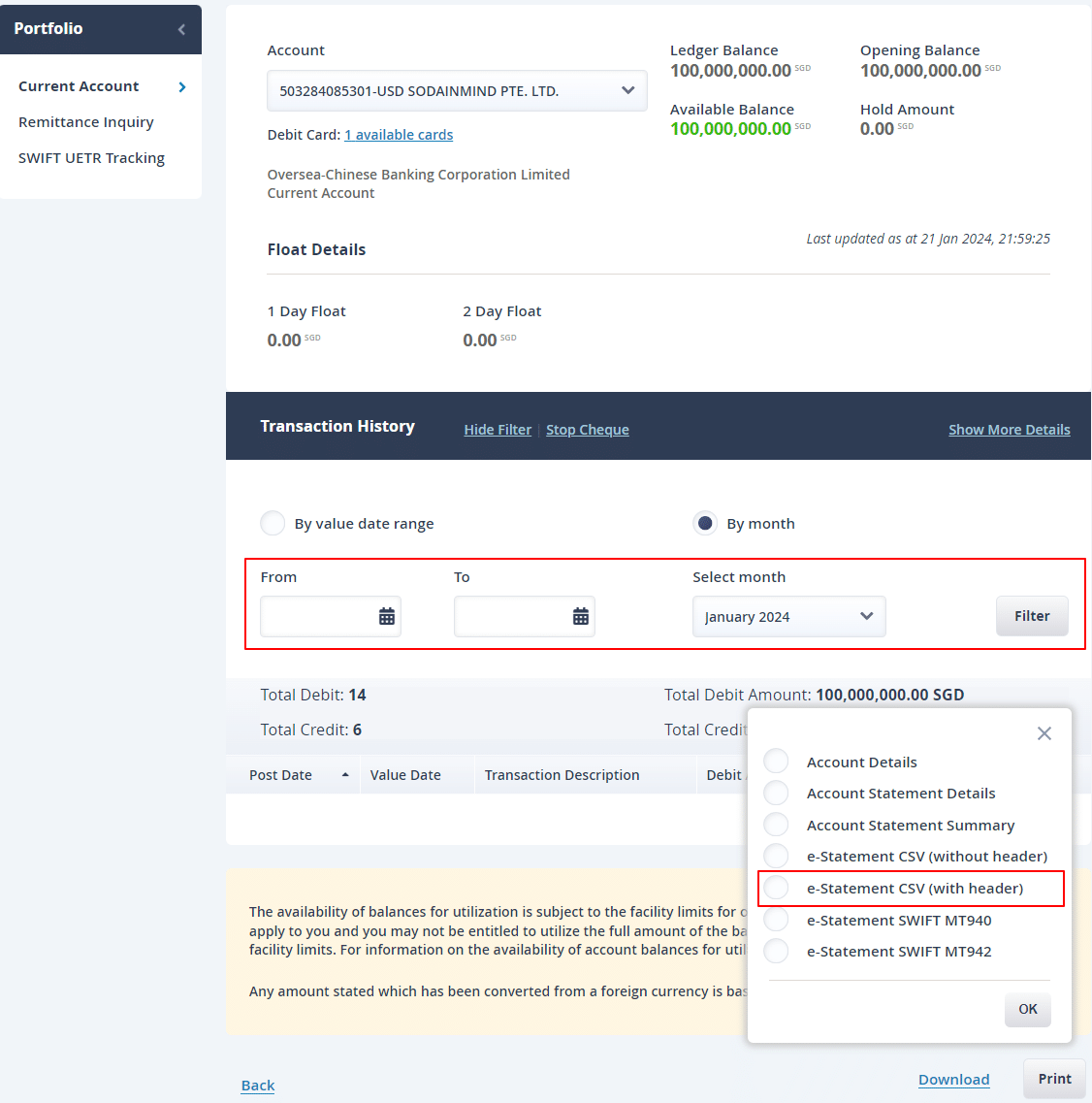
4) From the Download options, choose e-statement CSV (with header).
How to perform bank reconciliation in Metro ERP? – Click Here
To get more details to download OCBC bank statement, please do contact us at support@metrogroup.solutions