
To download UOB bank statement to reconcile in metro accounting system, follow these steps:
1) Login to your UOB internet banking.
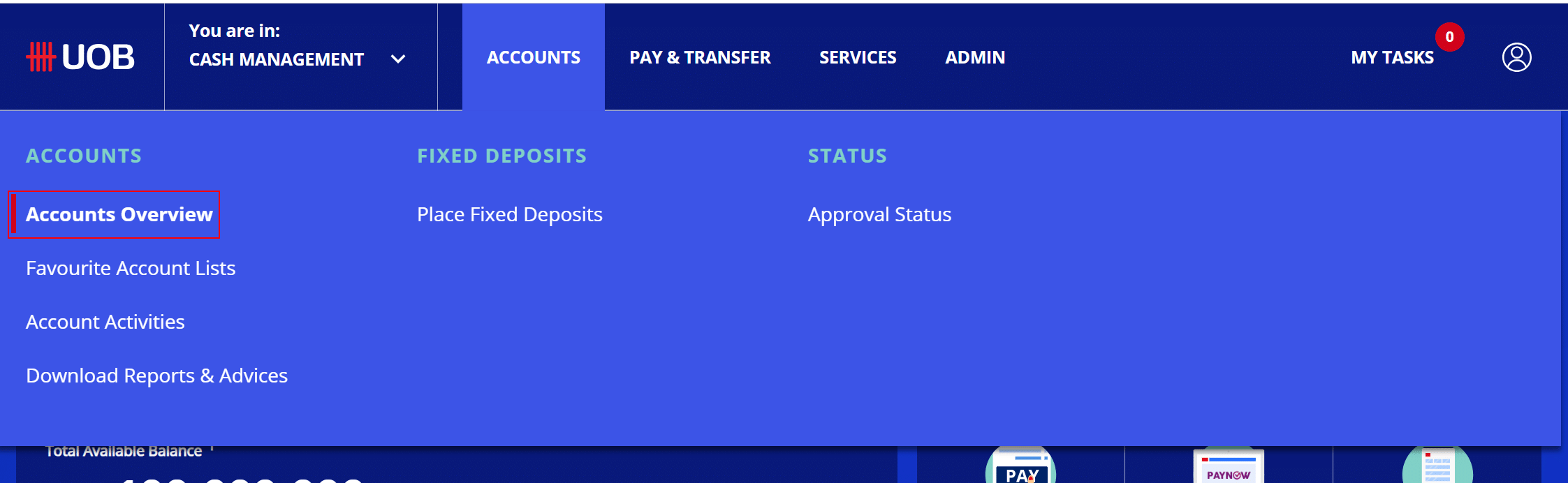
2) From the menu, go to Accounts Overview.
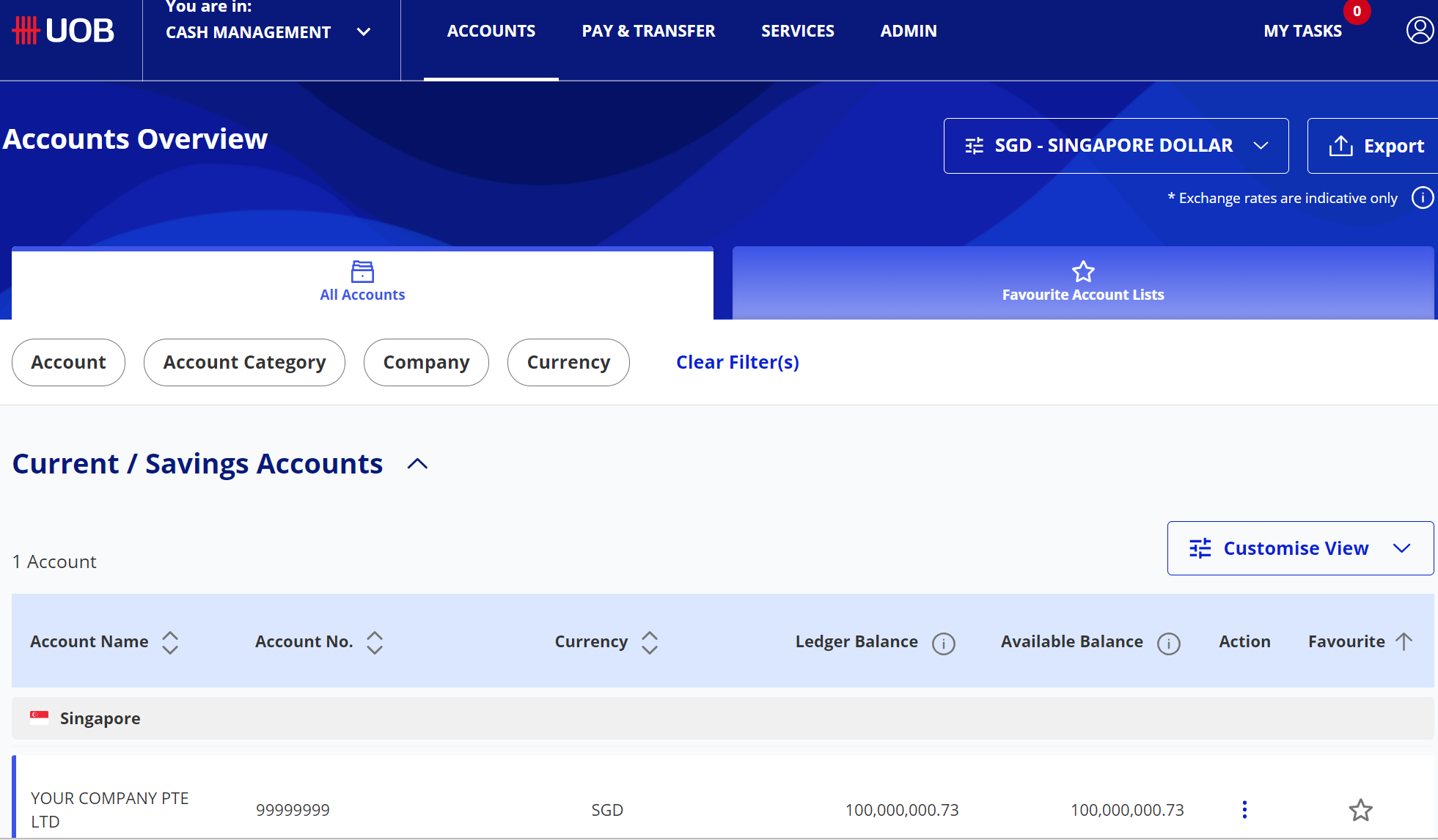
3) Choose the account from the list and click on it.
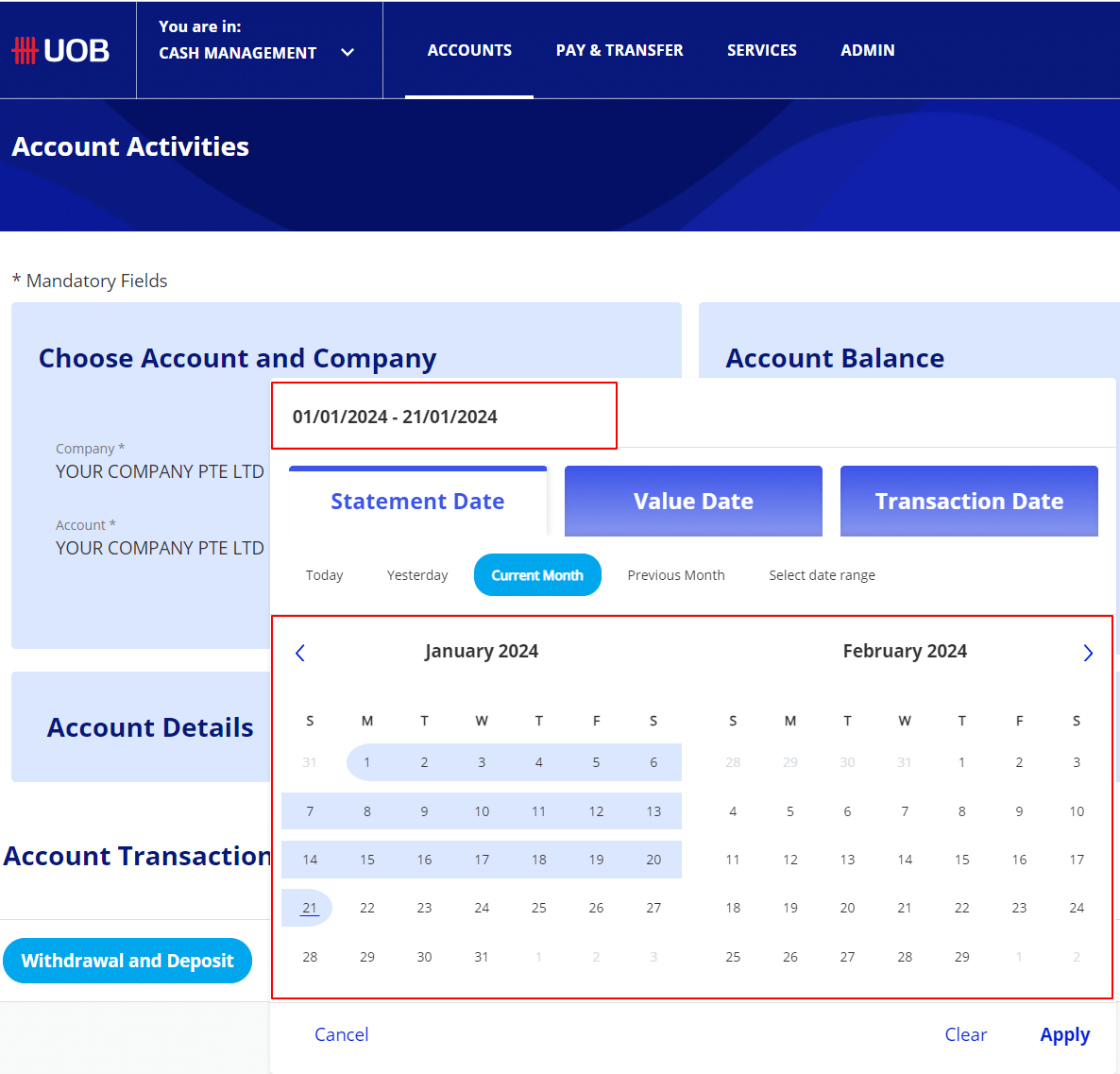
4) Select the date range.
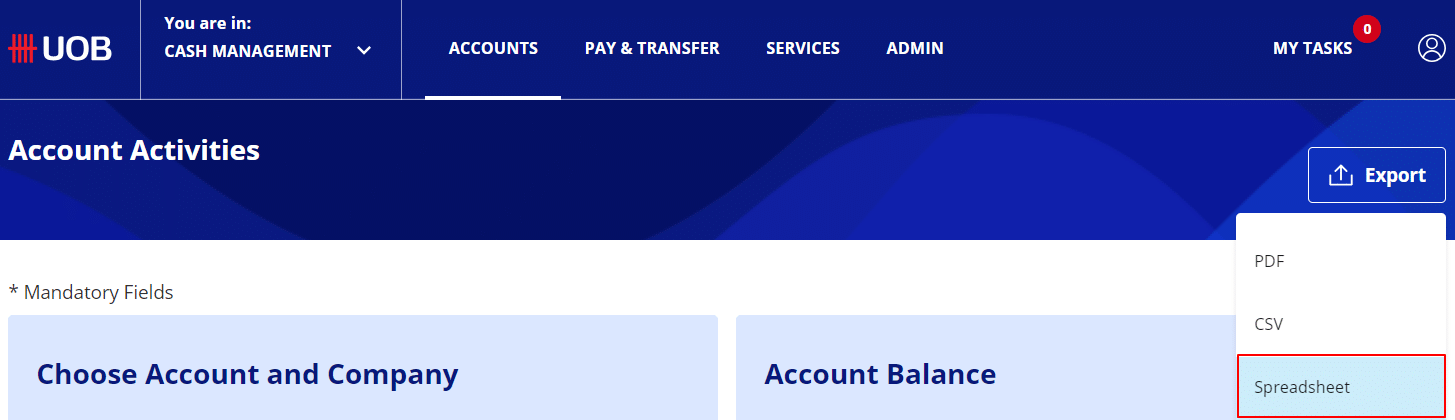
5) From Export, select Spreadsheet
To get more details to download UOB bank statement, please do contact us at support@metrogroup.solutions