
In Metro ERP’s Booking Management App, follow these steps:
1) Go to the ‘Booking Management’ module.
2) Navigate to ‘Configuration’ > Public Holidays.’

3) Go to the Public Holidays Dashboard.

4) Now, click on the create button and view the form.
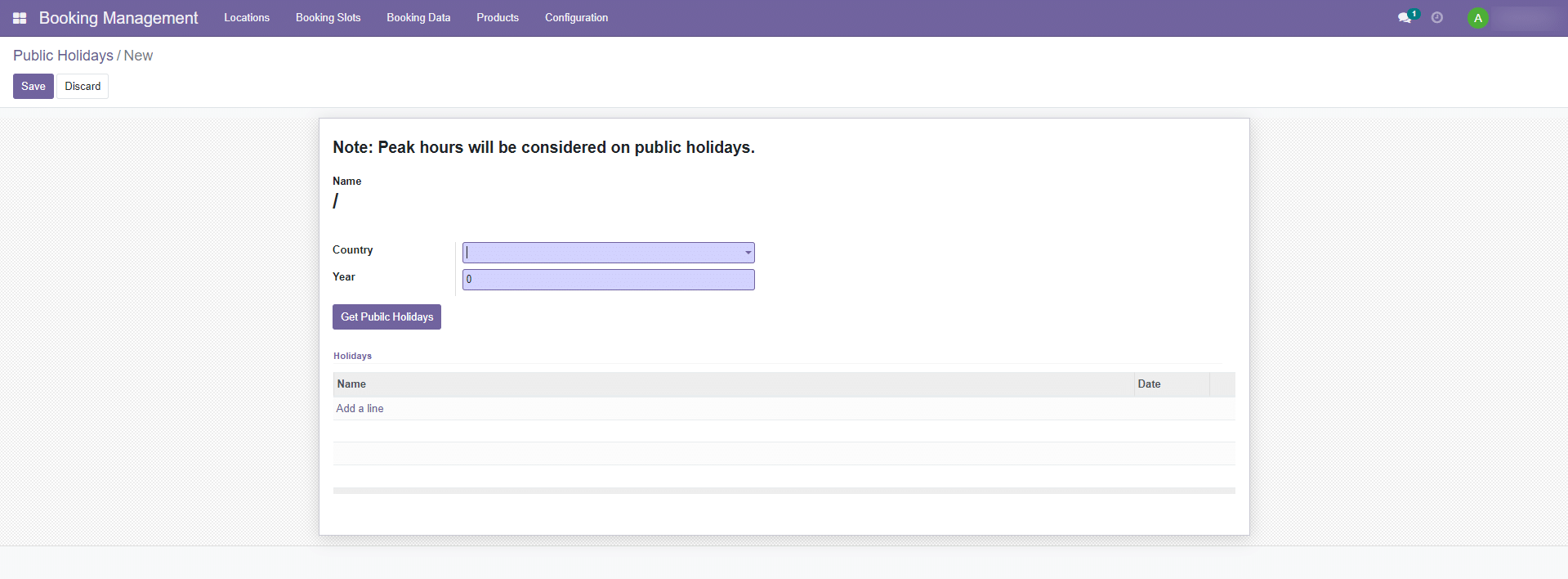
5) Provide the necessary information.
- Country.
- Year.
- Holidays.
- Click on the Get Public Holidays button.
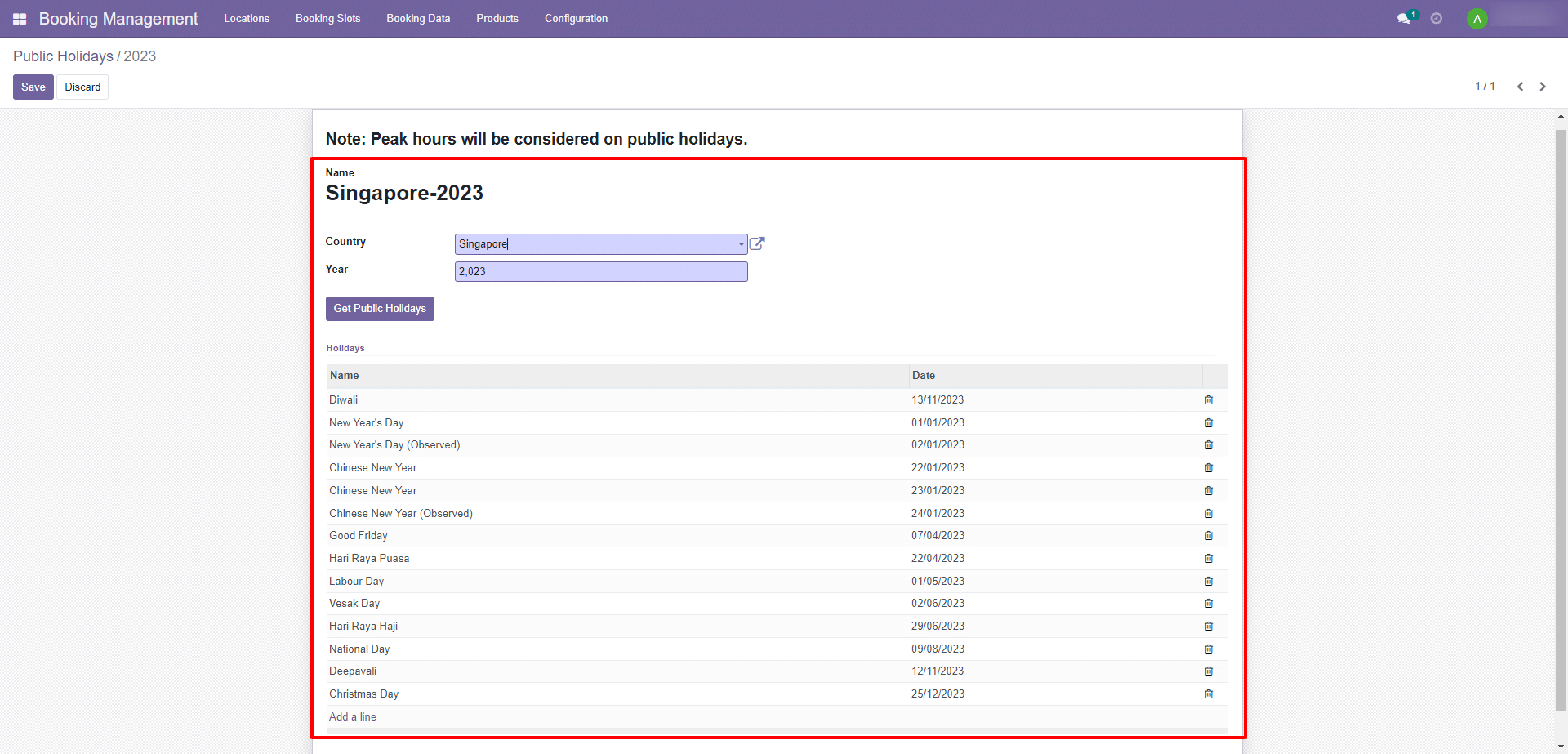
5) Save the all data so click on the save button.
To get more details on how to use the Booking System, Please docontact us at support@metrogroup.solutions