
In Metro CRM, to create a new opportunity in the CRM module, follow these steps:
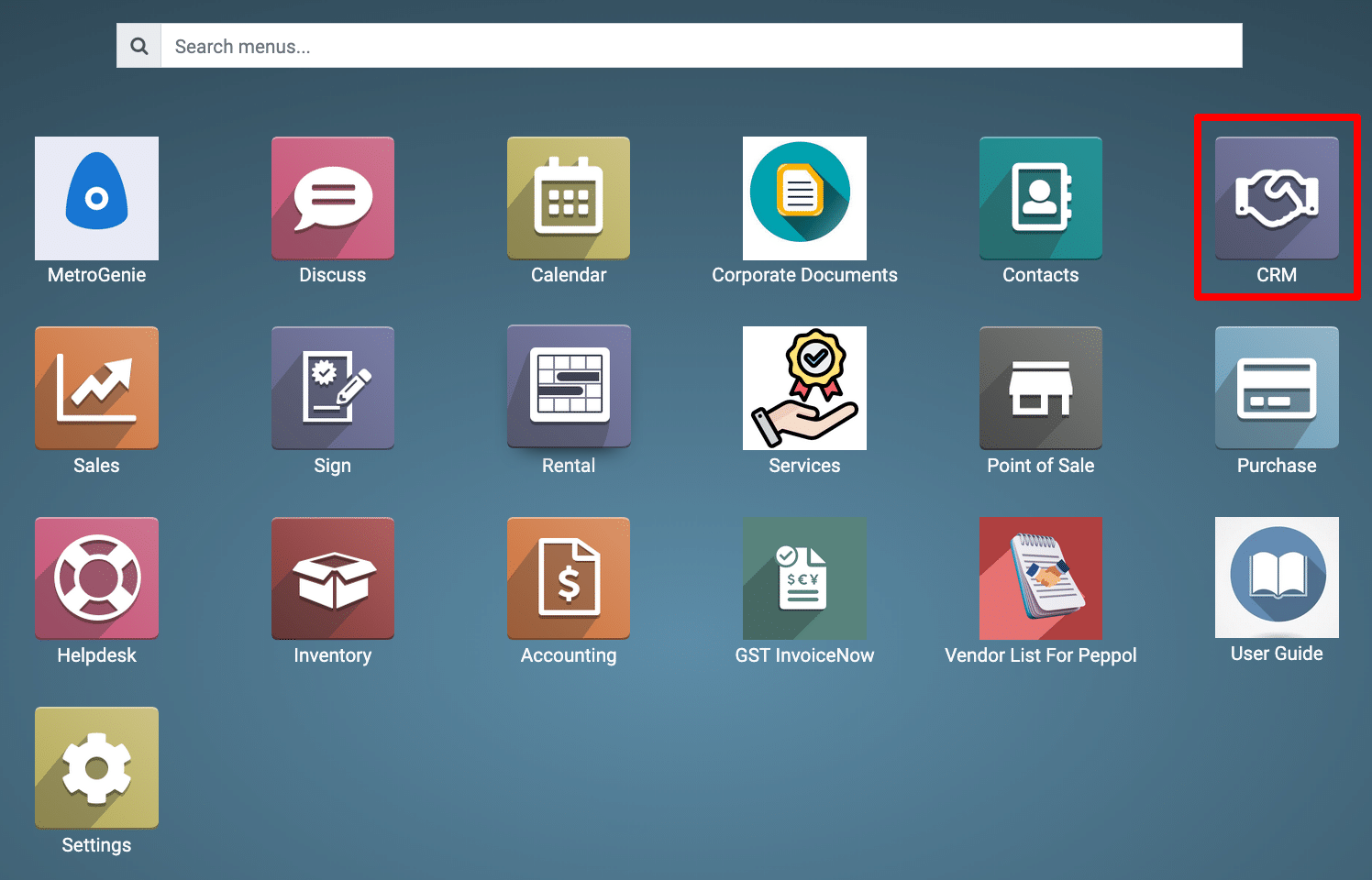
1) Go to CRM: From the main dashboard, click on the CRM app.
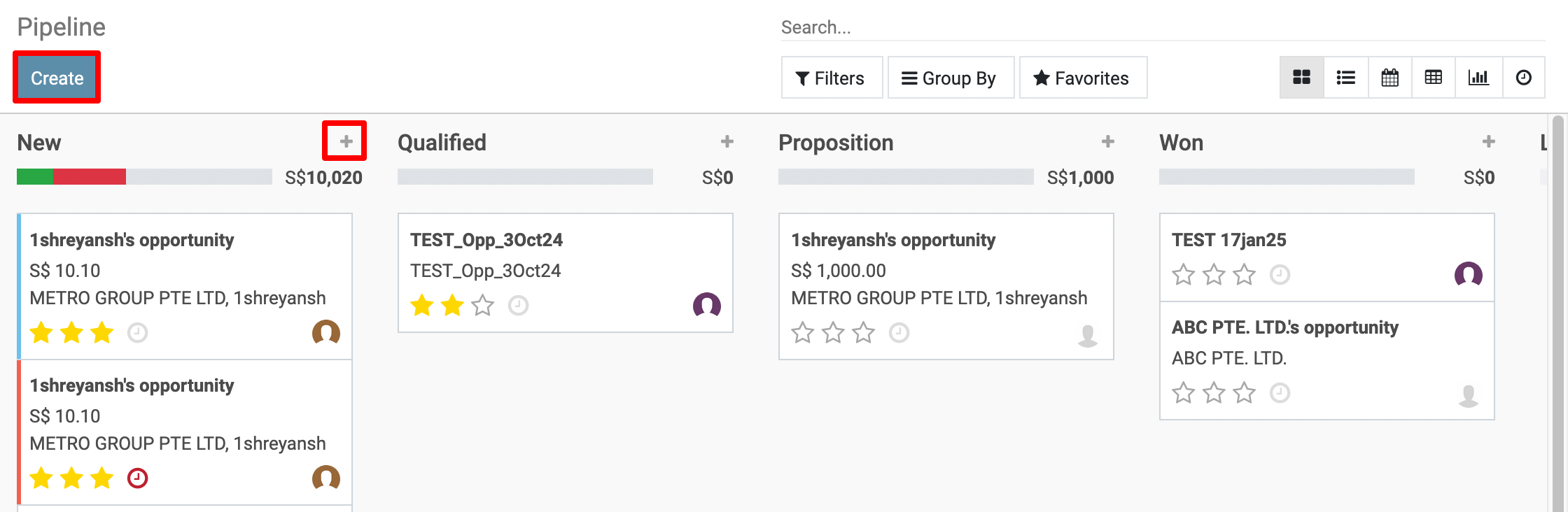
2) Click on “Create”: On the top left of the CRM pipeline view, click the “Create” button. OR This panel appears when you click the “+” icon under a stage (like “New”) to quickly add a new opportunity.
3) Fill in the Opportunity Details: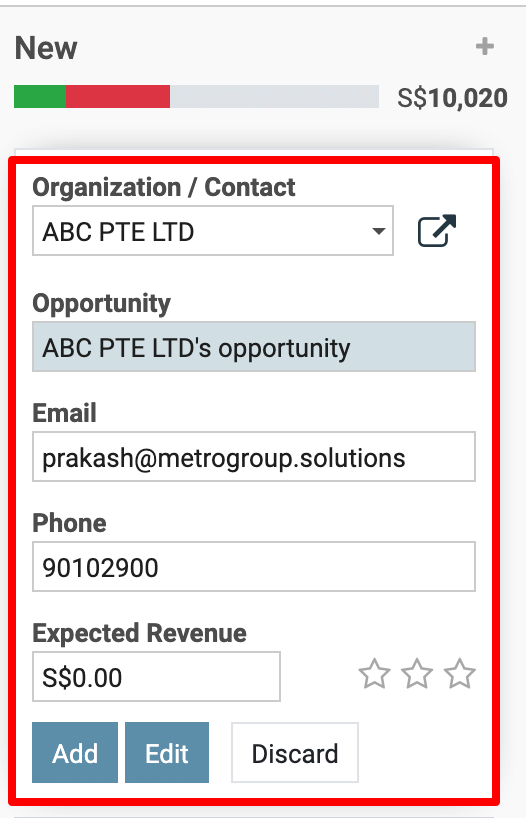
-
Organization / Contact:
-
Dropdown to select or create the customer (company or individual).
-
Opportunity:
-
Title or name of the opportunity (e.g., “Website Development Deal”).
-
Email:
-
The contact email address of the customer.
-
Phone:
-
The customer’s contact phone number.
-
Expected Revenue:
-
Top box: Estimated revenue from the opportunity (e.g., S$5000).
-
Star icons: Internal rating or priority (1 to 3 stars).
-
Bottom box: Recurring revenue amount (optional).
-
Dropdown: Recurrence type (e.g., Monthly, Yearly).
Action Buttons:
-
Add: Creates the opportunity and places it in the selected pipeline stage.
-
Edit: Opens the full detailed form view for more advanced input.
-
Discard: Cancels the operation and clears the form.


To get more details to how can I create a new opportunity in Metro CRM, please do contact us at support@metrogroup.solutions