
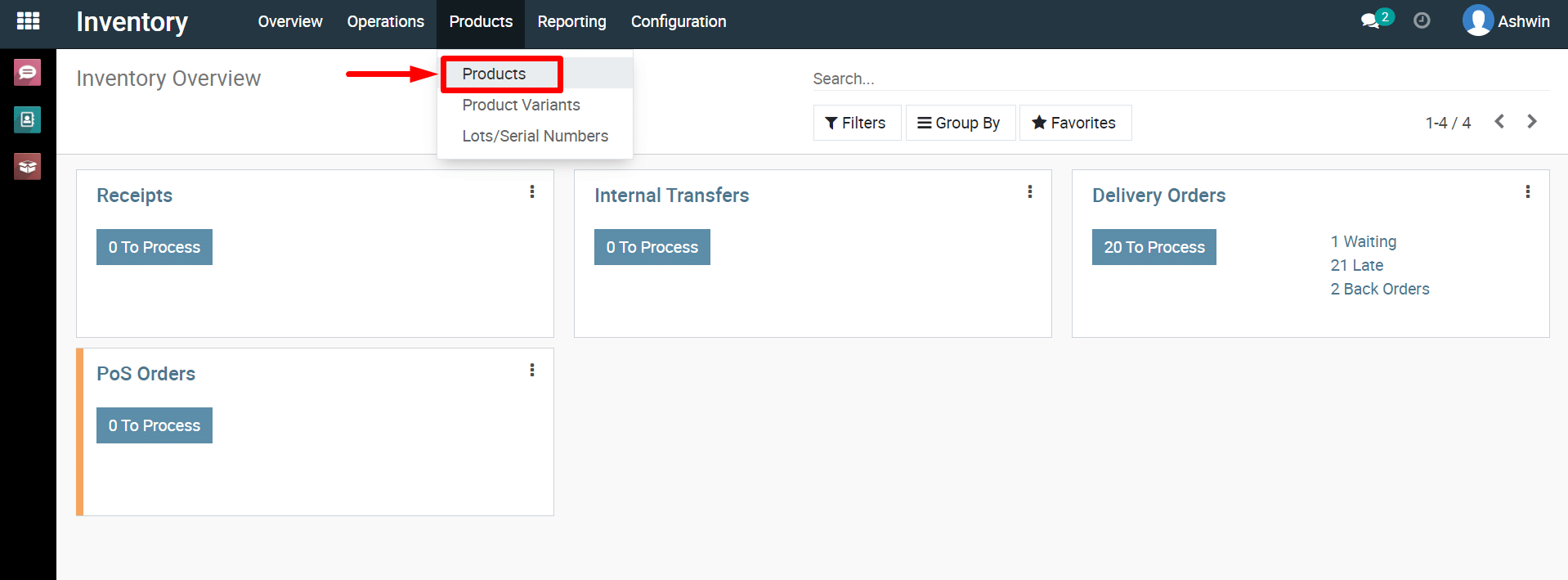
1) Navigate
to the Product tab within the Inventory module from the dashboard, as
depicted in the provided screenshot.
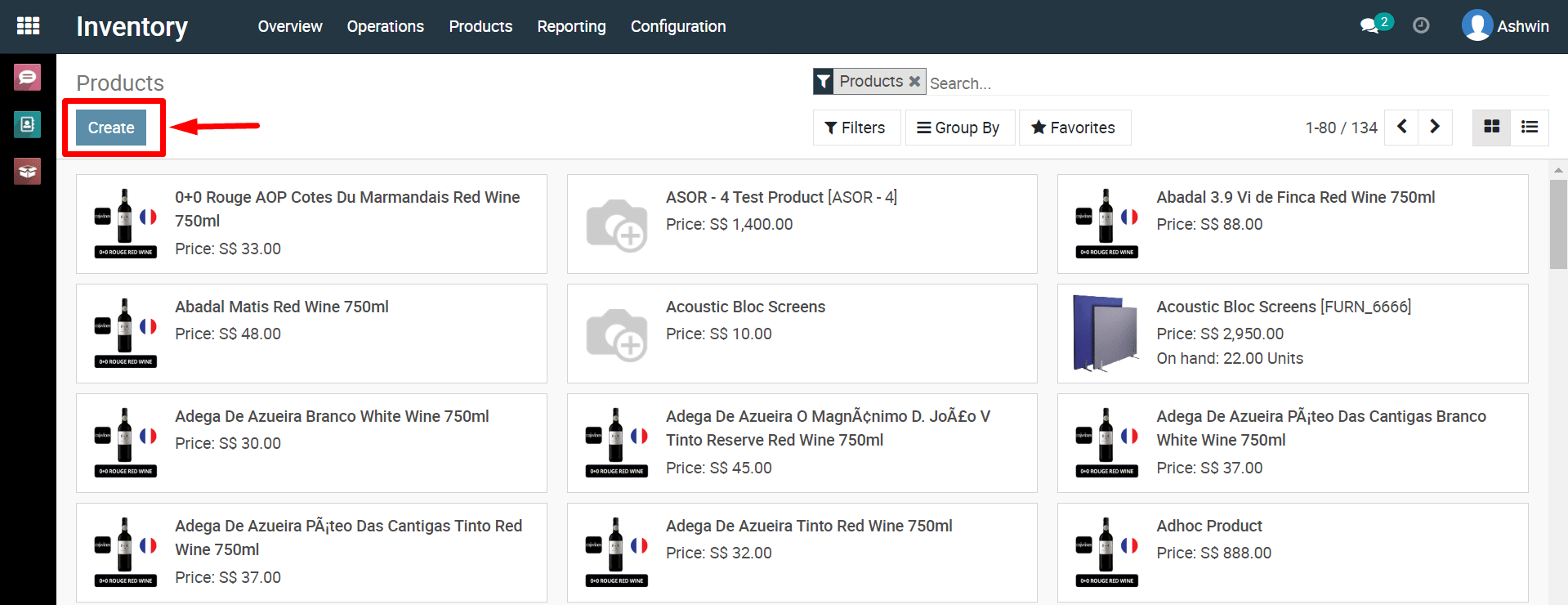
2) To
create a new product, click the ‘Create’ button as indicated in the
screenshot provided below.
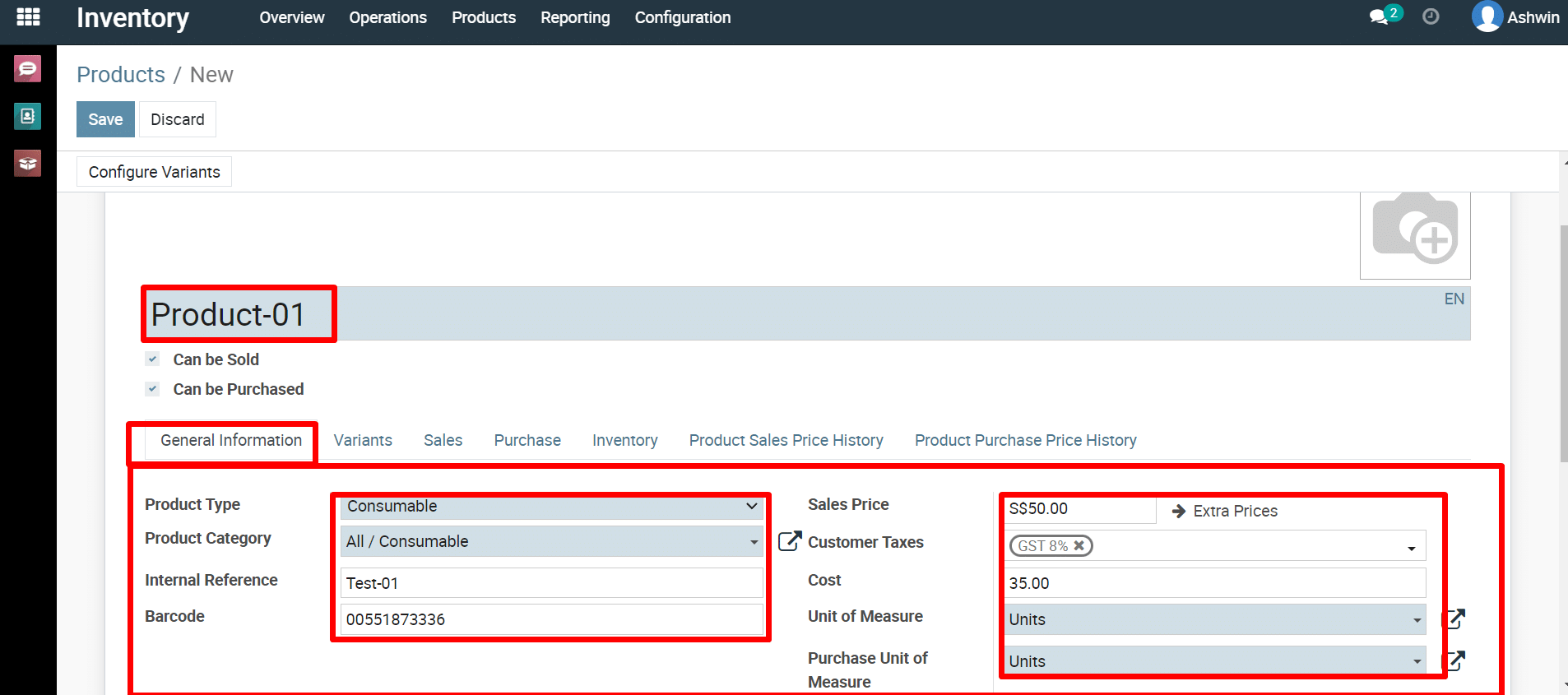
3) Fill
in the necessary fields for the product, including name, sales price,
unit of measure, cost, etc., according to your requirements in
‘General tab’.
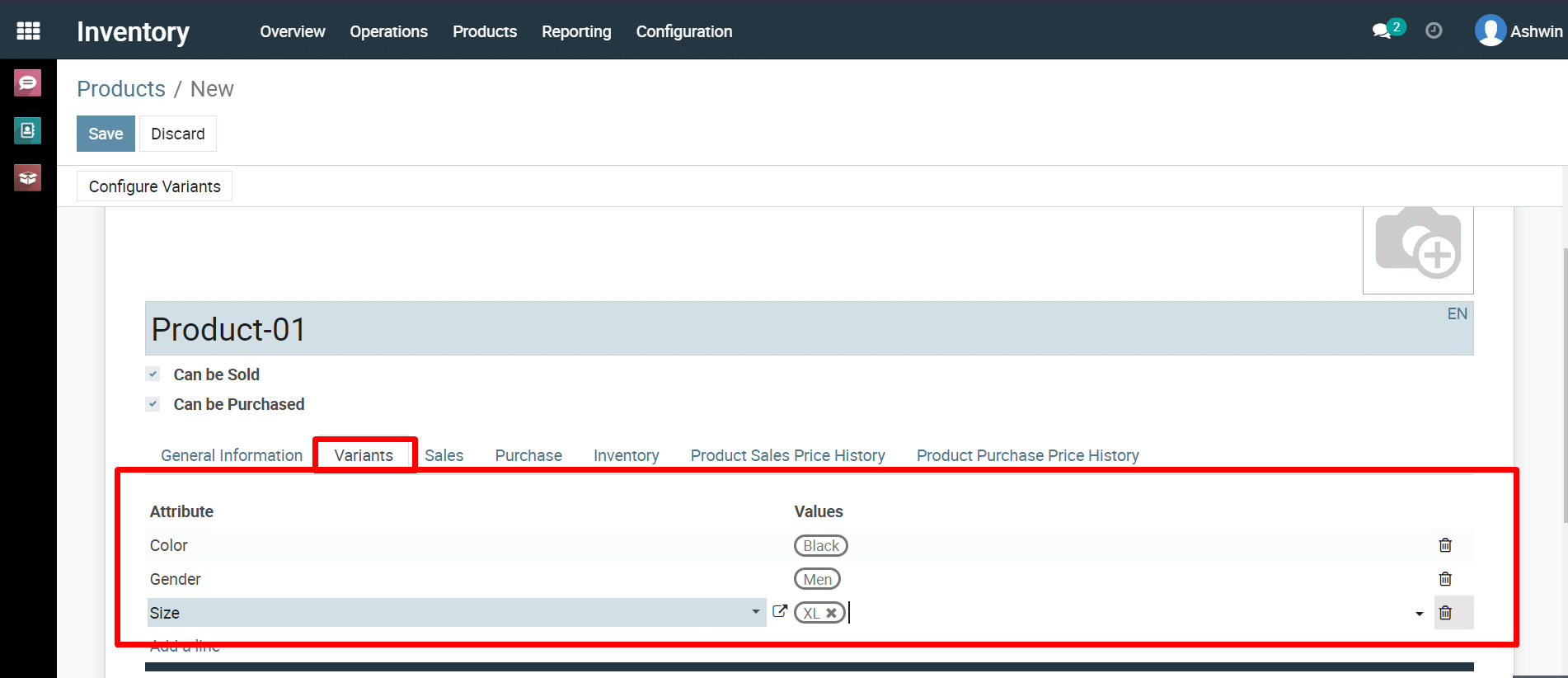
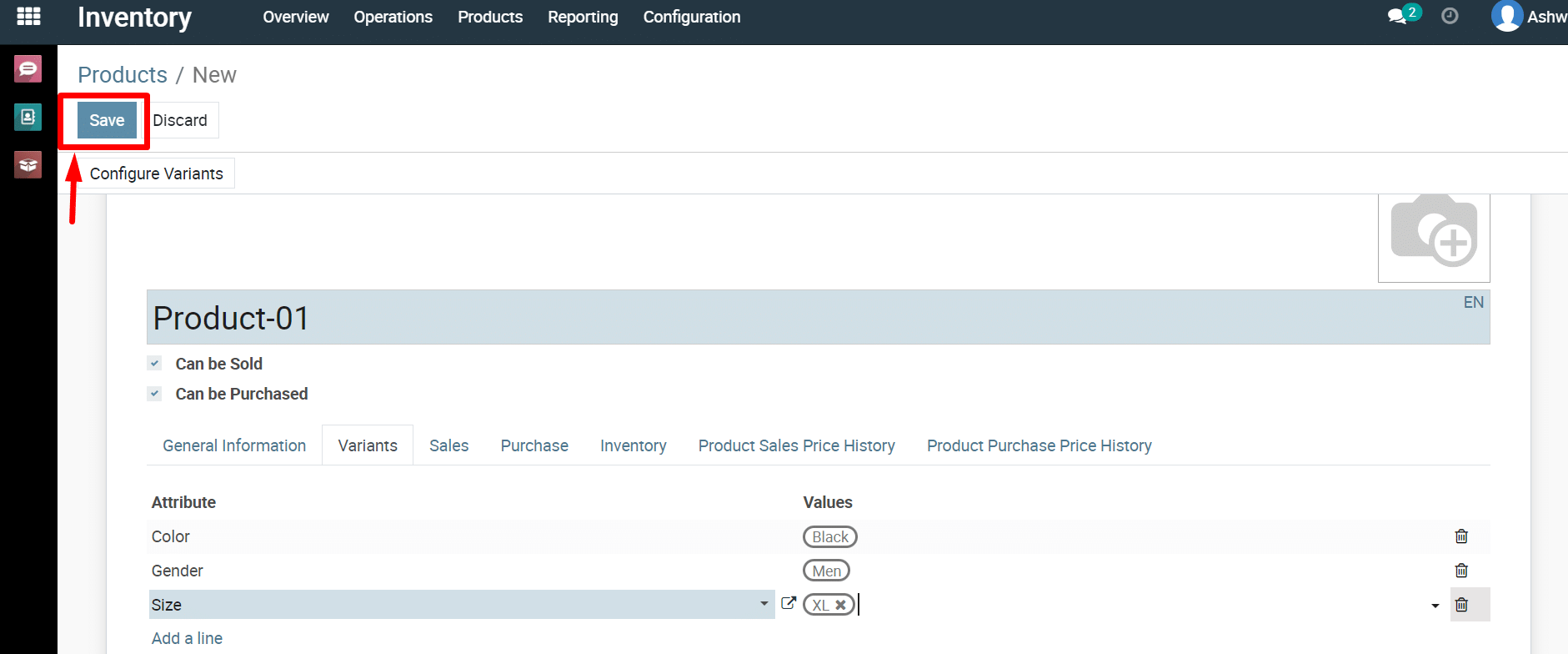
4) You
can configure attributes and variants for the product, as
demonstrated in the provided screenshot.
5) There
are additional options available in various tabs. You can update them
according to your requirements and save the product.To
save the product click on ‘Save’ button.
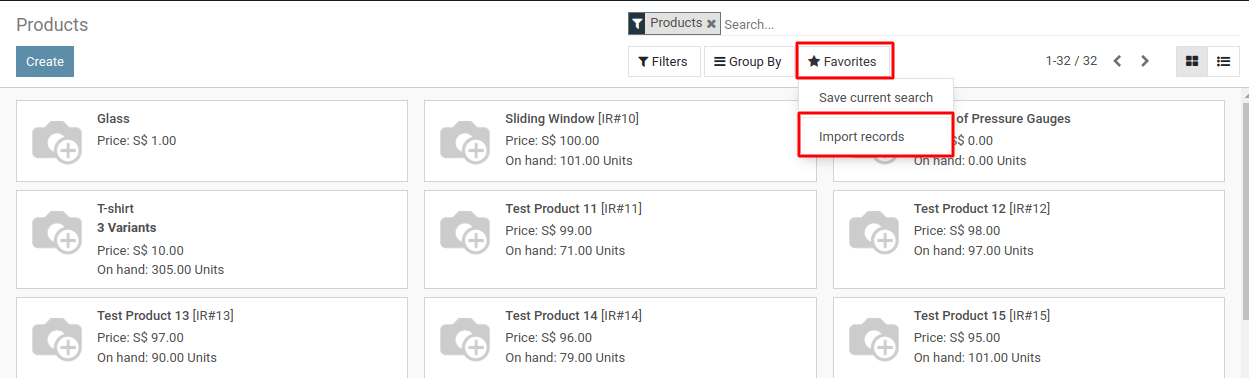
6) Alternatively, you can import list of product by using import option in inventory system.
To get more details how to add product, please do contact us at support@metrogroup.solutions