
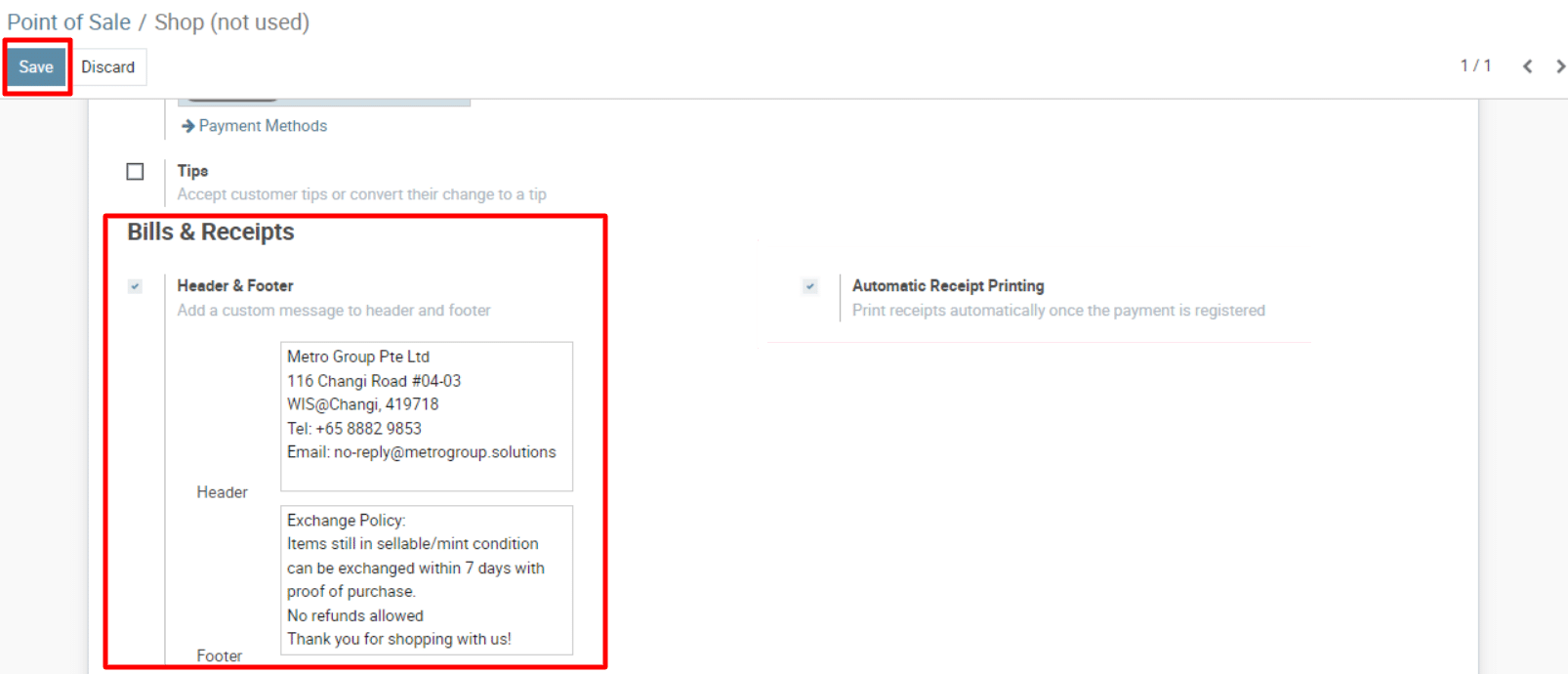
The configuration does allow to customize the header and the footer of the receipt. Please follow the below steps
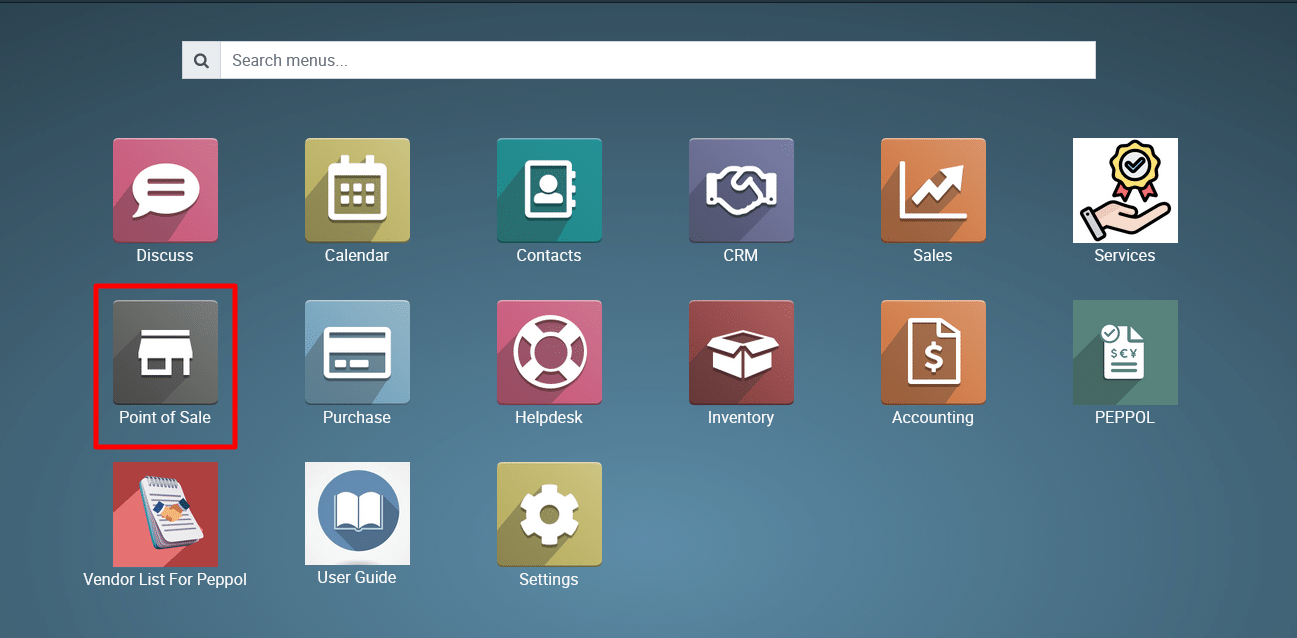
1) Access the PoS Module:
Go to the dashboard and select the Point of Sale (PoS) module.
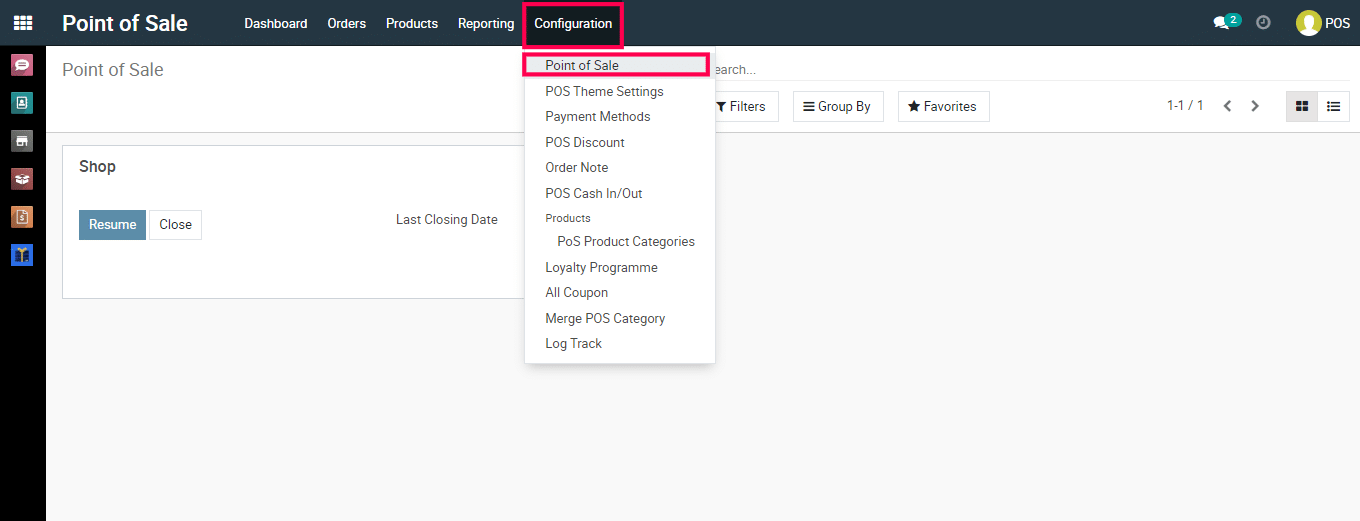
2) Navigate to Point of Sale > Configuration > Point of Sale > Open the Session.

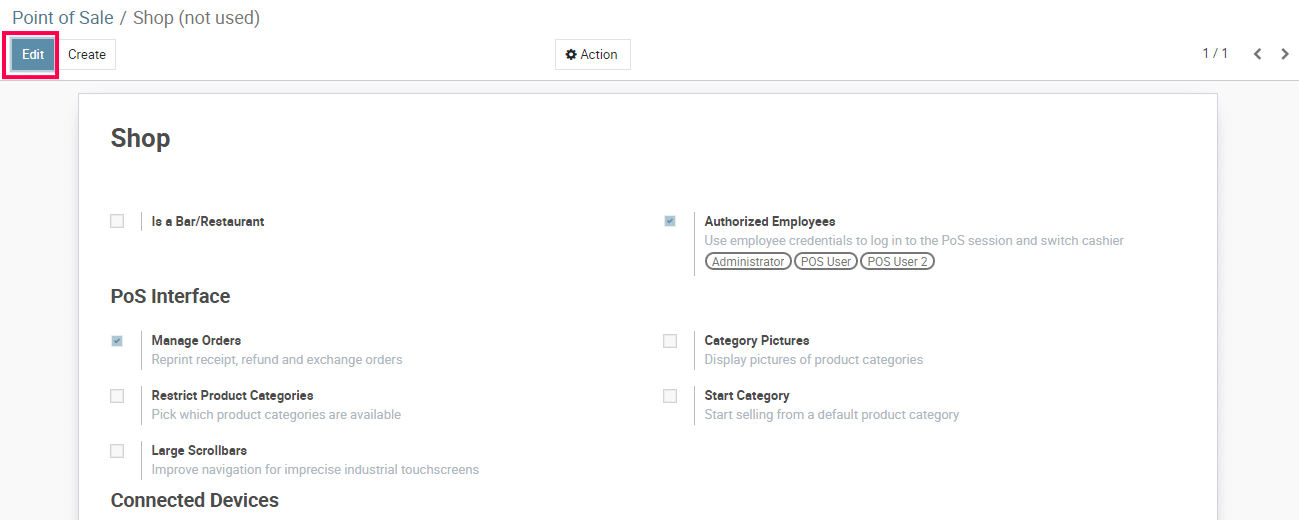
3) Edit the selected Store and find the fields Header & Footer under the Bills & Receipts section.
4) Add/modify the header and footer of the Receipt. Click on ‘Save’.
5) Open/Refresh the PoS to check the affected receipt.
To get more details, how to customise PoS Receipt in to the system, please do contact us at support@metrogroup.solutions