
To configure the bill control in Metro ERP’s Purchase App, follow these steps:
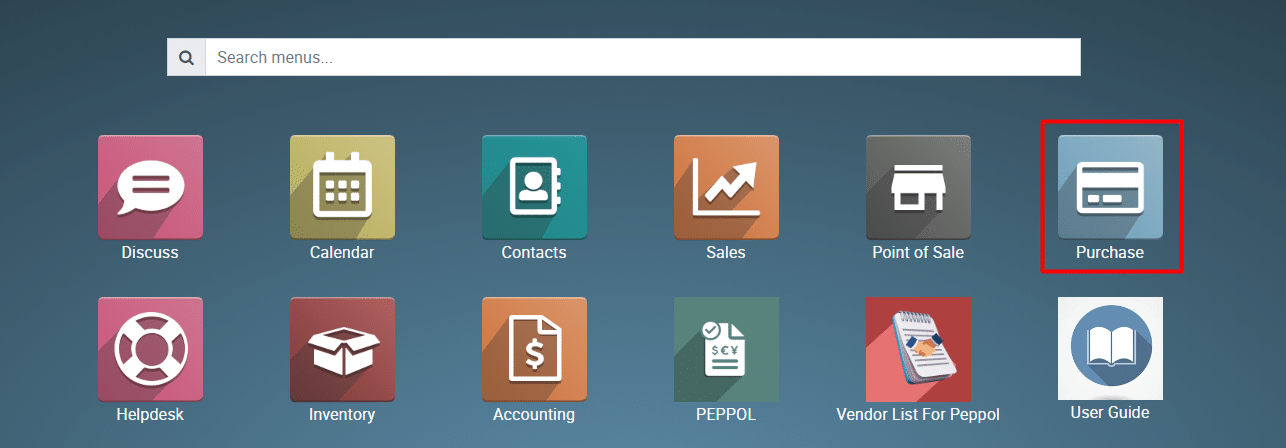
1) Go to the “Purchase” module by clicking on its icon in the main dashboard or using the application menu.
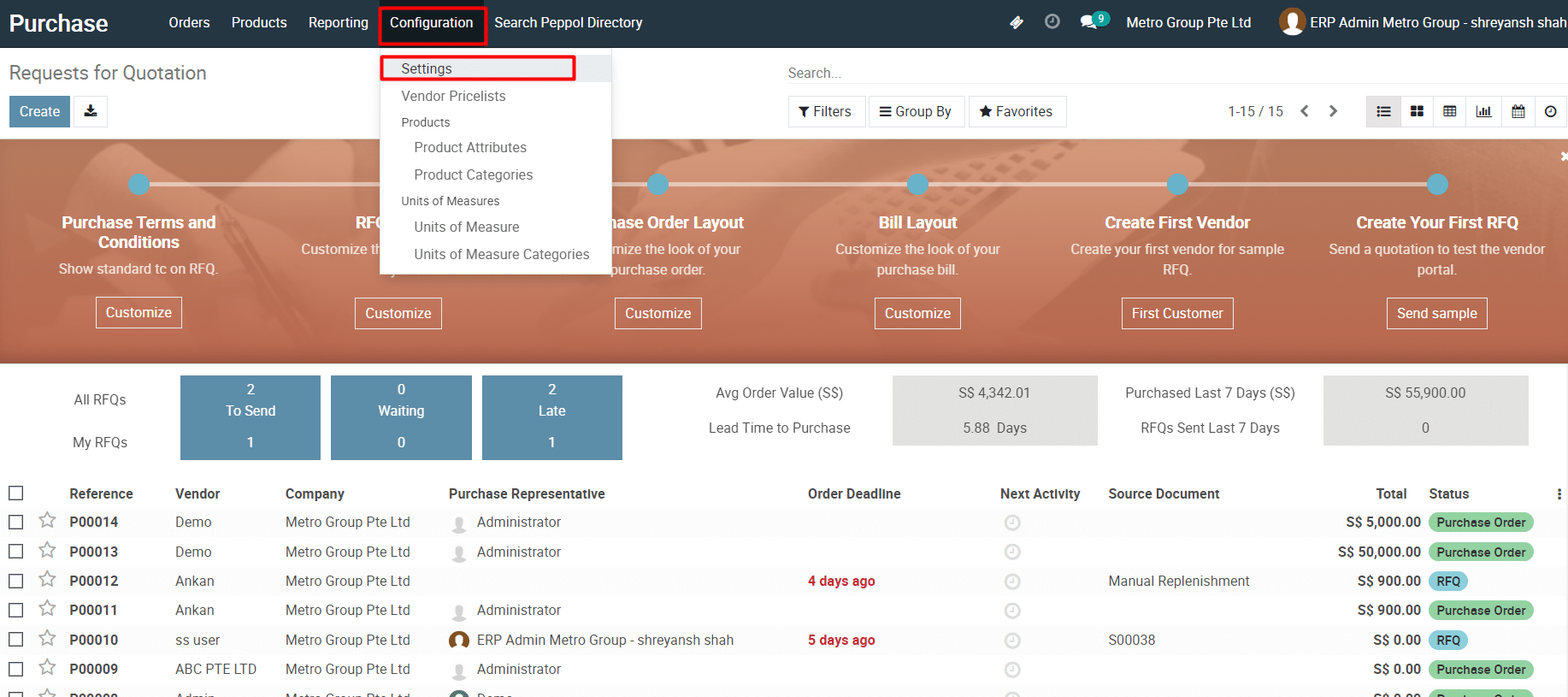
2) In the Purchase module, navigate to the “Configuration” section then click on “Settings”.
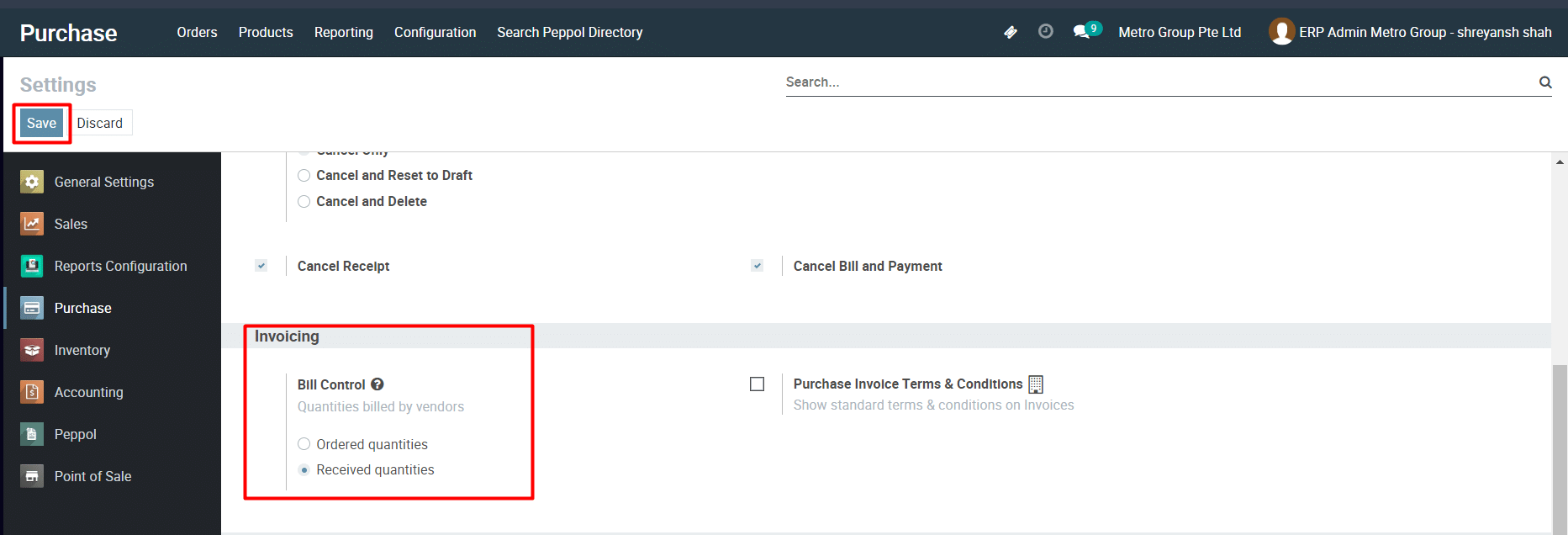
3) Find the “Bill Control” field, which allows you to choose the options.
∙ “Ordered Quantities”: Invoices will be generated based on ordered quantities.
∙ “Received Quantities”: Invoices will be generated based on delivered quantities
4) Select your preferred option.
5) Save the settings to apply.
To configure the Bill Control, please do contact us at support@metrogroup.solutions