
To create a customer statement for a customer in Metro ERP’s Sales App, follow these steps:
1) Go to the “Sales” module by clicking on its icon in the main dashboard or using the application menu.

2) In the Sales module, you can find the “Customers” menu.

3) Click and view the customer list landing page, Select the customer for whom you want to create a customer statement.

4) Within the customer record, you will see the Customer Statements Tab. Click on “Print Customer Statement” button.
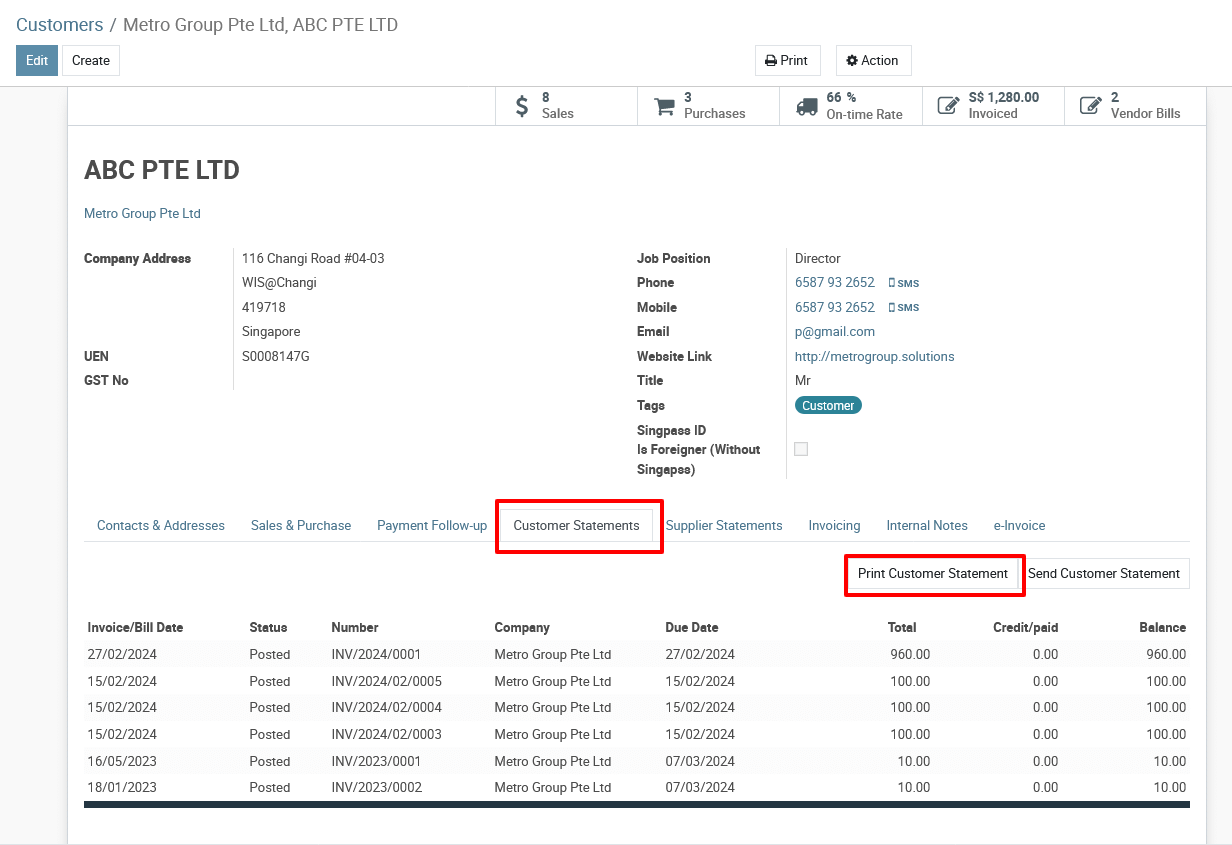
5) This action will download the Customer Statement details PDF report.
To create customer statement, please do contact us at support@metrogroup.solutions