
Follow the steps below to view the GST InvoiceNow Analysis report in the Metro Accounting System:
1) Go to the Accounting application by clicking on its icon in the main dashboard or by using the application menu.
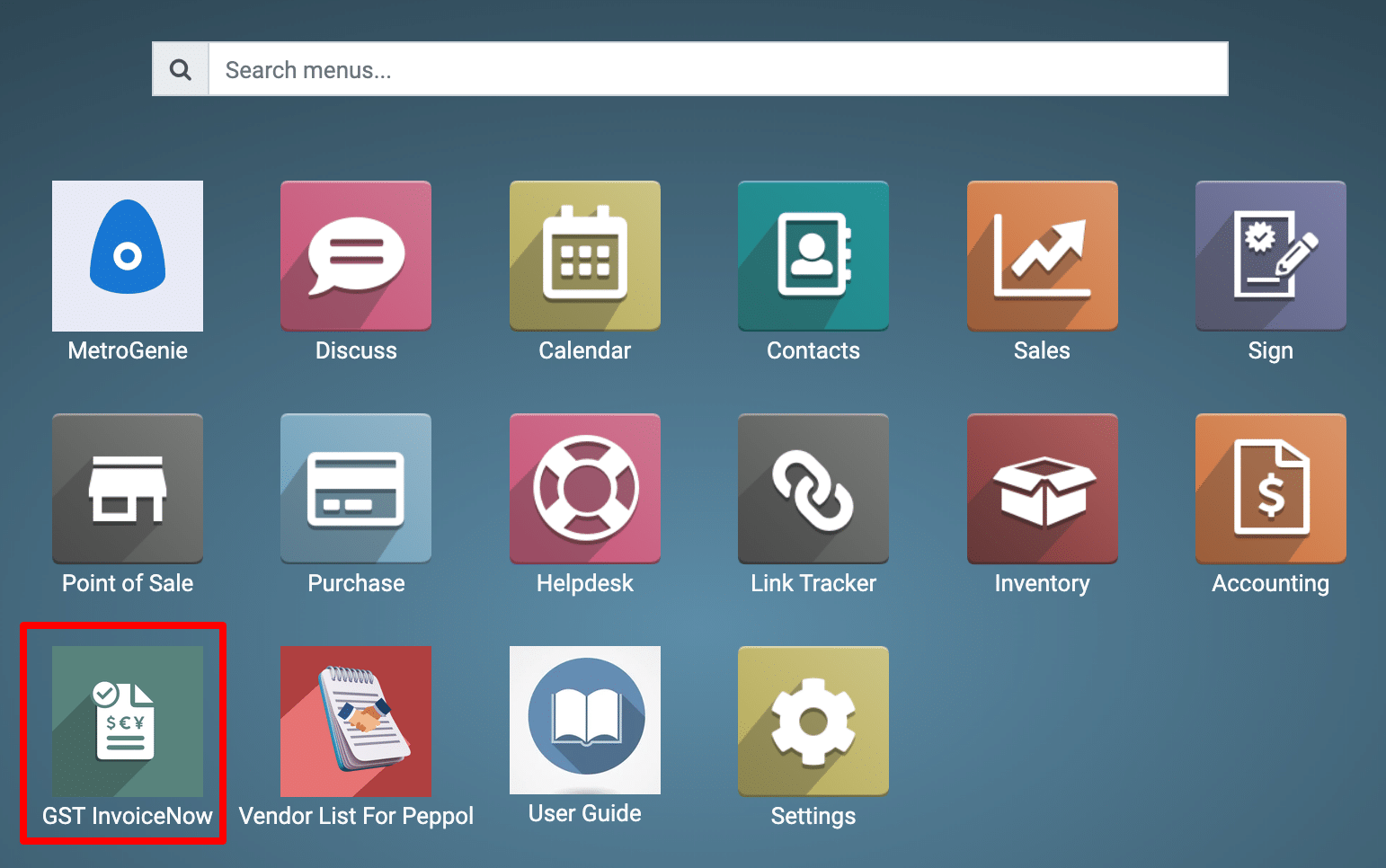
2) View the GST InvoiceNow Dashboard.
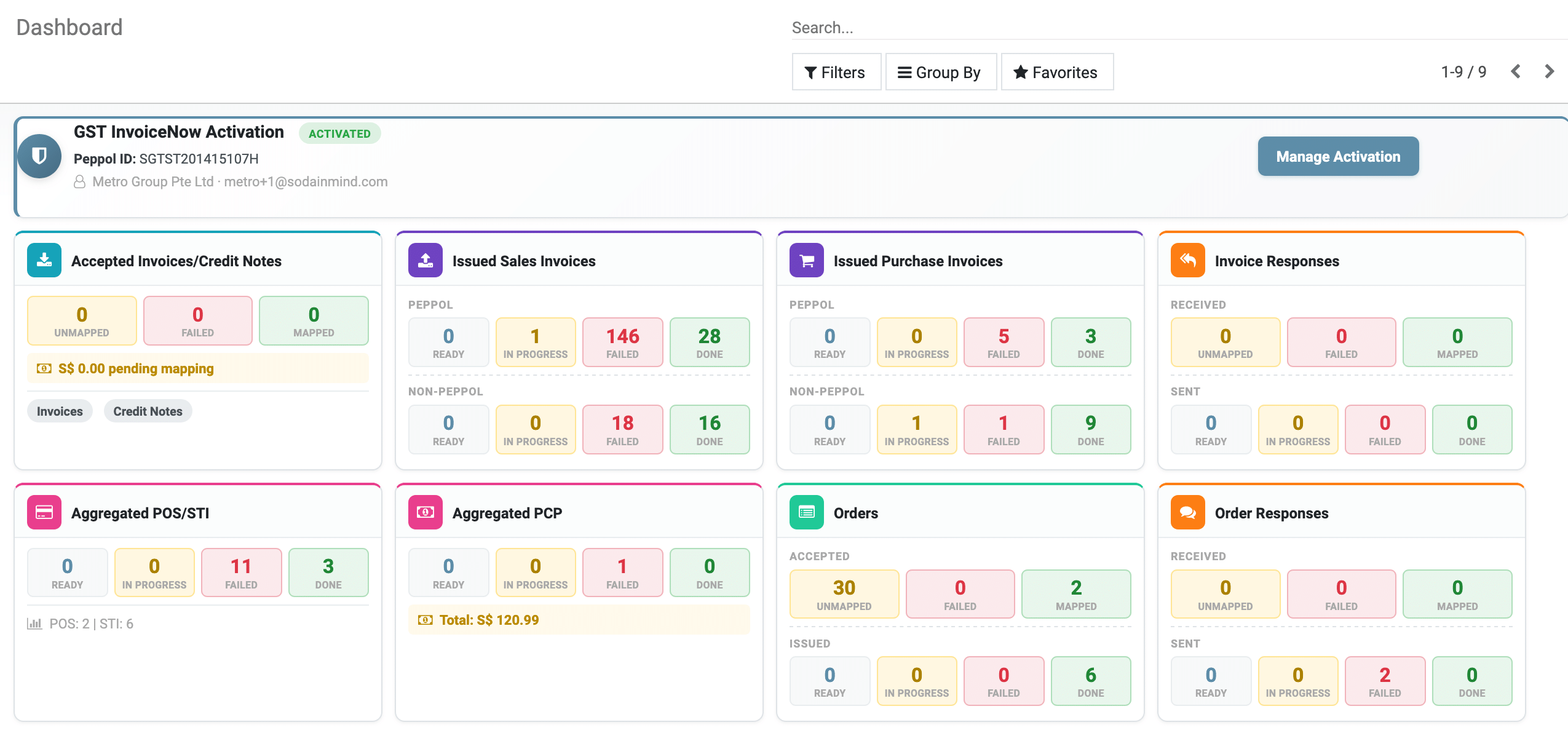
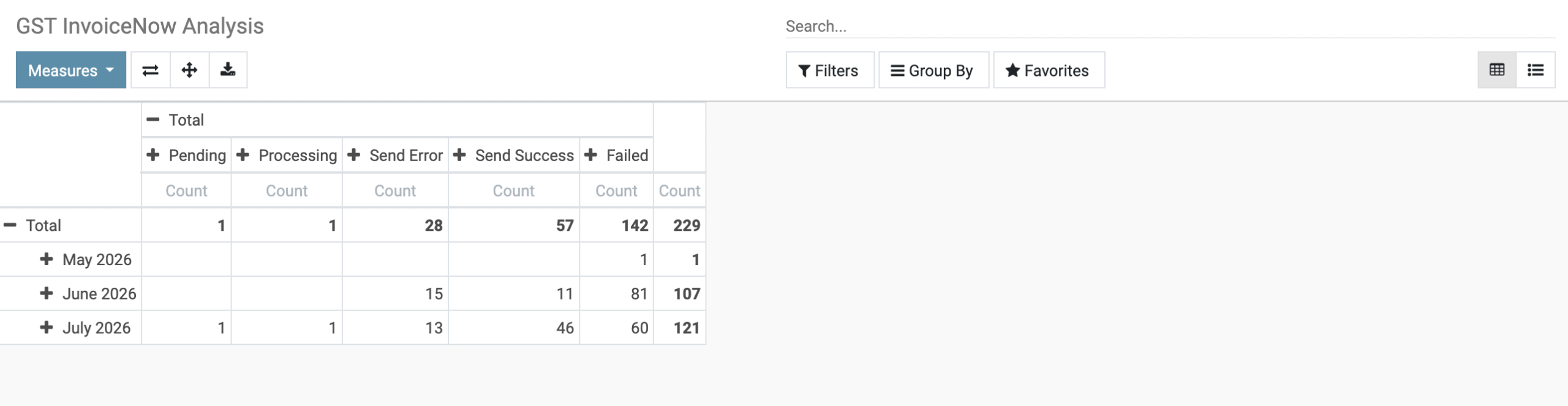
3) Navigate to Reporting → GST InvoiceNow Analysis.

VIew the Report.
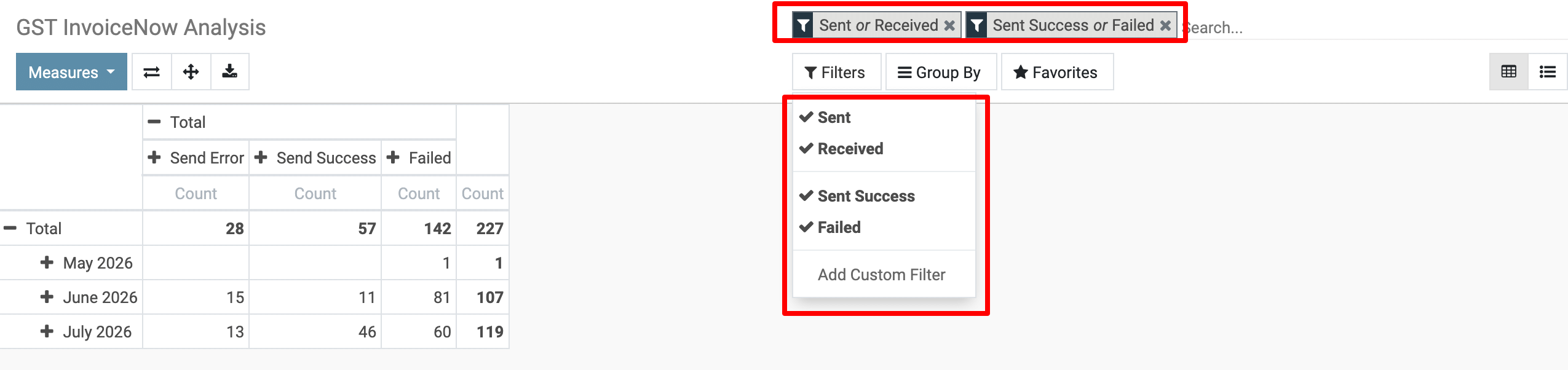
4) Filter by Status
-
Use the Search bar → Filters → Add Custom Filter.
-
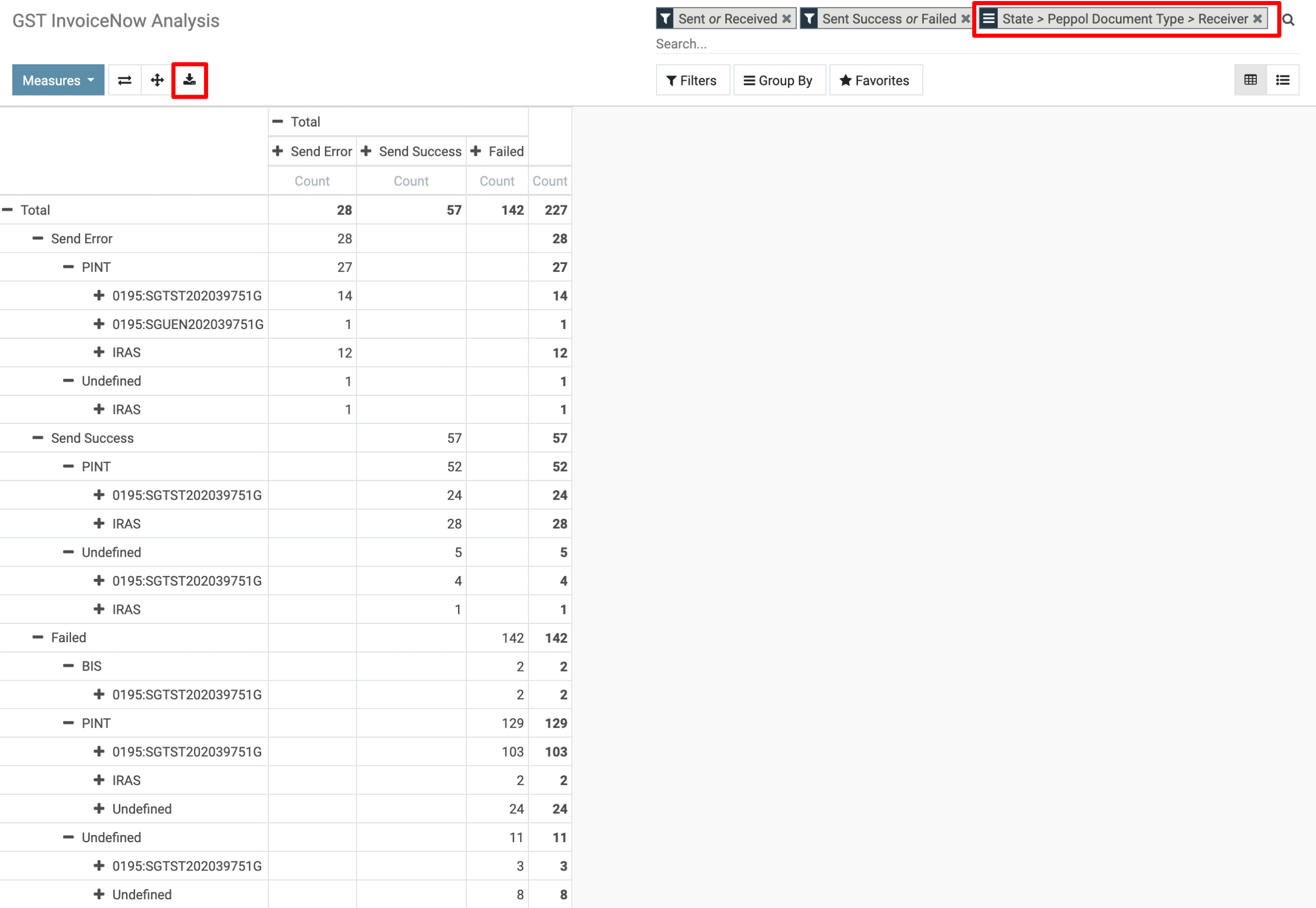
Add filters like: Sent or Received / Send Success or Failed.
5) Group & View
-
Use the Group By > State > Peppole Document Type > Receiver
-
This allows you to see how many invoices were successful vs. failed.
6) Export the Report
-
Select all the filtered invoices (successful or failed).
-
Click Action → Export.
-
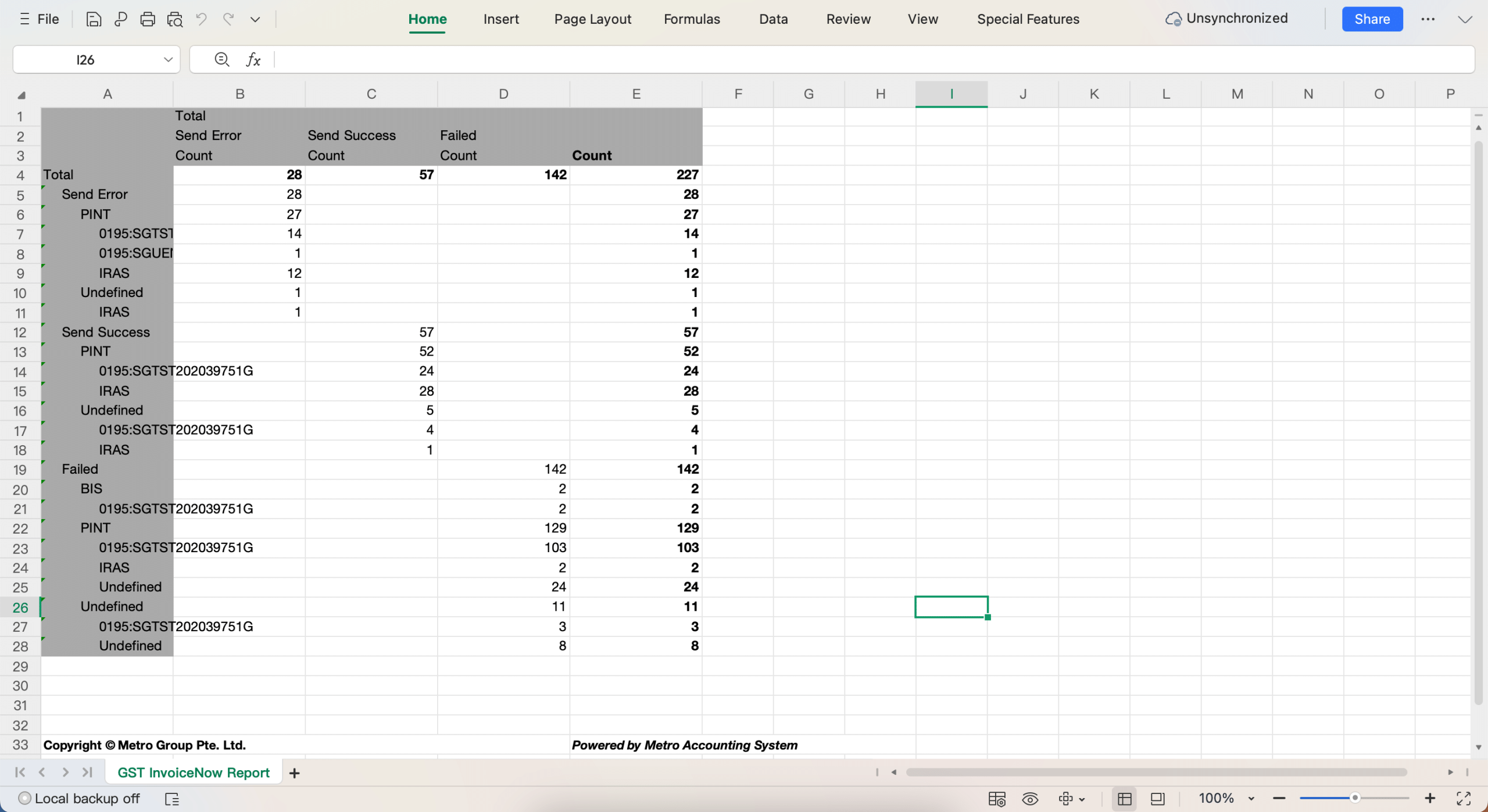
Export as Excel (.xlsx) or CSV for reporting.
To get more details, how to view the GST InvoiceNow Analysis, please do contact us at support@metrogroup.solutions